J-Link / J-Trace (UM08001) © 2004-2017 SEGGER Microcontroller GmbH & Co. KG
57
2.2 License types
For each of the software components which require an additional license, there are
different types of licenses which are explained in the following.
Built-in License
This type of license is easiest to use. The customer does not need to deal with a
license key. The software automatically finds out that the connected J-Link contains
the built-in license(s). The license is burned into the J-Link debug probe and can be
used on any computer the J-Link is connected to. This type of license applies to the J-
Link PLUS, J-Link ULTRA+ and J-Link Pro.
Key-based license
This type of license is used if you already have a J-Link, but order a license for a J-
Link software component at a later time. In addition to that, the key-based license is
used for trial licenses. To enable this type of license you need to obtain a license key
from SEGGER. Free trial licenses are available upon request from www.segger.com.
This license key has to be added to the J-Link license management. How to enter a
license key is described in detail in Licensing on page 265. Every license can be used
on different PCs, but only with the J-Link the license is for. This means that if you
want to use flash breakpoints with other J-Links, every J-Link needs a license.
2.2.1 Built-in license
This type of license is easiest to use. The customer does not need to deal with a
license key. The software automatically finds out that the connected J-Link contains
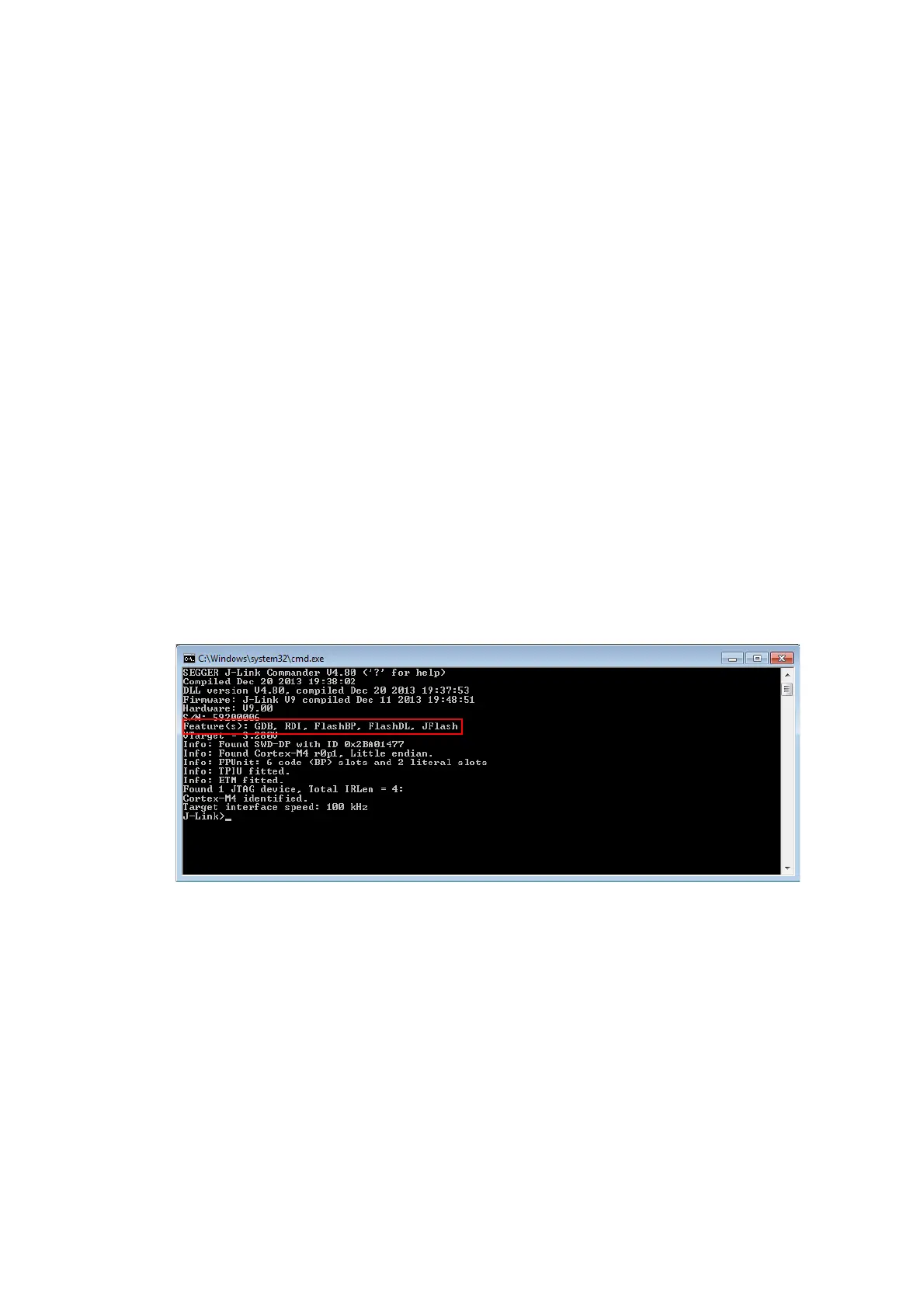
the built-in license(s). To check what licenses the used J-Link have, simply open the
J-Link commander (JLink.exe). The J-Link commander finds and lists all of the J-
Link’s licenses automatically, as can be seen in the screenshot below.
The J-Link PLUS in the example above contains licenses for all features. Note that
GDB and FlashDL feature are no longer required.
2.2.2 Key-based license
When using a key-based license, a license key is required in order to enable the fea-
ture. License keys can be added via the J-Link License Manager. How to enter a
license via the license manager is described in Licensing on page 265. Like the built-
in license, the key-based license is only valid for one J-Link, so if another J-Link is
used it needs a separate license.



 To Next Page