J-Link / J-Trace (UM08001) © 2004-2017 SEGGER Microcontroller GmbH & Co. KG
257
6.5 Setup for various debuggers (CFI flash)
The setup for download into CFI-compliant memory is different from the one for
internal flash. Initialization of the external memory interface the CFI flash is con-
nected to, is user's responsibility and is expected by the J-Link software to be done
prior to performing accesses to the specified CFI area. In this section, the setup for
different debuggers is explained.
6.5.1 IAR Embedded Workbench / Keil MDK
Using the J-Link flash download feature with IAR Embedded Workbench / Keil MDK is
quite simple:
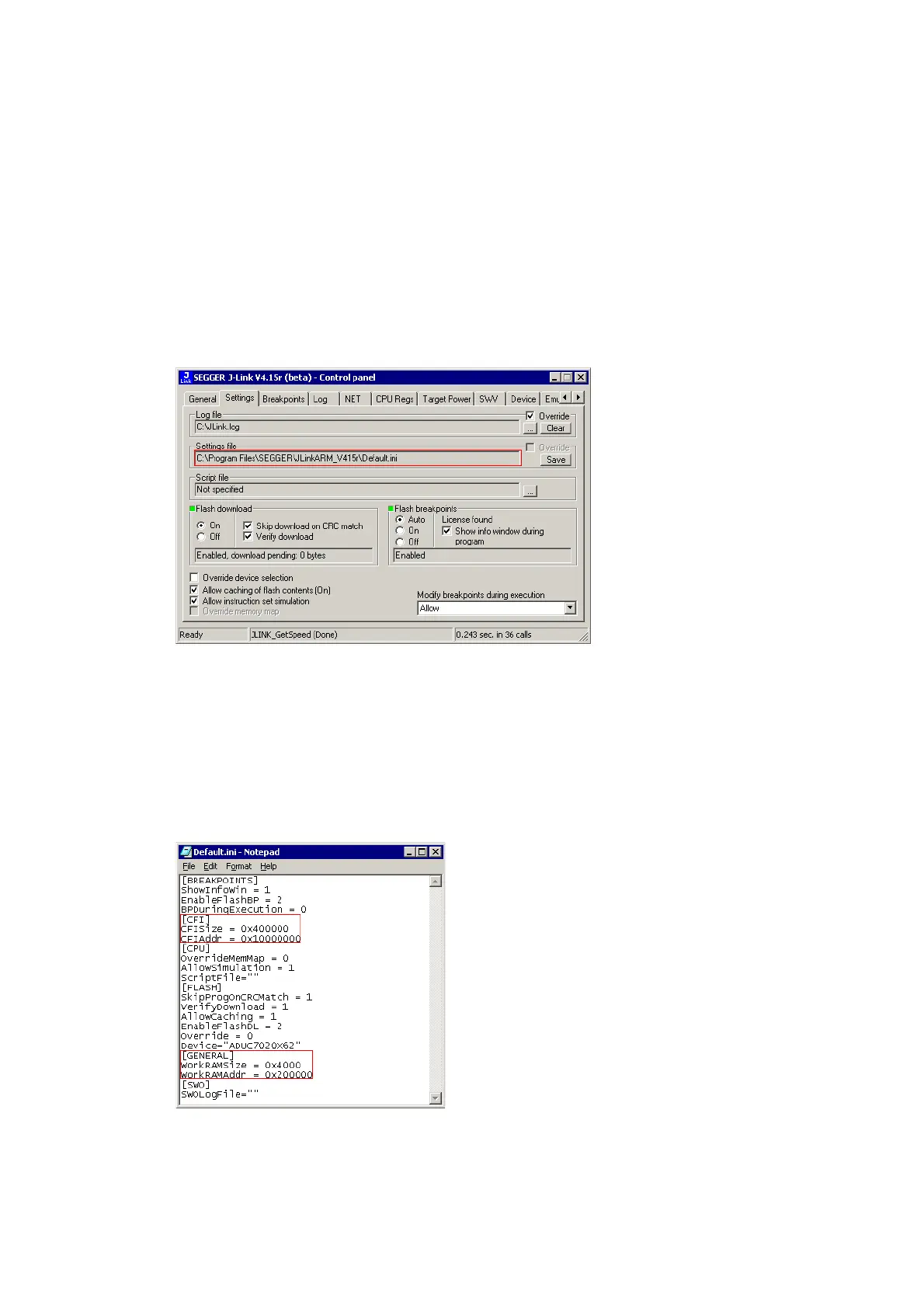
First, start the debug session and open the J-Link Control Panel. In the tab "Settings"
you will find the location of the settings file.
Close the debug session and open the settings file with a text editor. Add the follow-
ing lines to the file:
[CFI]
CFISize = <FlashSize>
CFIAddr = <FlashAddr>
[GENERAL]
WorkRAMSize = <RAMSize>
WorkRAMAddr = <RAMAddr>
After this the file should look similar to the sample in the following screenshot.
Save the settings file and restart the debug session.



 To Next Page