J-Link / J-Trace (UM08001) © 2004-2017 SEGGER Microcontroller GmbH & Co. KG
191
5.6 Connecting multiple J-Links / J-Traces to your PC
In general, it is possible to have an unlimited number of J-Links / J-Traces connected
to the same PC. Current J-Link models are already factory-configured to be used in a
multi-J-Link environment, older J-Links can be re-configured to use them in a multi-
J-link environment.
5.6.1 How does it work?
USB devices are identified by the OS by their product ID, vendor id and serial num-
ber. The serial number reported by current J-Links is a unique number which allows
to have an almost unlimited number of J-Links connected to the same host at the
same time. In order to connect to the correct J-Link, the user has to make sure that
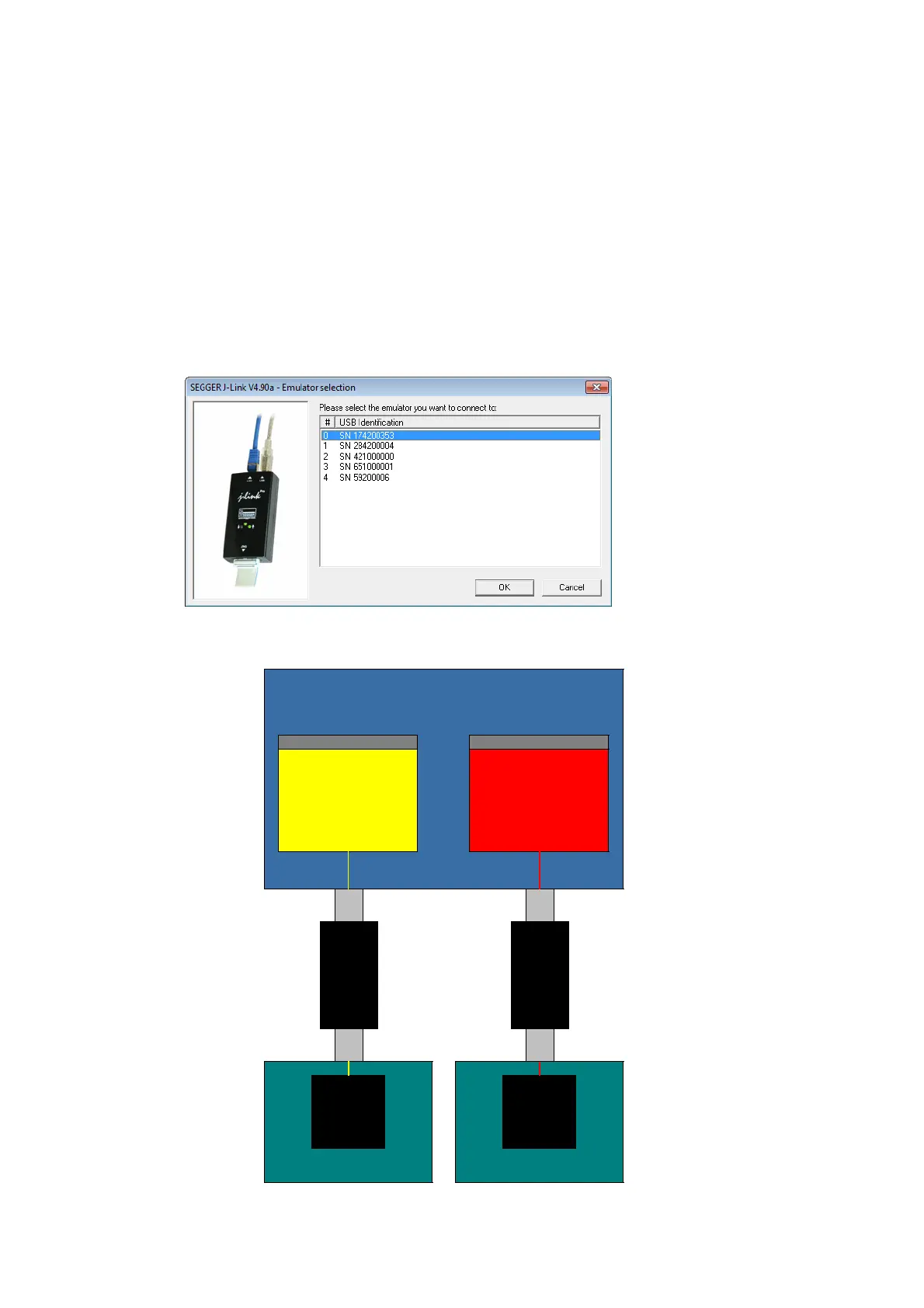
the correct J-Link is selected (by SN or IP). In cases where no specific J-Link is
selected, following pop up will shop and allow the user to select the proper J-Link:
The sketch below shows a host, running two application programs. Each application-
communicates with one CPU core via a separate J-Link.
Host (PC)
Target hardware 1
CPU1
Application
Instance 2
Application
Instance 1
CPU0
USB
JTAG
J-Link
1
USB
JTAG
J-Link
2
Target hardware 2



 To Next Page