J-Link / J-Trace (UM08001) © 2004-2017 SEGGER Microcontroller GmbH & Co. KG
245
5.15 Virtual COM Port (VCOM)
5.15.1 Configuring Virtual COM Port
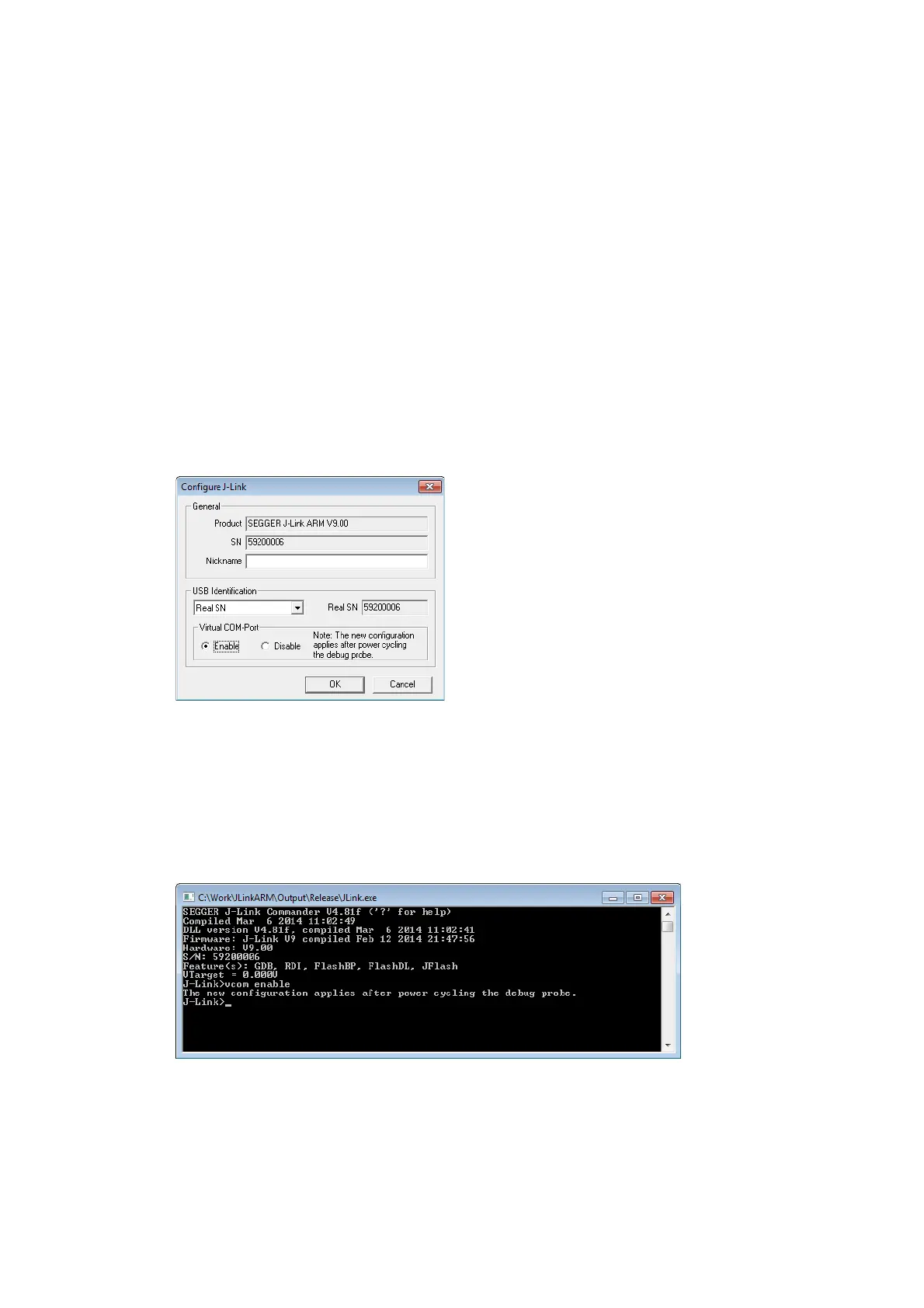
In general, the VCOM feature can be disabled and enabled for debug probes which
comes with support for it via J-Link Commander and J-Link Configurator. Below, a
small description of how to use use them to configure the feature is given.
Note: VCOM can only be used when debugging via SWD target interface. Pin 5 =
J-Link-Tx (out), Pin 17 = J-Link-Rx (in).
Note: Currently, only J-Link models with hardware version 9 or newer comes
with VCOM capabilites.
5.15.1.1 Via J-Link Configurator
The J-Link software and documentation package comes with a free GUI-based utility
called J-Link Configurator which auto-detects all J-Links that are connected to the
host PC via USB & Ethernet. The J-Link Configurator allows the user to enable and
disable the VCOM. For more information about the J-Link Configurator, please refer to
J-Link Configurator on page 167.
5.15.1.2 Via J-Link Commander
Simply start J-Link Commander, which is part of the J-Link software and documenta-
tion package and enter the vcom enable|disable command as in the screenshot
below. After changing the configuration a power on cycle of the debug probe is nec-
essary in order to use the new configuration. For feature information about how to
use the J-Link Commander, please refer to J-Link Commander (Command line tool)
on page 71.



 To Next Page