254 CHAPTER 6 Flash download
J-Link / J-Trace (UM08001) ©
2004-2017 SEGGER Microcontroller GmbH & Co. KG
6.4.3 Mentor Sourcery CodeBench
To use the J-Link flash download feature in Mentor Sourcery CodeBench, the follow-
ing steps need to be performed:
Current versions of Sourcery CodeBench do not pass the device name selected in
CodeBench to the J-Link DLL. Therefore a device override via J-Link settings file is
needed.
• Copy the J-Link settings file template from
$JLINK_INST_DIR$\Samples\JLink\SettingsFiles\Sample.jlinksettings
to the directory where the CodeBench project is located.
•Open the Sample.jlinksettings in a text editor and scroll to the [FLASH] sec-
tion.
• Change the line
Device="UNSPECIFIED"
to the device name that shall be selected (keep the quotation marks). A list of
valid device names can be found here: http://www.segger.com/
jlink_supported_devices.html (List of known devices)
• Change the line
Override = 0
to
Override = 1
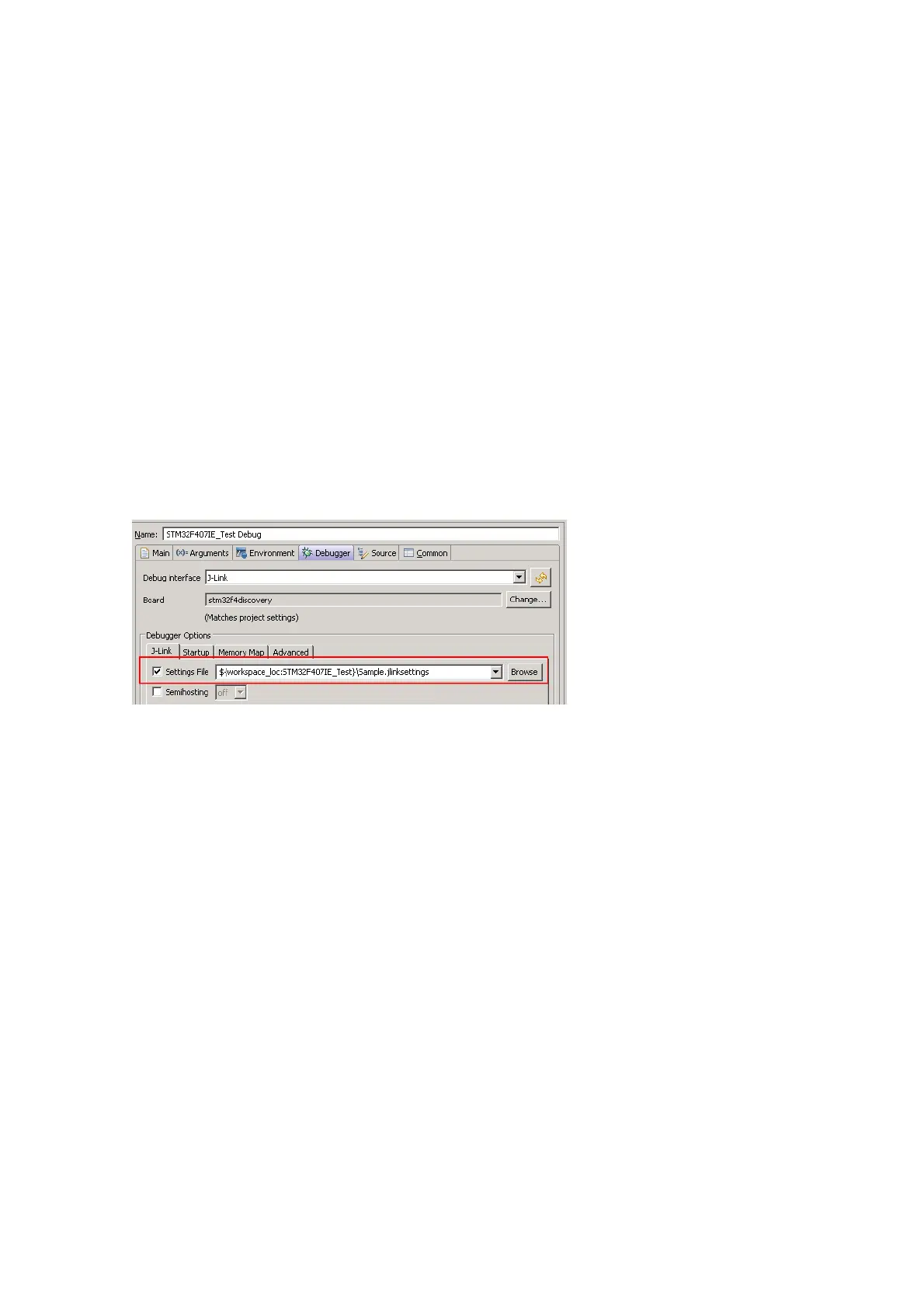
• Select the settings file to be used in Sourcery CodeBench:
Additional steps for enabling Flash Breakpoints feature
By default, Mentor Sourcery CodeBench does not allow the user to use the J-Link
unlimited number of breakpoints in flash feature, since it only allows hardware
breakpoints being set, by default. Enabling this feature requires an additional tweak
in the J-Link settings file:
• Make sure that all steps from Mentor Sourcery CodeBench on page 254, to
enable flash download, have been performed.
• Make sure that Sourcery CodeBench uses a J-Link DLL with version V4.85d or
later. If an earlier version is used, this tweak does not work.
To update the DLL used by CodeBench, copy the J-Link DLL from the J-Link
installation directory to:
C:\Tool\C\Mentor\CodeBench\bin\arm-none-eabi-jlinkarm.dll
• Open the settings file in a text editor and scroll to the [BREAKPOINTS] section.
• Add the line:
ForceImpTypeAny = 1
• Make sure that CodeBench uses the settings file.
6.4.4 J-Link GDB Server
The configuration for the J-Link GDB Server is done by the .gdbinit file. The follow-
ing command has to be added to the .gdbinit file to enable the J-Link flash down-
load feature:
monitor flash device <DeviceName>



 To Next Page