J-Link / J-Trace (UM08001) © 2004-2017 SEGGER Microcontroller GmbH & Co. KG
253
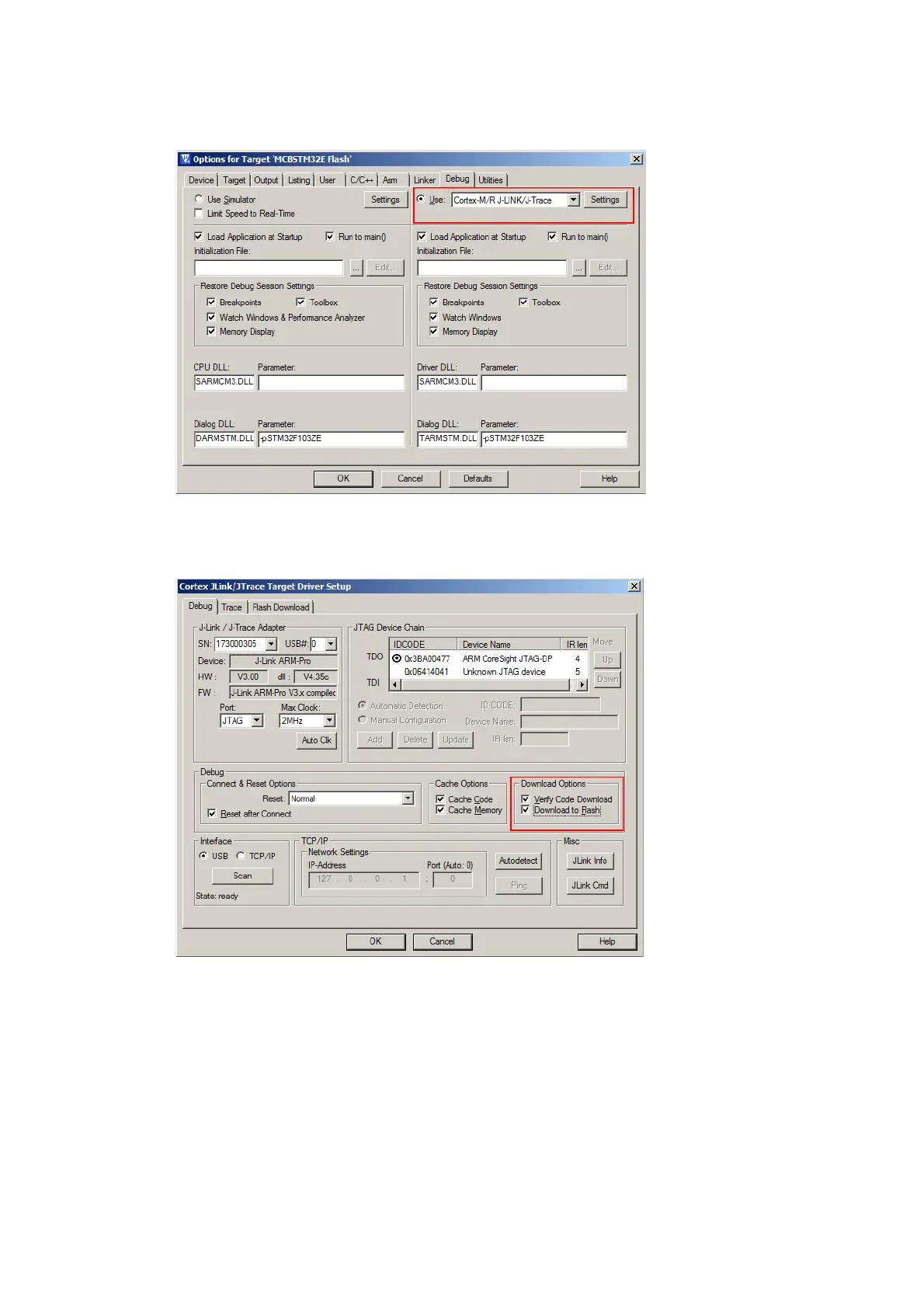
Then J-Link has to be selected as debugger. To select J-Link as debugger simply
choose J-Link / J-Trace from the list box which can be found at Project-
>Options for Target->Debug.
Now setup the Download Options at Project->Options for Target->Debug ->
Settings. Check Verify Code Download and Download to Flash as shown in the
screenshot below.



 To Next Page