J-Link / J-Trace (UM08001) © 2004-2017 SEGGER Microcontroller GmbH & Co. KG
129
3.4.2 Tunneling mode
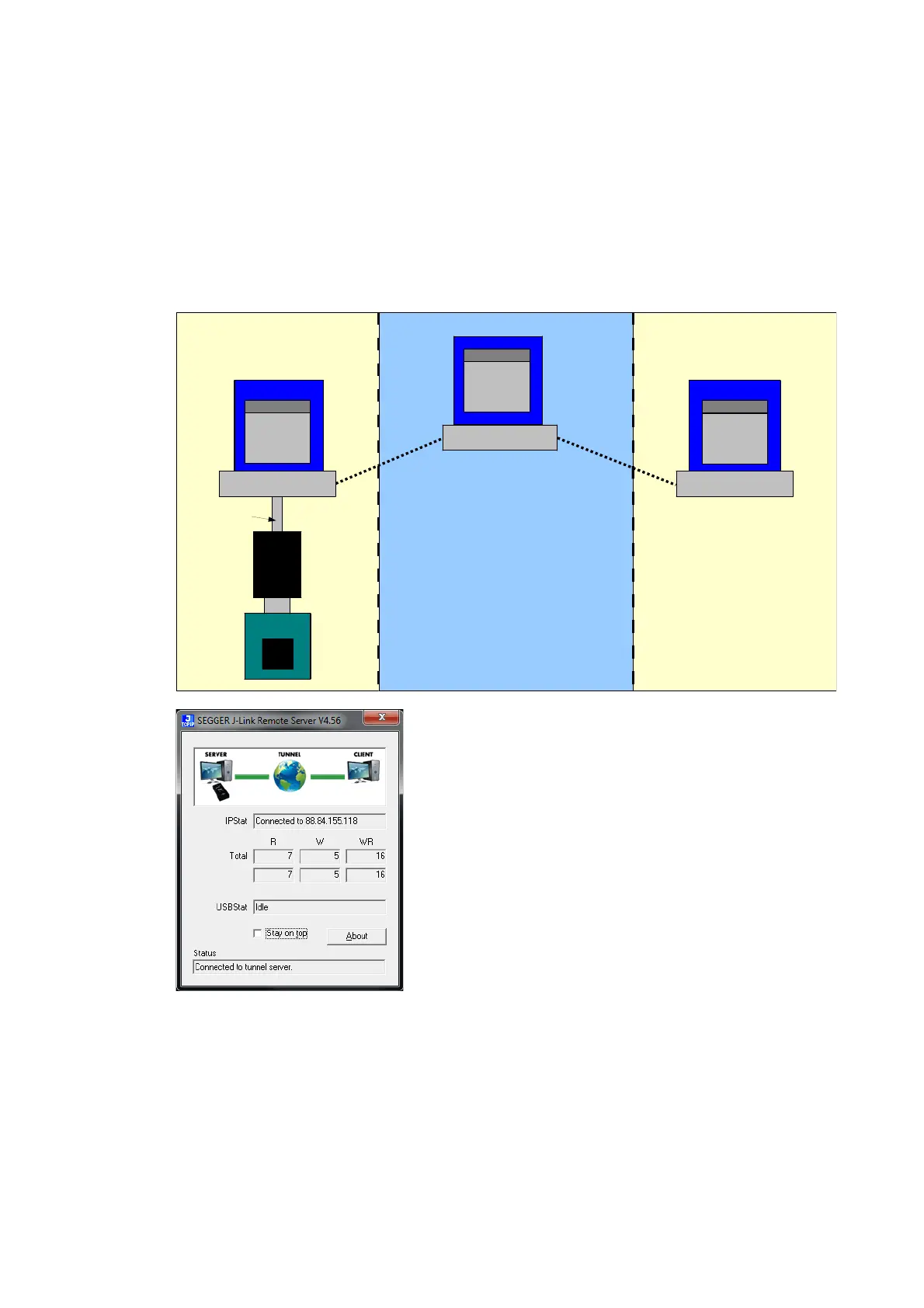
The Remote server provides a tunneling mode which allows remote connection to a J-
Link / J-Trace from any computer, even from outside the local network.
To give access to a J-Link neither a remote desktop or vpn connection nor changing
some difficult firewall settings is necessary.
When started in tunneling mode the Remote server connects to the SEGGER tunnel
server via port 19020 and registers with its serial number. To connect to the J-Link
from the remote computer an also simple connection to tunnel:<SerialNo> can be
established and the debugger is connected to the J-Link.
Example scenario
A device vendor is developing a new device which shall be supported by J-Link.
Because there is only one prototype, a shipment to SEGGER is not possible.
Instead the vendor can connect the device via J-Link to a local computer and start
the Remote server in tunneling mode. The serial number of the J-Link is then sent to
a to an engineer at SEGGER.
The engineer at SEGGER can use J-Link Commander or a debugger to test and debug
the new device without the need to have the device on the desk.
Internet
PC PC
J-Link
Target
TCP/IP-
Server
Debugger
CPU
SEGGER
tunnel
server
USB/Ethernet
JTAG
Target
LAN
Debugger
LAN



 To Next Page