J-Link / J-Trace (UM08001) © 2004-2017 SEGGER Microcontroller GmbH & Co. KG
221
that shall use the script file.
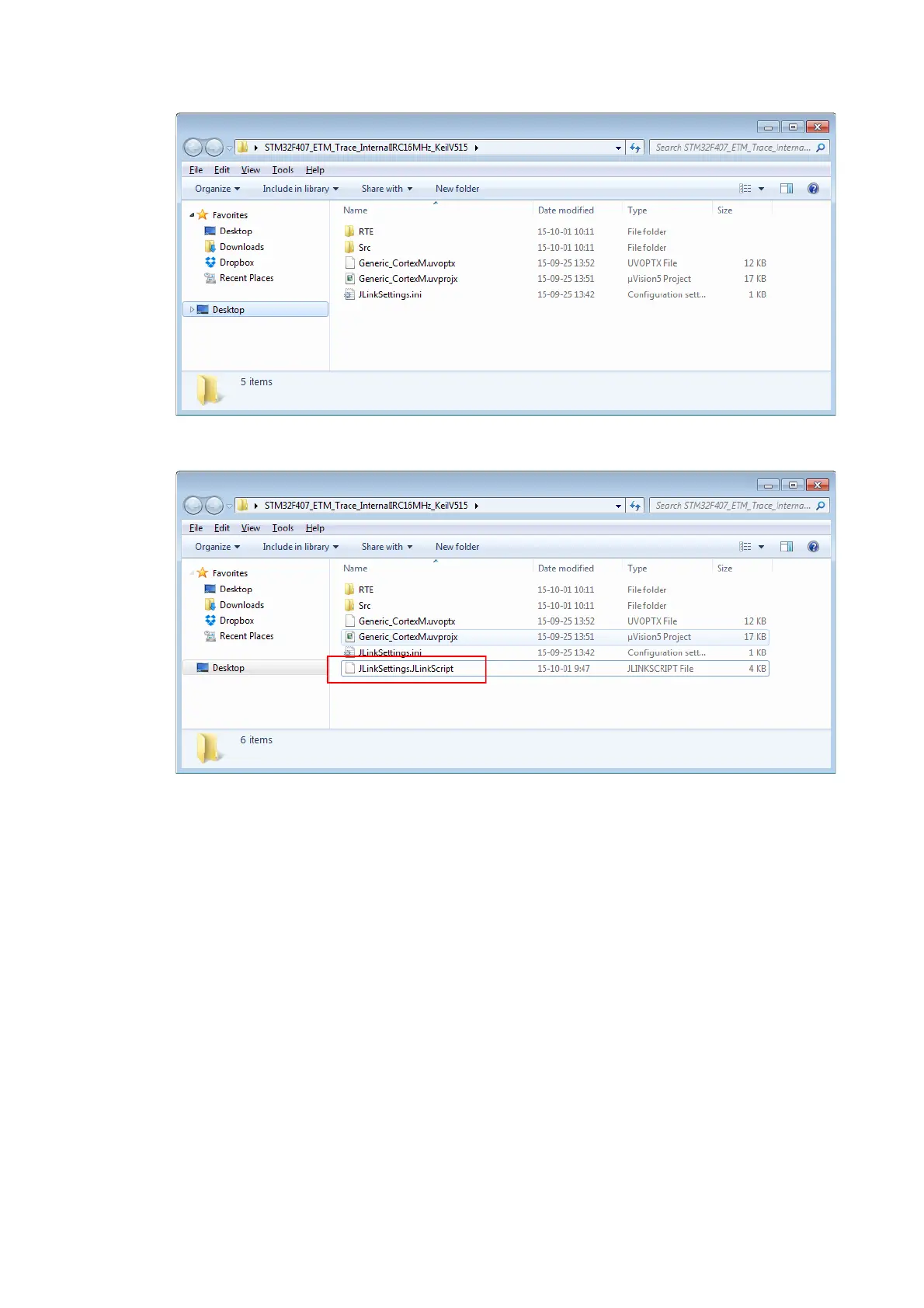
• Copy the J-Link script file to there
• Rename the J-Link script to JLinkSettings.JLinkScript
The JLinkSettings.ini is a settings file created by the J-Link DLL on debug session
start. If no script file is explicitly passed to the DLL, it will search in the directory of
the JLinkSettings.ini for a script file named like the settings file only with a different
file extension.
5.11.7.3 In IAR EWARM
IAR EWARM does not provide any native support for J-Link script files so usage of
them cannot be configured from within the GUI of the IDE itself. Anyhow, it is possi-
ble to use a J-Link script file by making use of the auto-search feature of the DLL:
• Navigate to the folder where the EWARM project (*.ewp) is located
• On the start of the first debug session EWARM will create a settings folder there
• Navigate into this settings folder
• There will be a *.jlink file in this folder for each debug configuration of the cur-
rent project (e.g. Debug + Release)
• Copy the J-Link script file into this folder
• Rename the J-Link script to *.JLinkScript where * is the same name as the *.jlink
file has. Example:
MyProject_Debug.jlink
=> Rename J-Link script file to MyProject_Debug.JLinkScript
• On debug session start, the J-Link DLL will search for a *.JLinkScript file with the
same name as the J-Link settings file (*.jlink) and if present, the J-Link script file
will be used for this session. For more information about how EWARM names the



 To Next Page