242 CHAPTER 5 Working with J-Link and J-Trace
J-Link / J-Trace (UM08001) ©
2004-2017 SEGGER Microcontroller GmbH & Co. KG
5.12.2.2 SEGGER Ozone
J-Link command strings can be used inside SEGGER Ozone. They can be used in dif-
ferent ways:
• From inside a *.jdebug (script-like) Ozone project, by adding a Exec.Com-
mand("<Command>"); call into one of the customizable Ozone actions. For more
information about them, please refer to the Ozone manual.
• By directly typing it into the console window: Exec.Command("<Command>");
5.12.2.3 IAR Embedded Workbench
The J-Link command strings can be supplied using the C-SPY debugger of the IAR
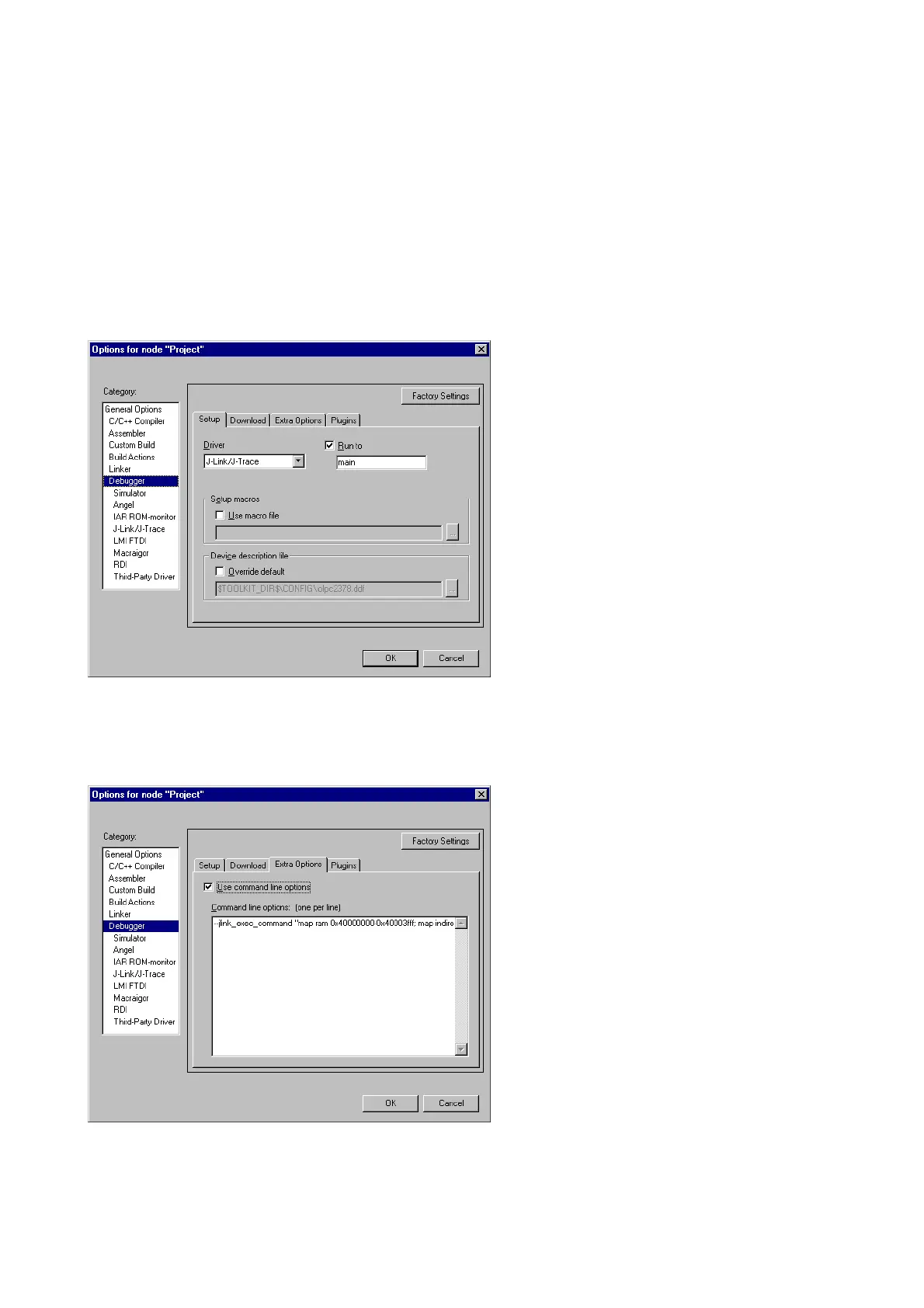
Embedded Workbench. Open the Project options dialog box and select Debugger.
On the Extra Options page, select Use command line options.
Enter --jlink_exec_command "<CommandLineOption>" in the textfield, as shown in
the screenshot below. If more than one command should be used separate the com-
mands with semicolon.



 To Next Page