314 CHAPTER 11 J-Flash SPI
J-Link / J-Trace (UM08001) ©
2004-2017 SEGGER Microcontroller GmbH & Co. KG
@ECHO OFF
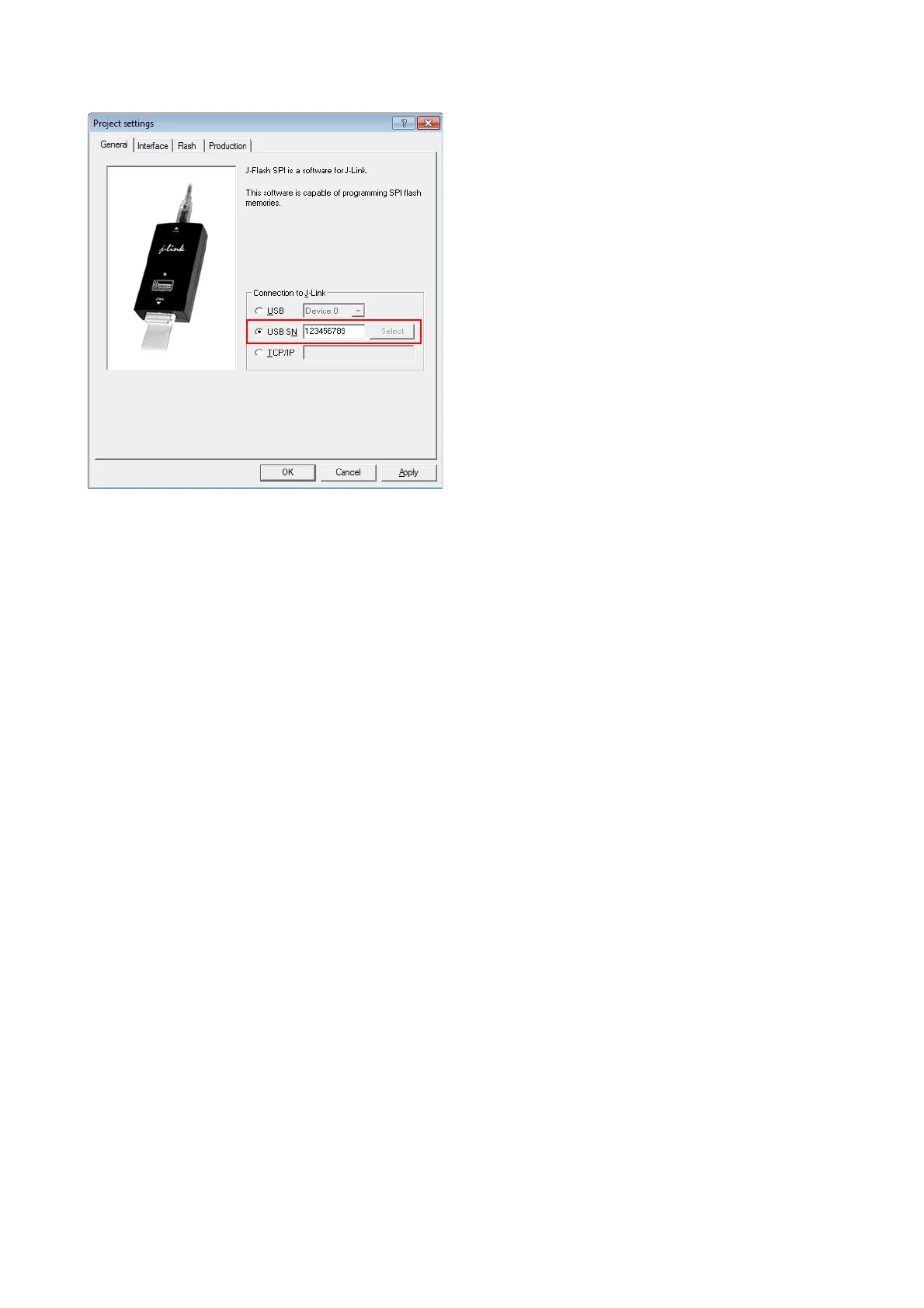
ECHO Open first project which is configured to connect to the first J-Link. Open data
file, start auto processing and exit
open JFlashSPI.exe -openprjC:\Projects\Project01.jflash -openC:\Data\data.bin,
0x100000 -auto -exit
IF ERRORLEVEL 1 goto ERROR
ECHO Open second project which is configured to connect to the second J-Link. Open
data file, start auto processing and exit
open JFlashSPI.exe -openprjC:\Projects\Project02.jflash -openC:\Data\data.bin,
0x100000 -auto -exit
IF ERRORLEVEL 1 goto ERROR
ECHO Open third project which is configured to connect to the third J-Link. Open data
file, start auto processing and exit
open JFlashSPI.exe -openprjC:\Projects\Project03.jflash -openC:\Data\data.bin,
0x100000 -auto -exit
IF ERRORLEVEL 1 goto ERROR
goto END
:ERROR
ECHO J-Flash SPI: Error!
pause
:END
Note that every call of JFlashSPI.exe has to completed with the -exit option, oth-
erwise stops the execution of the batch file and the following commands will not be
processed.



 To Next Page