342 CHAPTER 12 RDI
J-Link / J-Trace (UM08001) ©
2004-2017 SEGGER Microcontroller GmbH & Co. KG
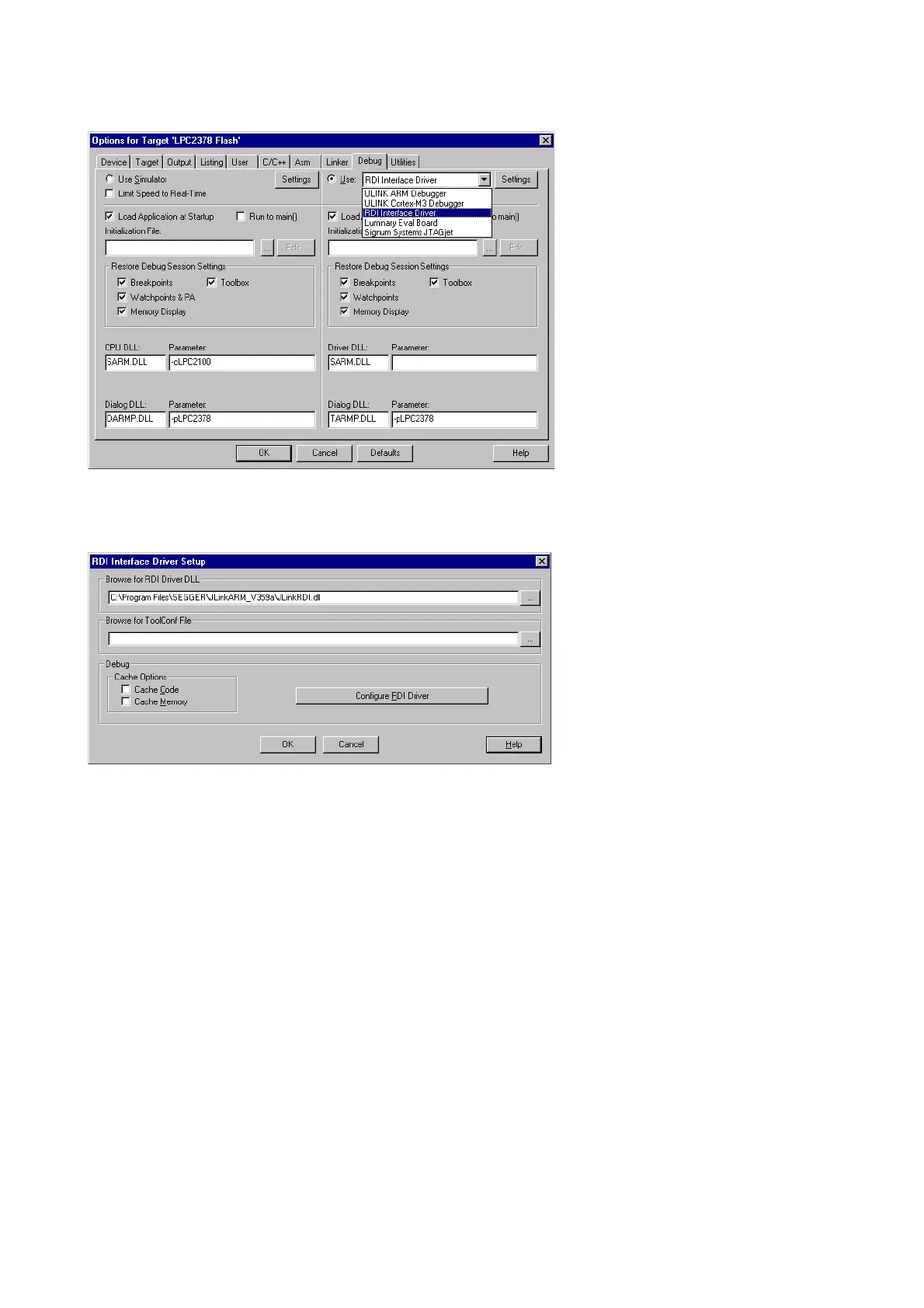
Select Project | Options for Target ’<NameOfTarget>’ to open the project options
dialog and select the
Debug tab.
Choose
RDI Interface Driver from the list as shown above and click the Settings
button. Select the location of JLinkRDI.dll in Browse for RDI Driver DLL field.
and click the
Configure RDI Driver button.
The J-Link RDI Configuration dialog will be opened.For more information about the
generic setup of J-Link RDI, please refer to
Configuration on page 344.



 To Next Page