MRD 3187B - User Manual
Page 141 (245)
Time To Live
1. Use the and
buttons to move the cursor to
“TTL:” then press the
button.
2. Use the and
buttons to select the column
to edit and use the and
buttons to change to a
value between “000” and
“255”, then press the
button to save the selection.
Service Filter Setup
1. Use the and
buttons to move the cursor to
“Service Filter Setup”, then
press the button.
2. Use the and
buttons to move the cursor to
the desired program, then
press the button.
3. Use the and
buttons to turn on filtering for
the desired program by
changing the symbol from
to , then press the
button.
1. Use the and buttons to
move the cursor to “PID Filter
Setup”, then press the
button.
2. Use the and buttons to
move the cursor to “PID 1:0x”,
then press the button.
3. Use the and buttons to
select the column to edit and use
the and buttons to set
the PID to a Hex value, then
press the button to save the
selection.
Transmit 1 PIDs
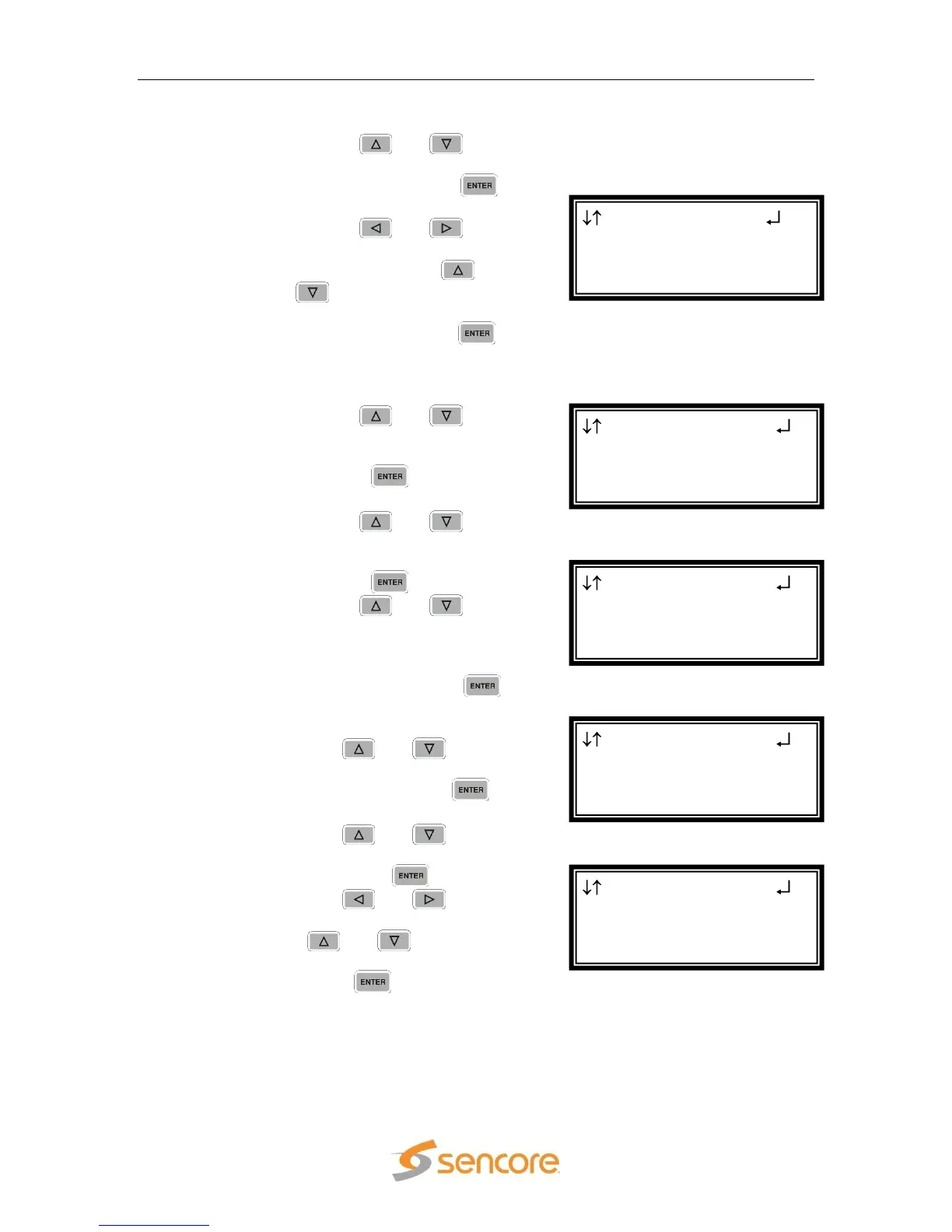
►PID 1:0x0000
PID 1:Disabled
Transmit 1
Transmit Status/Set
Service Filter Setup
►PID Filter Setup
Transmit 1 SVCs
►3 WXYZ-HD
4 WXYZ-SD
Transmit 1
Transmit Status/Set
►Service Filter Setup
PID Filter Setup
Transmit 1 Setup
Source Port:01030
Packets/Ip:7
►TTL:255



 To Next Page