MRD 3187B - User Manual
Page 146 (245)
Service
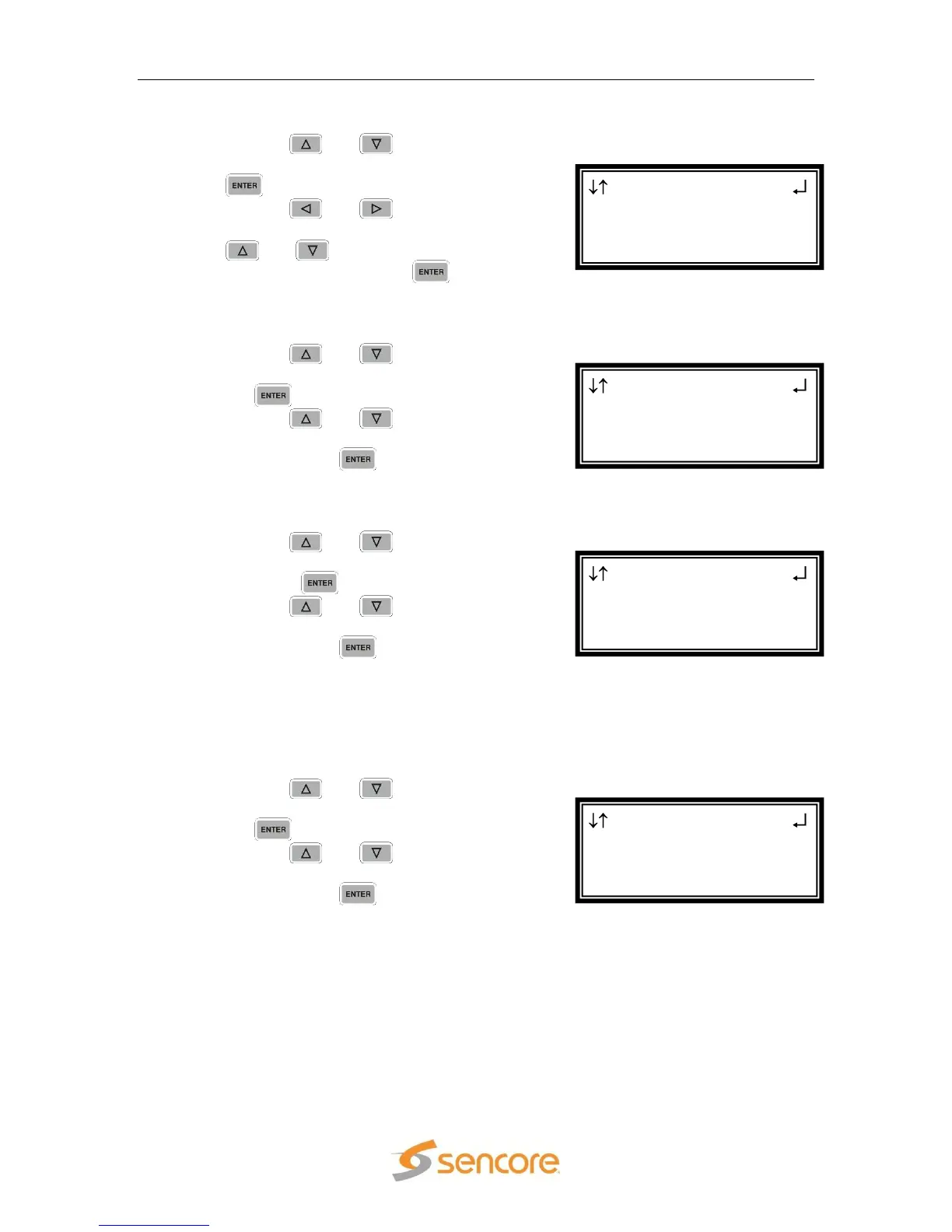
1. Use the and buttons to move
the cursor to “Service:” then press the
button.
2. Use the and buttons to
select the column to edit and use the
and buttons to select the
program, then press the button to
save the selection.
Audio 1 Index
1. Use the and buttons to move
the cursor to “Aud1 Index:” then press
the button.
2. Use the and buttons to set
the desired audio index (0 – 65535),
then press the button to save the
selection.
Audio 2 Index
1. Use the and buttons to move
the cursor to “Audio 2 Index:” then
press the button.
2. Use the and buttons to set
the desired audio index (0 – 65535),
then press the button to save the
selection.
Note: Use the previous steps to setup the Priority 2 as well.
Audio 3 Index
Note: This menu is only available if the unit is equipped with a second decoder in
Configuration 1.
1. Use the and buttons to move
the cursor to “Aud3 Index:” then press
the button.
2. Use the and buttons to set
the desired audio index (0 – 65535),
then press the button to save the
selection.
Serv Setup
Aud1 Index:1
Aud2 Index:2
►Aud3 Index:3
Serv Setup
00001
Aud1 Index:1
►Aud2 Index:2
Serv Setup
Service:
00001
►Aud1 Index:1
Serv Setup ←→
Priority 1:Manual
►Service:
00001



 To Next Page