4.12.6 Ember mode
Ember is a process for burning new firmware on the flash memory of the drive. The drive must
be in Ember mode to load firmware. The drive has two Ember modes, software and hardware.
Generally, you can and should communicate with the drive in software Ember mode to load
new firmware.
However, if the firmware loading process is interrupted and you cannot establish
communication with the drive, you need to use Ember hardware mode.
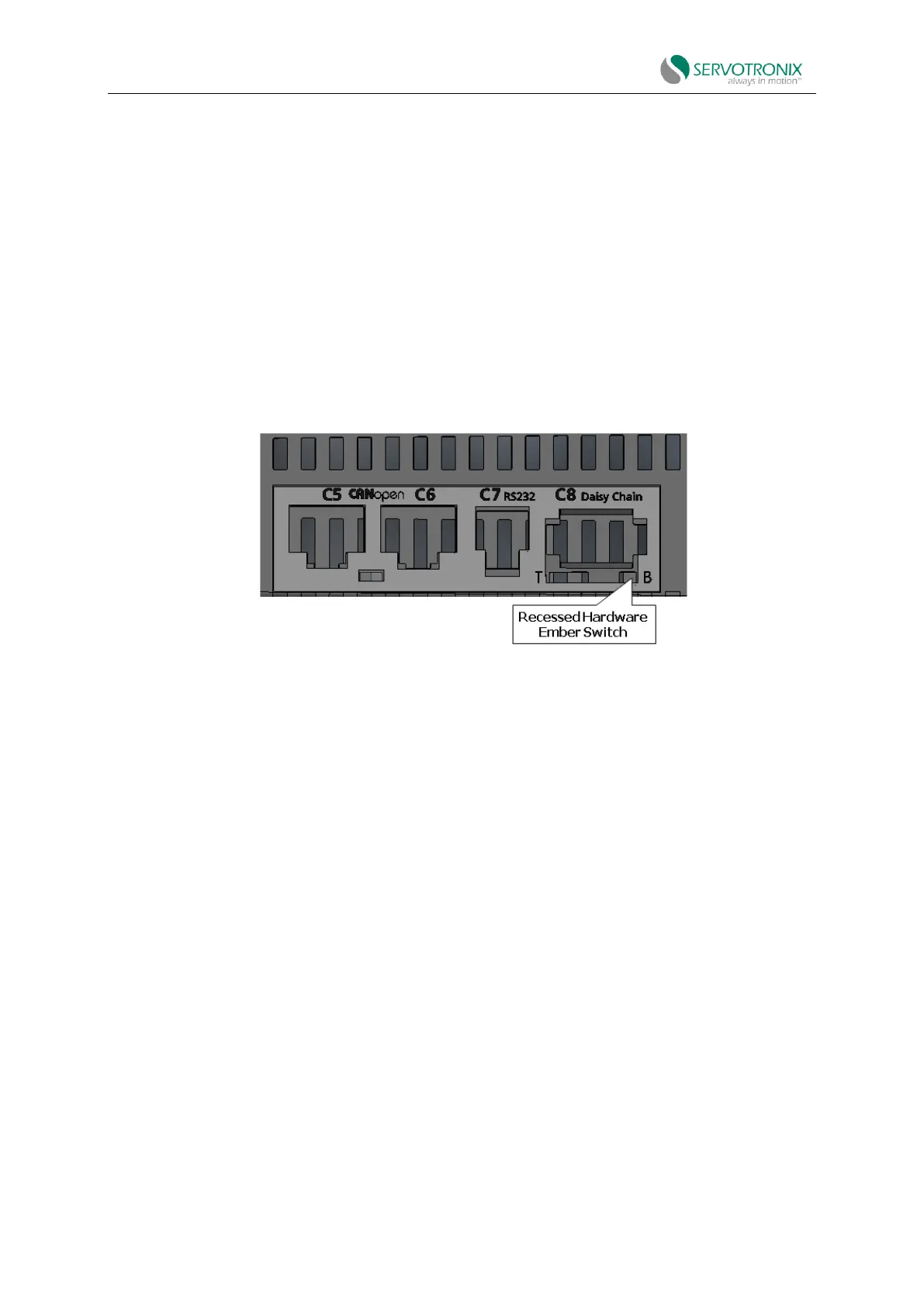
To activate hardware Ember mode, use a small screwdrive or similar tool to gently press the
hardware Ember switch. This switch is located on the top of the drive next to the daisy chain
connector (C8).
Figure 4-53 Location of hardware Ember switch
Press the switch to set the drive to the serial communication "Boot-Up" mode.
If the drive has a fan, the fan spins at maximum speed. When the firmware is successfully
downloaded and the drive is rebooted, the fan speed will return to normal.
In Boot-Up mode, the 5-digit display shows e.
4.12.7 Download parameters via EtherCAT
To automate and simplify the process of downloading parameters to multiple drives,
FileoverEtherCAT (FoE) can be used to download parameters.
Procedure: Download parameters via EtherCAT
1. By using ServoStudio2, you can back up the parameters in the drive to an SSV file.
For example, save to a file named CDHD2S_parameters.SSV.



 To Next Page