EasyManua.ls Logo

Servotronix CDHD2S - Application Setup Wizard

Servotronix CDHD2S
268 pages
Print Icon
To Next Page IconTo Next Page
To Previous Page IconTo Previous Page
Loading...
Application Setup
122
GUI
SoftwareInterface
DriveRAM
RAM
Workingme
mory,holdspara
meter
valuesduring
onlineoperation
GUISoftwareIn
terface
FLASH
Hardcodedfirmware
andfactorydefault
parametervalues
FilesonPC
Non-volatile
user-defined
parametervalues
RestoreFact
ory
Defaults
Save
DriveFlashMem
ory
HostComp
uter
Res
tore
Bac
kup
VarCom-
TerminalDriveR
AM
RAM
Workingme
mory,holdspara
meter
valuesduring
onlineoperation
TerminalApplicatio
n
GUISoftwareInterface
SEPLink
HyperTerminal
Non-volatile
user-defined
parametervalues
FLASH
Hardcodedfirm
ware
andfactorydefa
ult
SAVE
DUMP
LOAD
DriveFlashMem
ory
HostComp
uter
FACTORYREST
ORE
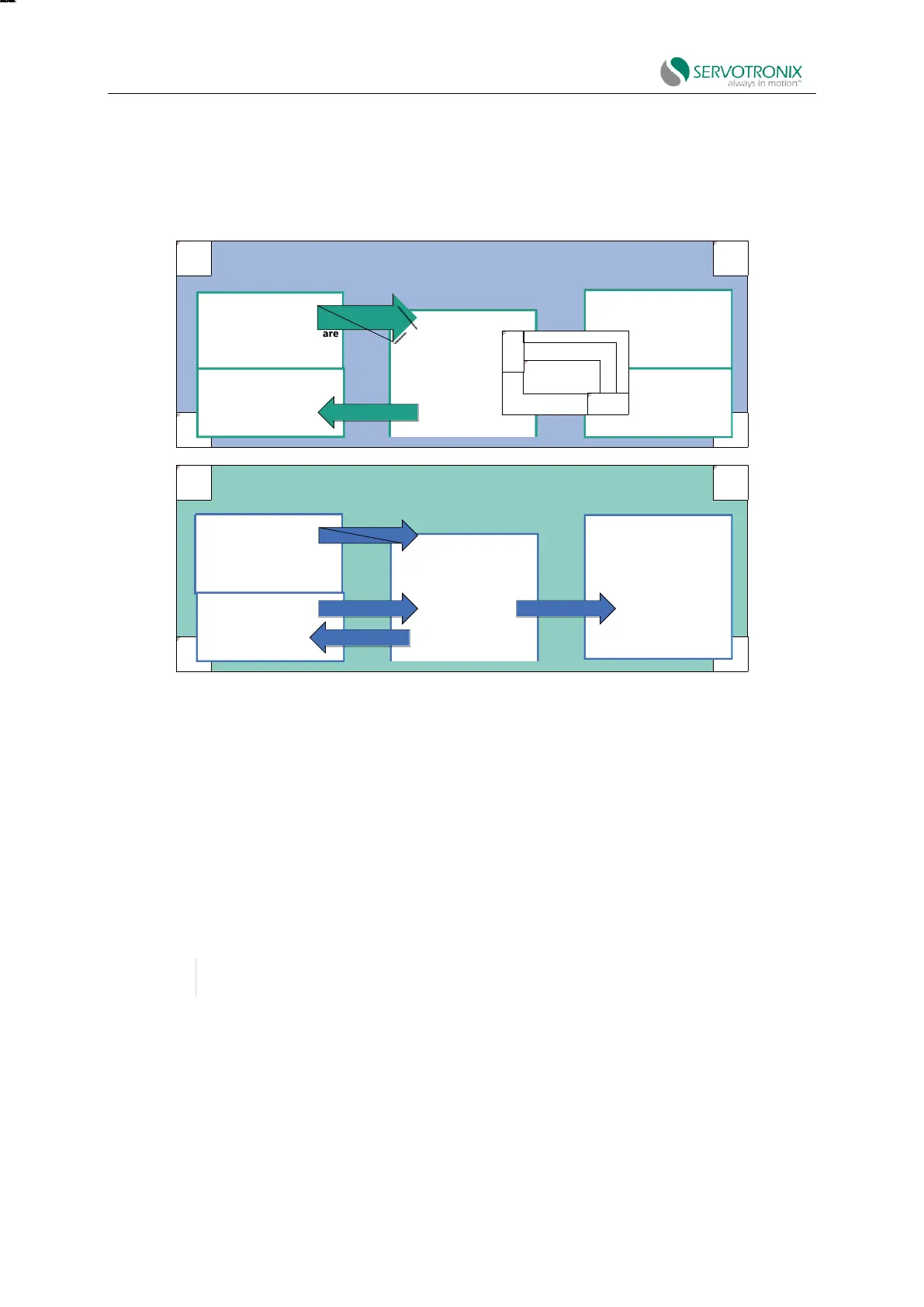
The following figure shows the relationship between different memory types and the
commands used to manage drive parameters.
Figure 6-1 Memory and parameter management commands
In ServoStudio2, drive parameters can be saved to non-volatile memory at any time by pressing
the save button in the toolbar.
6.2 Application Setup Wizard
The Application Setup wizard will guide you through the drive parameter setting procedure
according to the special application.
In the first step, the specific "Application Setup" procedure is defined via the selected "Interface
Mode". Subsequent steps may include PDO drawing, position unit definition, gear ratio, limit, return
and input and output functions.
Note:
When the software is offline, all Interface Mode will be displayed.
When the software is communicating with the drive, only relevant modes are displayed.


Table of Contents

Related product manuals