1. Select a specific COM port or "Search All".
2. Click "Connect".
Please refer to the Communication.
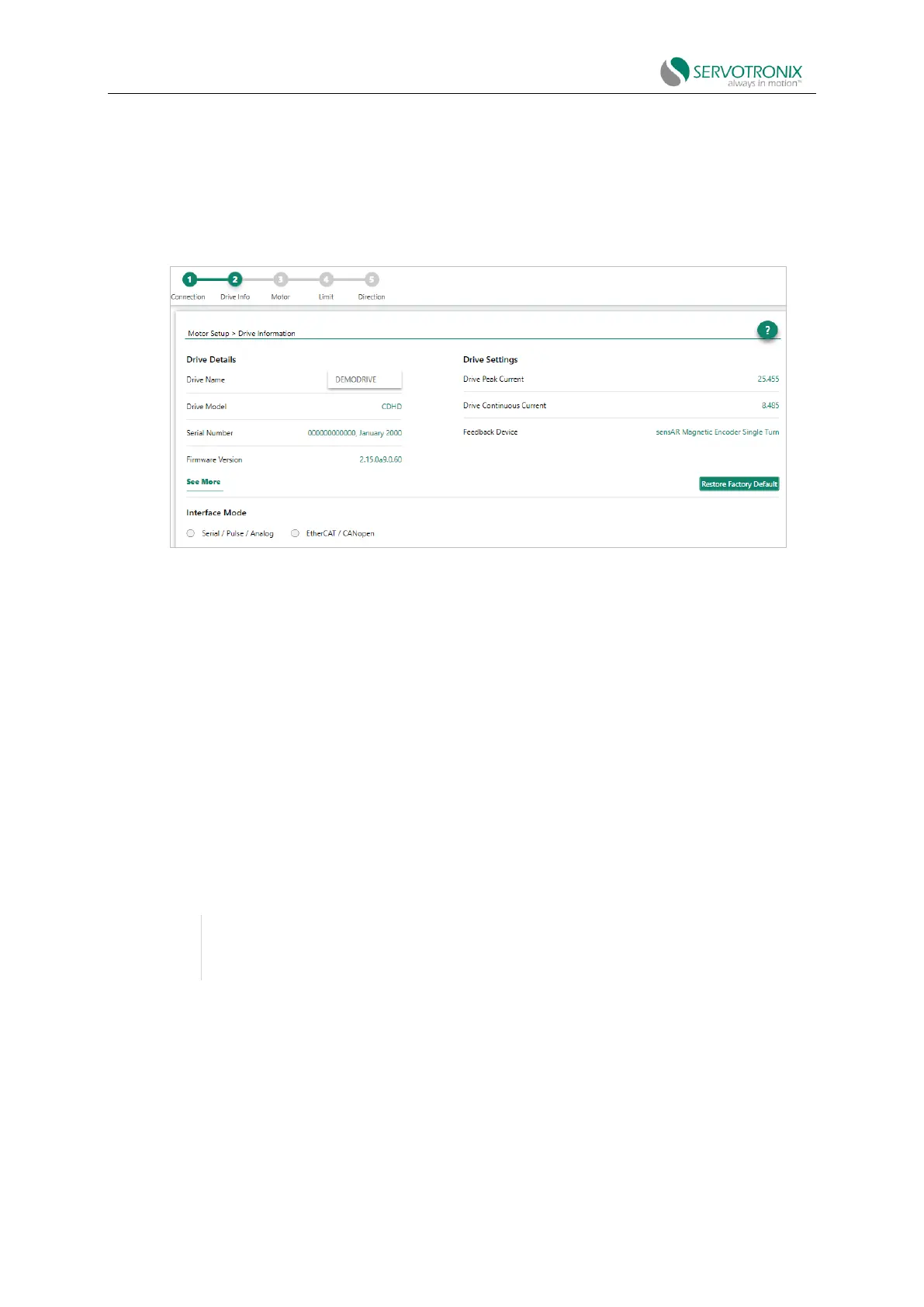
Motor Setup - Drive Information
If ServoStudio2 has already communicated with the drive, the wizard will start with the Drive
Information.
Figure 5-2 Motor setup wizard - drive information
1. View drive information.
2. Enter a name for the drive and press Enter.
The name field will change from blue to white, indicating that the name has been sent to the
drive.
This step also includes an option to restore the factory settings of the drive: Restore Factory
Default.
This step also displays and allows setting the "Interface Mode".
⚫ Serial/Pulse/Analog means the drive is active (servo on) and drive commands are
transmitted via the serial, pulse or analog interface. COMMODE 0.
⚫ EtherCAT/CANopen or PROFINET means that the drive is active (servo on) and drive
commands are transmitted through the EtherCAT, CANopen or PROFINET interface.
COMMODE 1.



 To Next Page