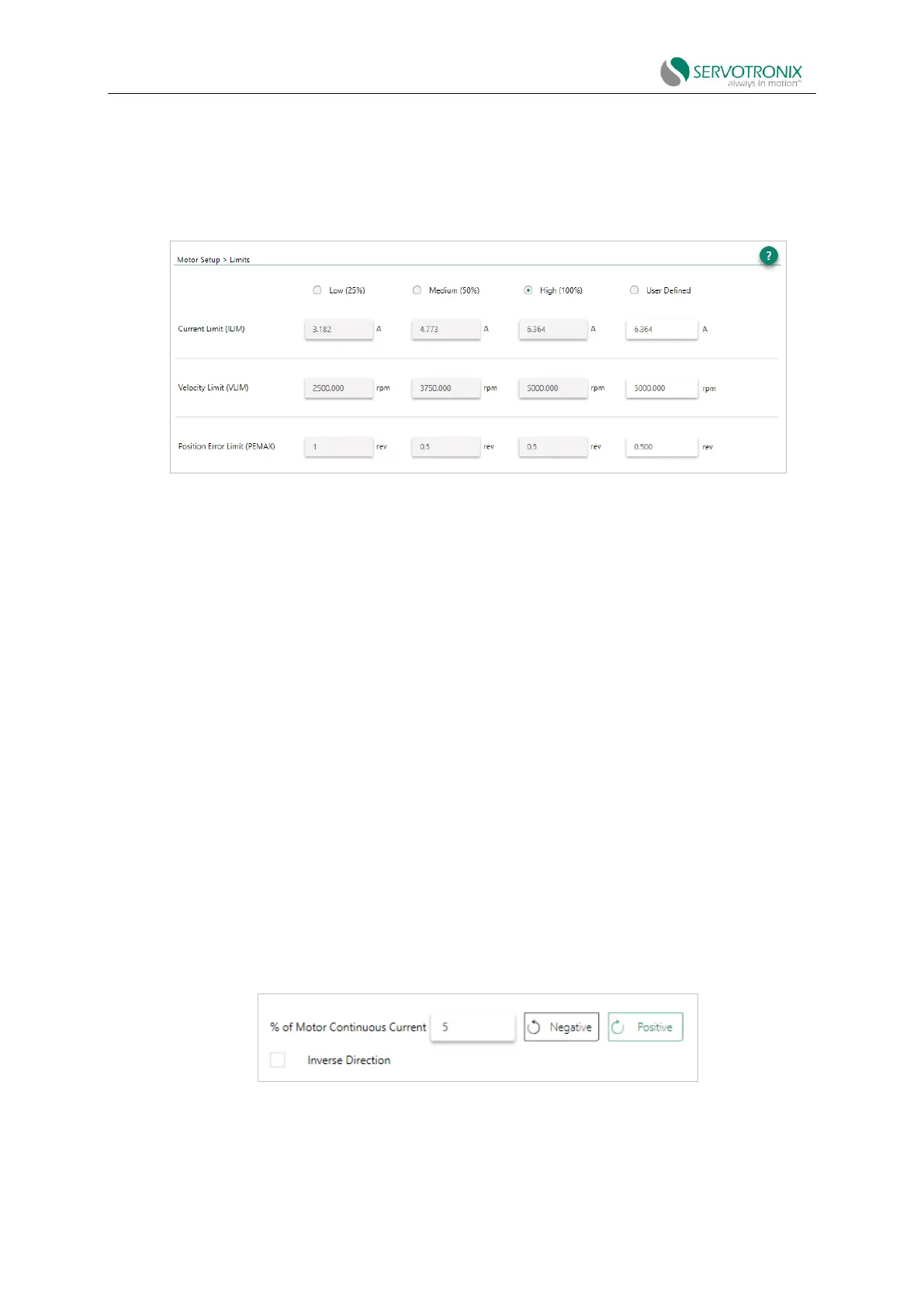
Please refer to the Current Limit and Velocity Limit and Velocity Limit.
The wizard also allows setting the position error limit, i.e. the maximum value that will not cause
a failure.
Please refer to the VarComPEMAX.
Note: If the limit is set too low, the Autotuning wizard may not produce optimal results.
Figure 5-5 Motor setup wizard - limit
1. Set the velocity and current limit and the position error limit by doing any of the following:
◼ Select the recommended low, medium or high value.
◼ Select User Defined and enter your preferred values.
2. Click "Agree" to send the values to the drive.
If the current limit or velocity limit is set to 0 for user defined value, the motion will be
prevented.
If the position error limit is set to 0 for user defined value, the position error limit is not set and
no fault will occur.
Motor setup - motor direction
This wizard simplifies the process of defining the rotation direction of motion command.
Otherwise, the VarCom command is required.
Please refer to the VarComMPHASE and DIR.
To visually test the direction of motion, click and hold the direction button. The test velocity is
defined as the percentage of motor continuous current. Use a low value to see the direction of
motor movement. The default setting is 5.
The motor setup wizard simplifies the process of defining the rotation direction for positive
command. Otherwise, the VarCom command is required.
Figure 5-6 Motor setup wizard - motor direction
1. To verify the direction of motor movement, click "Negative" or "Positive".



 To Next Page