9.4 System Controller Installation and Setup (Example)
9-39
CBM-20A/20Alite
9
4
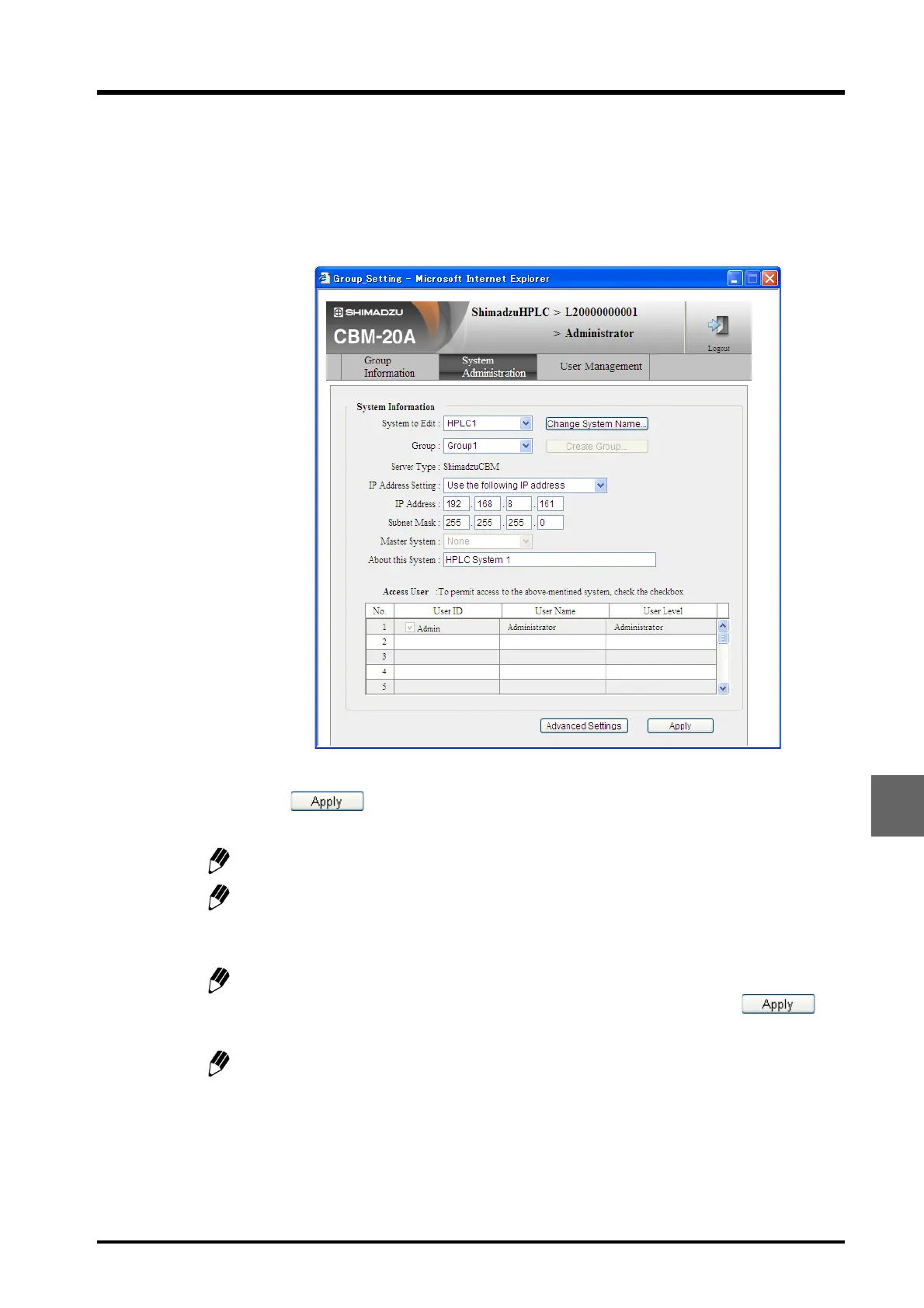
Login to the "Group Settings" application as an Administrator. (The user name and
password for a new installation is "Admin".)
5
In the "System Administration" tab page, enter the parameters for [Create Group] and
[Change System Name] in that order.
6
Click and close the "System Administration" tab page.
A group can be created only if there is no group set (i.e., [-] is displayed).
The groups displayed in the [Group] pull-down menu are all in the same subnet and so
the system can be added to an existing group by selecting a group from the pull-down
menu.
The system name can be changed only if there is no group set (i.e., [-] is displayed). To
change the system name, clear the group settings (i.e., select [-]), click ,
and log in again.
If the IP address, subnet mask, or default gateway is changed, close all Internet
Explorer windows according to the on-screen instructions, and reset the system
controller power.



 To Next Page