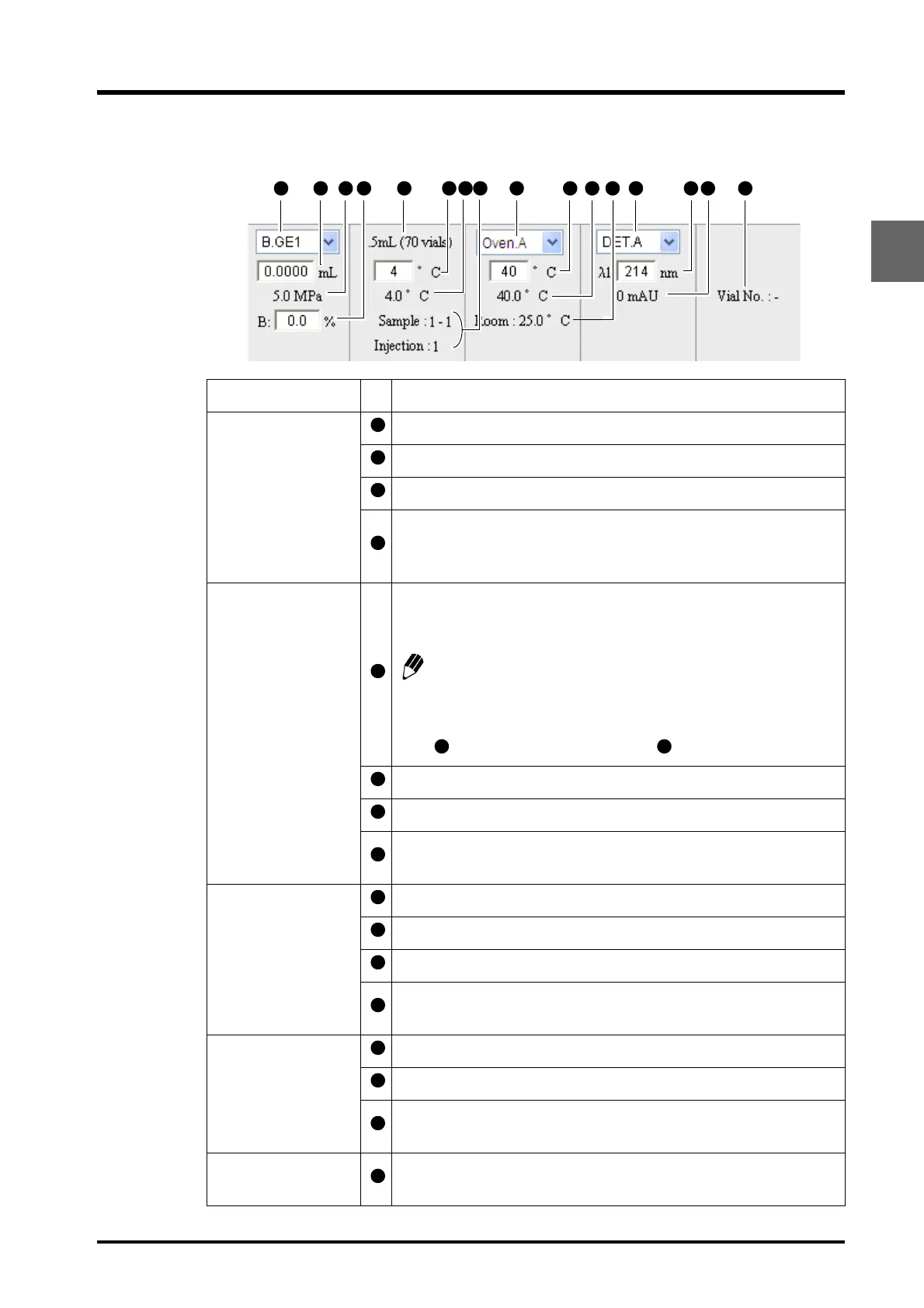
2.7 "Analysis Execution" Application
2-23
CBM-20A/20Alite
2
Basic Settings
Name Description
Basic pump settings
Select the pump from the pull-down menu.
Set the pump's flow rate.
The pressure monitor value is displayed.
Set the concentration of mobile phase for gradient analysis. Please set
the Concentration D in the "Method Parameter" window, as
concentration D cannot be set in this window.
Basic autosampler
settings
The autosampler's rack type is displayed.
The displayed rack name varies depending on the rack type and the
version of the system controller.
In the case of SIL-30ACMP, select the rack position from the pull-
down menu. When analysis is started, the rack position for
analysis is automatically selected. According to the selected rack
position, the monitor value of cooler temperature is displayed at
and the rack type is displayed at .
Set the cooler temperature for autosamplers with a cooler.
The monitor value for autosamplers with a cooler is displayed.
The sample number and number of injections for the sequence
currently analyzed are displayed.
Basic column-oven
settings
Select an oven from the pull-down menu.
Set the oven temperature.
The monitor value for the oven temperature is displayed.
The monitor value for room temperature is displayed. (Depending on
the oven type, this may not be displayed.)
Basic detector
settings
Select the detector from the pull-down menu.
Set the wavelength.
The data value is displayed. (The item that can be set and displayed
vary with the detector type.)
Basic fraction-
collector settings
The vial number undergoing fractionation is displayed.



 To Next Page