2. Parts Identification and Function
2-24
CBM-20A/20Alite
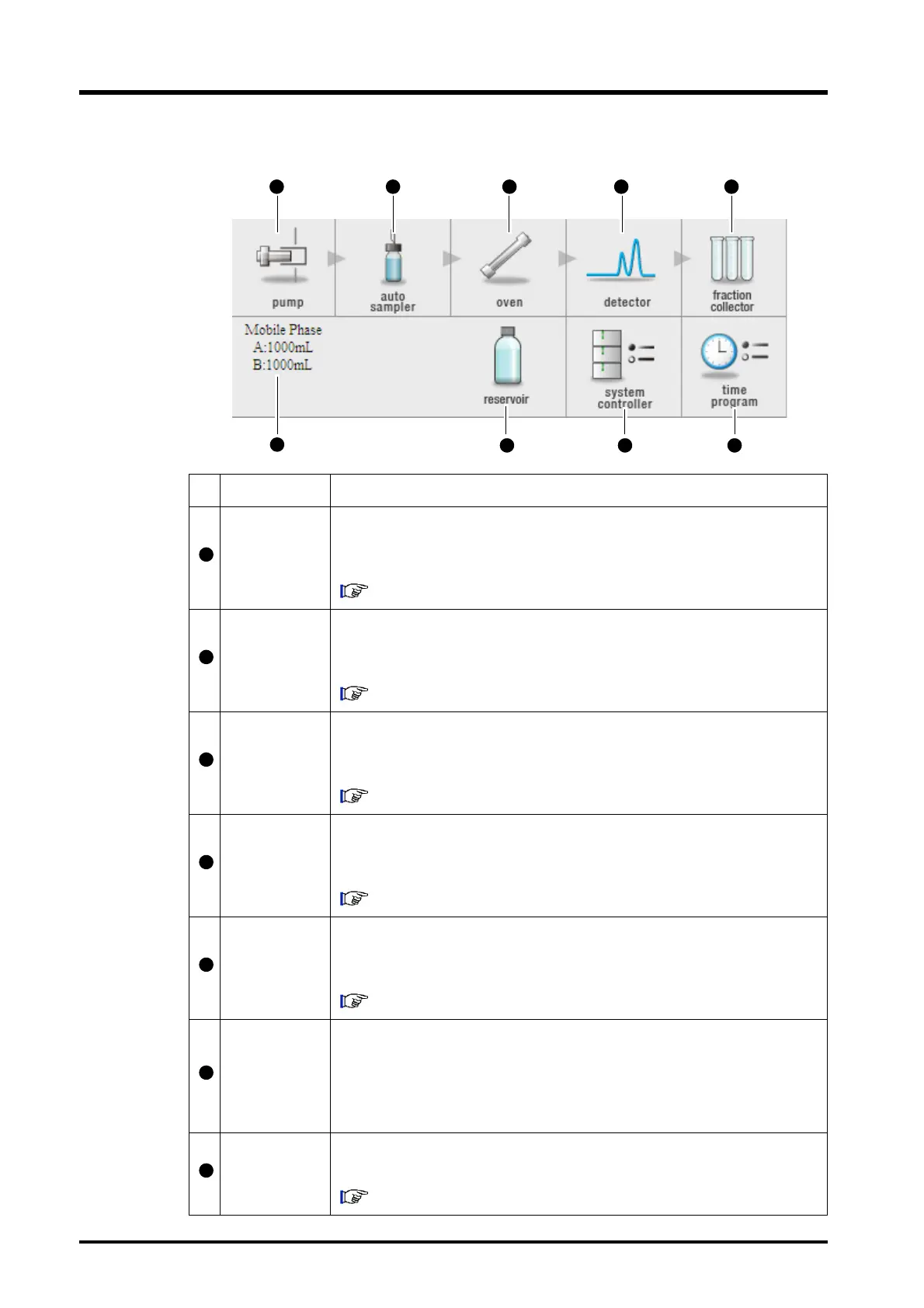
Component Icons
Name Description
Pump icon
Click to display the "Pump" tab page in the "Method Parameter" window. The
method parameters and configuration parameters for the pump used in the
current analysis can be set from this page.
"4.2.3 Parameters for the Solvent Delivery Module" P. 4-13
Autosampler
icon
Click to display the "Autosampler" tab page in the "Method Parameter"
window. The method parameters and configuration parameters for the
autosampler used in the current analysis can be set from this page.
"4.2.4 Parameters for the Autosampler" P. 4-16
Column-oven
icon
Click to display the "Oven" tab page in the "Method Parameter" window. The
method parameters and configuration parameters for the column oven used in
the current analysis can be set from this page.
"4.2.5 Parameters for the Column Oven" P. 4-17
Detector icon
Click to display the "Detector" tab page in the "Method Parameter" window.
The method parameters and configuration parameters for the detector used in
the current analysis can be set from this page.
"4.2.6 Parameters for the Detector" P. 4-19
Fraction-
collector icon
Click to display the "Fraction Collector" tab page in the "Method Parameter"
window. The method parameters and configuration parameters for the
detector used in the current analysis can be set from this page.
"5.6.2 Parameters for the Fraction Collector" P. 5-21
Mobile-phase
monitor
display
Displays the reserve volumes of the pump's mobile phase and the
autosampler's rinse solution. The mobile phase display is for the pump
selected in the pull-down menu of the basic pump settings. (There is no
display if the reserve volume is not set or if the pump or autosampler are not
"30A" or "20A" models.)
Mobile-phase
icon
Click to display the "Mobile Phase Reserve Volume Setting" window. The
mobile phase name and reserve volume can be set from this window.
"5.2 Setting the Mobile Phase Reserve Volume" P. 5-5



 To Next Page