Advanced commissioning
6.4 Setpoint calculation
Converter with the CU240B-2 and CU240E-2 Control Units
228 Operating Instructions, 01/2016, FW V4.7 SP6, A5E34259001B AC
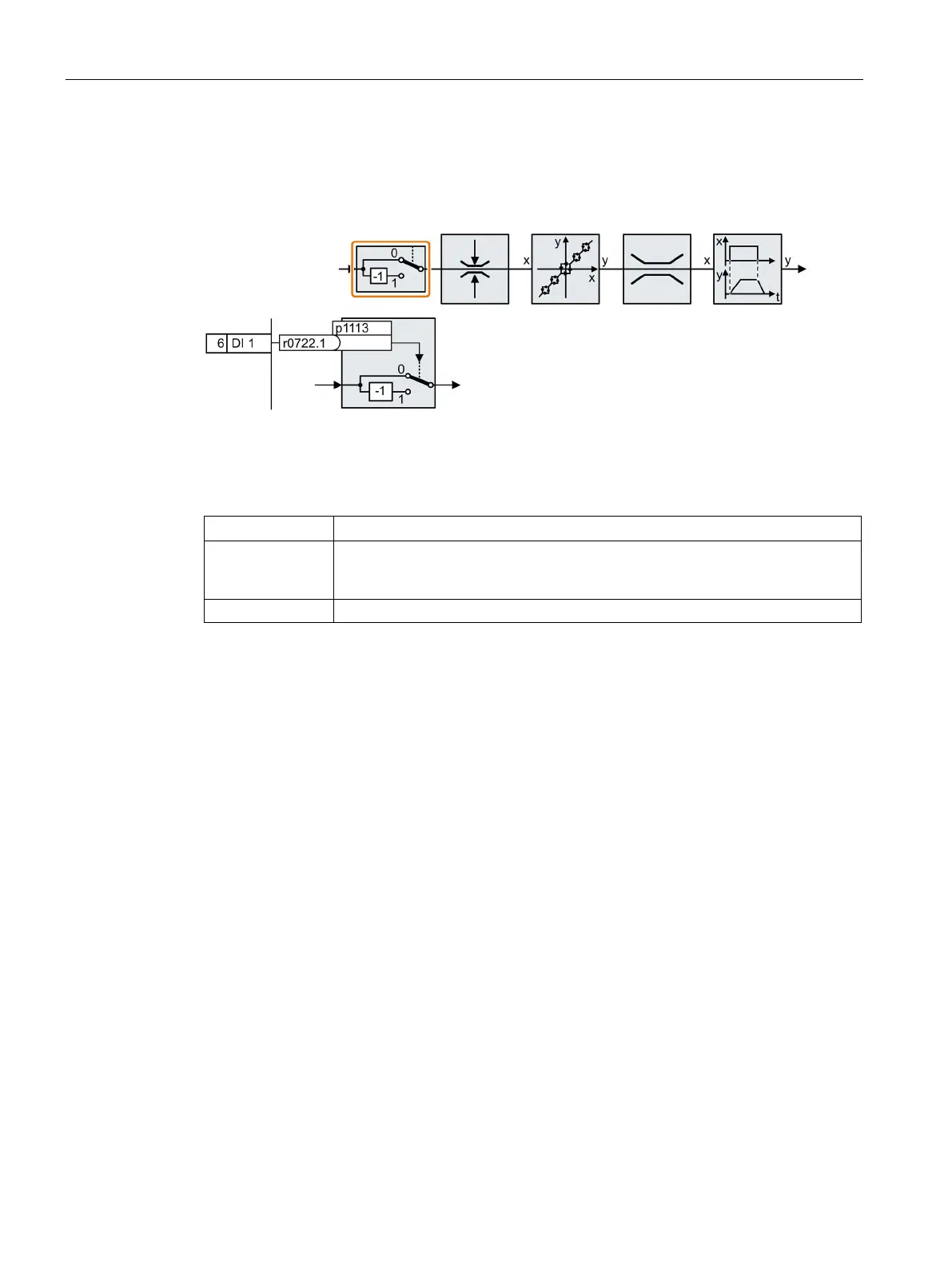
The inverter provides an option to invert the setpoint sign using a bit. As an example, the
setpoint inversion is shown through a digital input.
In order to invert the setpoint through the digital input DI 1, connect the parameter p1113
with a binary signal, e.g. the digital input 1.
Table 6- 26 Examples of settings to invert the setpoint
p1113 = 722.1
Digital input 1 = 0: Setpoint remains unchanged.
Digital input 1 = 1: Inverter inverts the setpoint.
Invert setpoint via control word 1, bit 11.

















 To Next Page