LC700 – User’s Guide
2.18
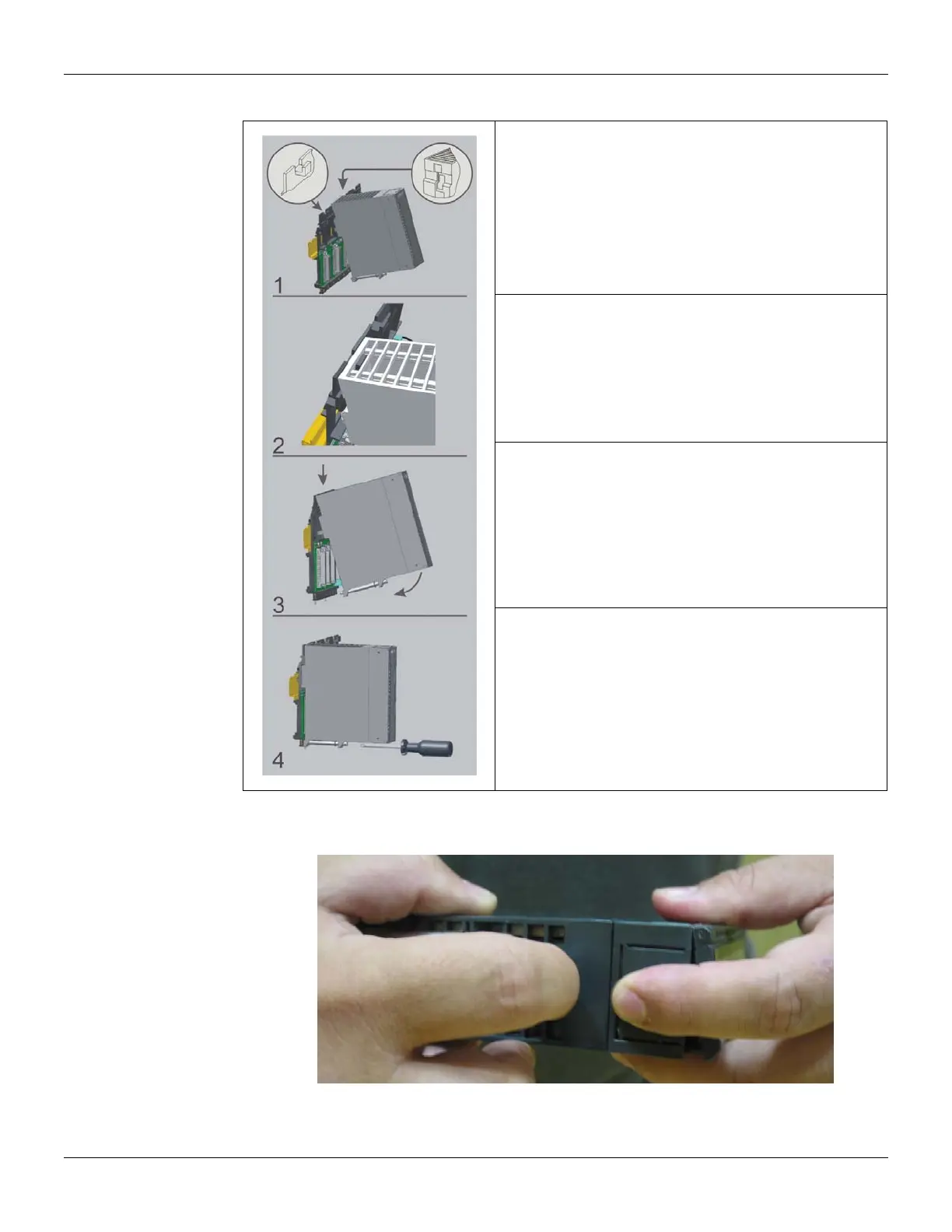
To install a module follow the steps below:
Mounting a module in the rack:
o Find the border located at the top of the free slot.
o Fit the hole, at the top back of the module.
Mounting detail.
Lock the module in the connector (slot) of the IMB by
pushing it against the rack.
Next, fix the module at the rack using a screw driver, and fix
the locking screw at the bottom of the module.
How to open a Module
See in the next picture how to open a module.
Figure 2.31 - Opening a Module



 To Next Page