LC700 – User’s Guide
2.12
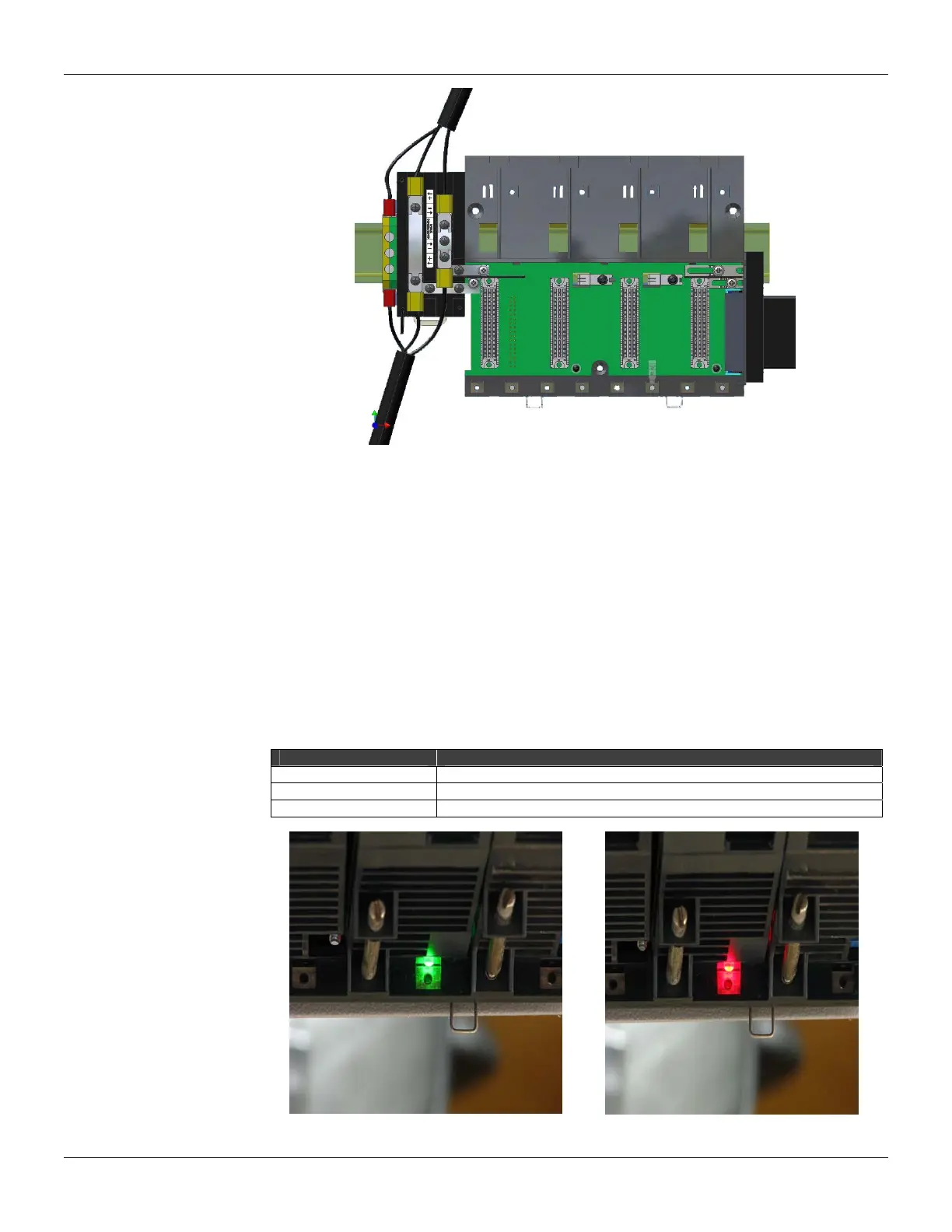
Figure 2.21 - DF91 installed in the rack
5. Close the DF91 cover and tighten the screws.
Disconnecting DF91 from rack
1. The first card of the rack that will be disconnected must be removed allowing access to this
operation;
2. Release (only the sufficient) the connector’s screws of rack power, where DF91 is connected;
3. Move the DF91 to left (without separate it from rail) until the DF91’s connection plates are out of
rack’s edge;
4. Tighten again the rack’s screws if you will not connect them;
5. To remove the DF91, with a screwdriver, unlock it from DIN rail by pulling down the lock at its
bottom part and removing that part from the rail.
Diagnostic resources
The DF93 rack has simple resources, but valuable, for voltage diagnostic in the bus. See the
following table.
LED Status
Off Without voltage or voltage very low
Red Insufficient voltage
Green Sufficient voltage
Figure 2.22 - LEDs for diagnostic in the DF93 rack



 To Next Page