107
Configuring Plant Data
Self-consumption mode
This mode is used in cases in which there is no reimbursement from a feed-in tariff. There is a financial
incentive for using self-produced power when its production costs are lower than the costs for power ob-
tained from the gird.
To implement this function, the Solar-Log™ requires an additional consumption meter. In this mode, the
electricity price needs to be defined in an extra tab. The feed-in tariff has to be defined as zero (0). The
Solar-Log™ calculates the amount of power fed into the grid based on the inverter information.
Market Integration Model 90/10
To be able to implement the requirements from the German Market Integration Model 90/10, two feed-in
tariffs need to be used. The first feed-in tariff covers 90% of the power generated and the second feed-in
tariff the remaining 10%.
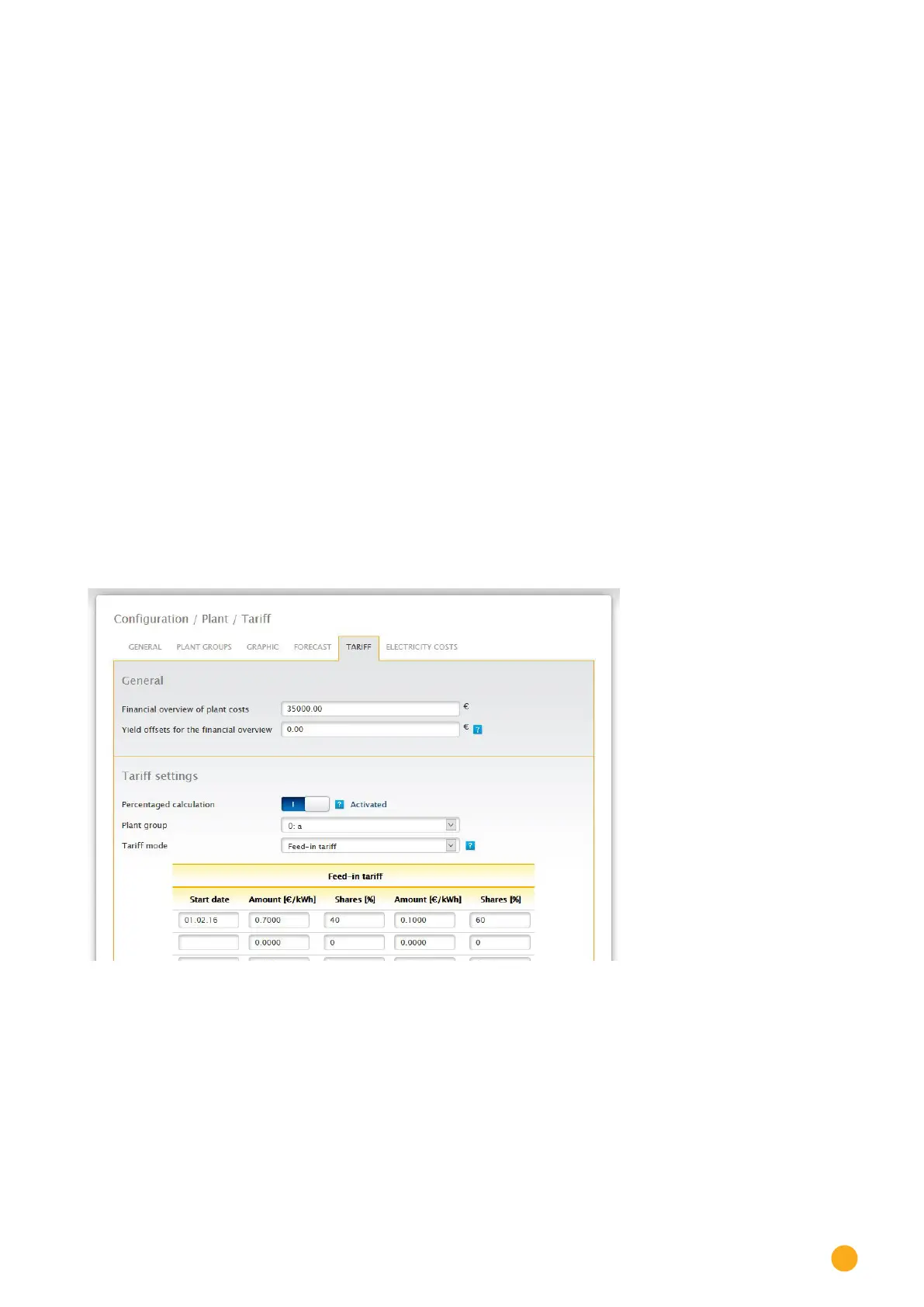
"Percentage calculation" has to be activated first before adjusting this setting. In the Configuration | Plant
| Tariff menu, active the Percentage calculation in the Tariff settings section.
When this option is activated, three additional fields are display for each tariff number. (See the following
illustration "Tariff - Tariff settings")
1. Shares [%]
2. Amount [/kWh]
3. Shares [%]
Fig.: Tariff - Tariff settings


 To Next Page
 Loading...






