24
Optional Connections
9 Optional Connections
Solar-Log™ devices are available as different models which can be equipped accordingly with additional
interfaces and connections depending on the application.
9.1 Solar-Log™ GPRS
Antenna connection and SIM card slot
In addition to the connections on the standard Solar-Log™, the Solar-Log™ GPRS model with an integrated
GPRS modem has a SIM card slot and a screw connection for an antenna.
•
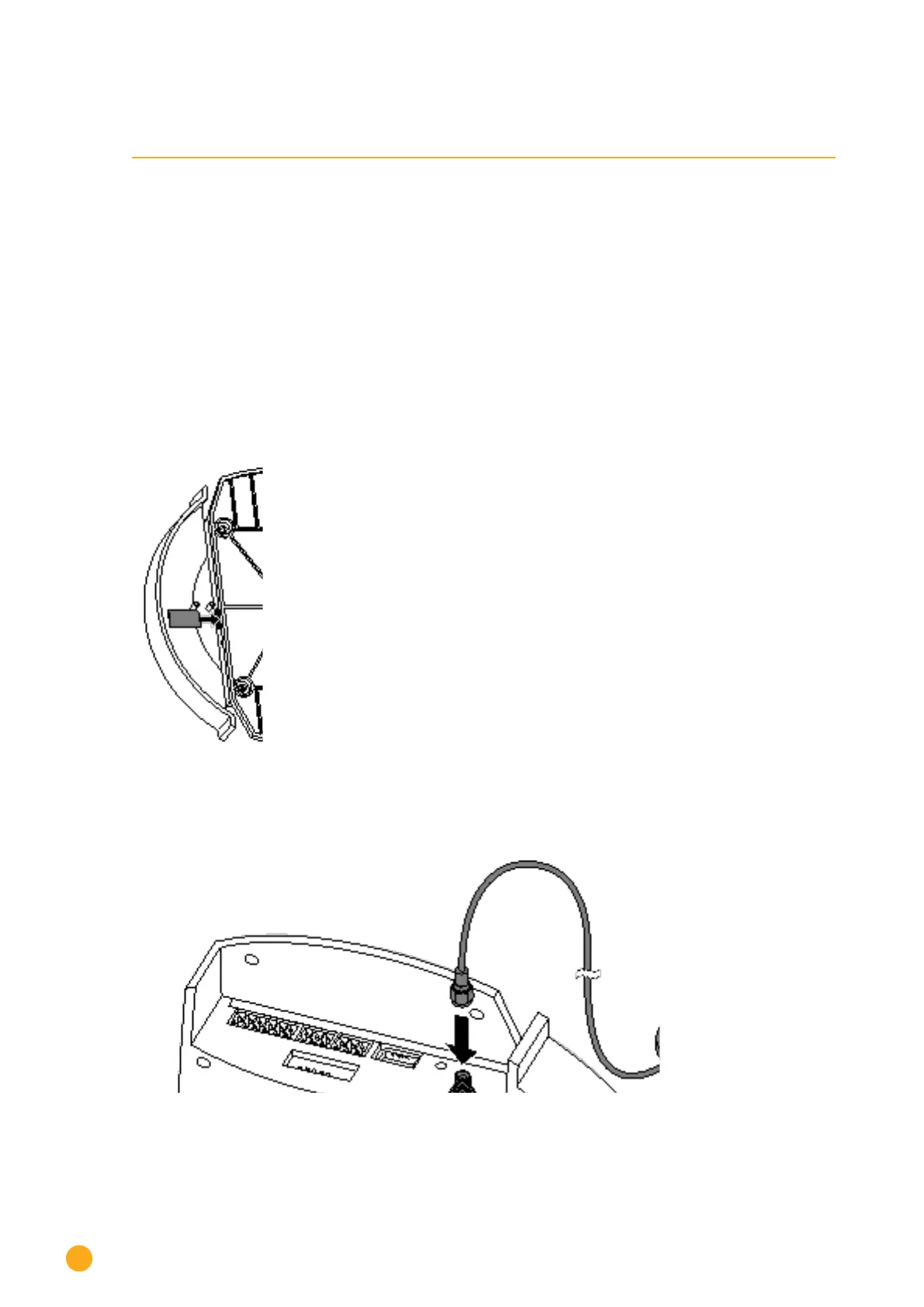
Insert the SIM card in the slot on the rear right, inside the Solar-Log™ GPRS
Fig.: Insertion slot for SIM card inside on the right (Solar-Log™ GPRS)
•
Screw the external antenna into the antenna connection on the bottom of the unit.
Find a suitable position with good reception quality for the magnetic base antenna.
Fig.: Antenna connection on the top of the device (Solar-Log™ GPRS)



 To Next Page
 Loading...






