DCR-PC101/PC101E
5-47
3-2. SYSTEM CONTROL SYSTEM ADJUSTMENTS
1. Initialization of 8, A, B, C, D, E, F, 1B, 1E, 1F
Page Data
If the 8, A, B, C, D, E, F, 1B, 1E, 1F page data is erased due to
some reason, perform “1-2. INITIALIZATION OF 8, A, B, C, D,
E, F, 1B, 1E, 1F PAGE DATA” of “CAMERA SYSTEM ADJUST-
MENTS”.
Check that the data of page: 0, address: 10 is “00”.
If not, select page: 0, address: 10, and set the data “00”.
2. Touch Panel Adjustment
Adjust the calibration of touch panel.
Mode VTR stop
Signal Arbitrary
Adjustment Page A
Adjustment Address 90 to 93
Note 1: Check that the data of page: 0, address: 10 is “00”.
Note 2: Adjustment must be performed while observing the LCD
screen from the front.
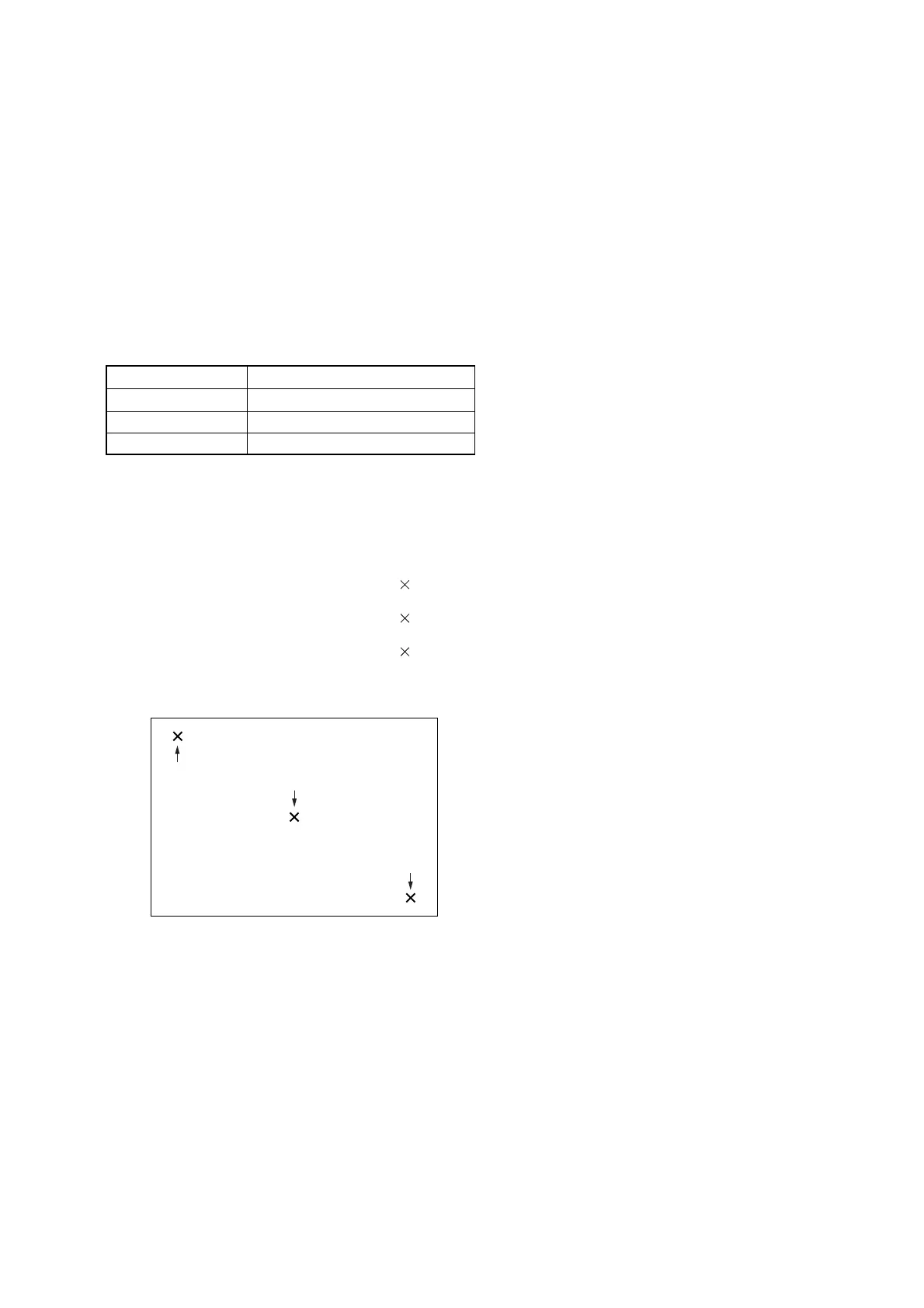
Adjusting method:
1) Select page: 7, address: 05, and set data: 01.
2) Using a ball-point pen etc., push the center of “ ” indicated
in the part A.
3) Using a ball-point pen etc., push the center of “ ” indicated
in the part B.
4) Using a ball-point pen etc., push the center of “ ” indicated
in the part C.
5) Select page: 7, address: 05, and set data: 00.
A
C
B
Fig. 5-3-4















 To Next Page