DCR-PC101/PC101E
5-8
1-2. INITIALIZATION OF 8, A, B, C, D, E, F, 1B,
1E, 1F PAGE DATA
Note 1: If reading/writing data on pages 1B, 1E, 1F, set data: 01
to page: 0, address: 10, and then select pages B, E, F. By
this data setting, the pages 1B, 1E, 1F can be selected.
After the data reading/writing finished, return the data
on page: 0, address: 10 to “00”.
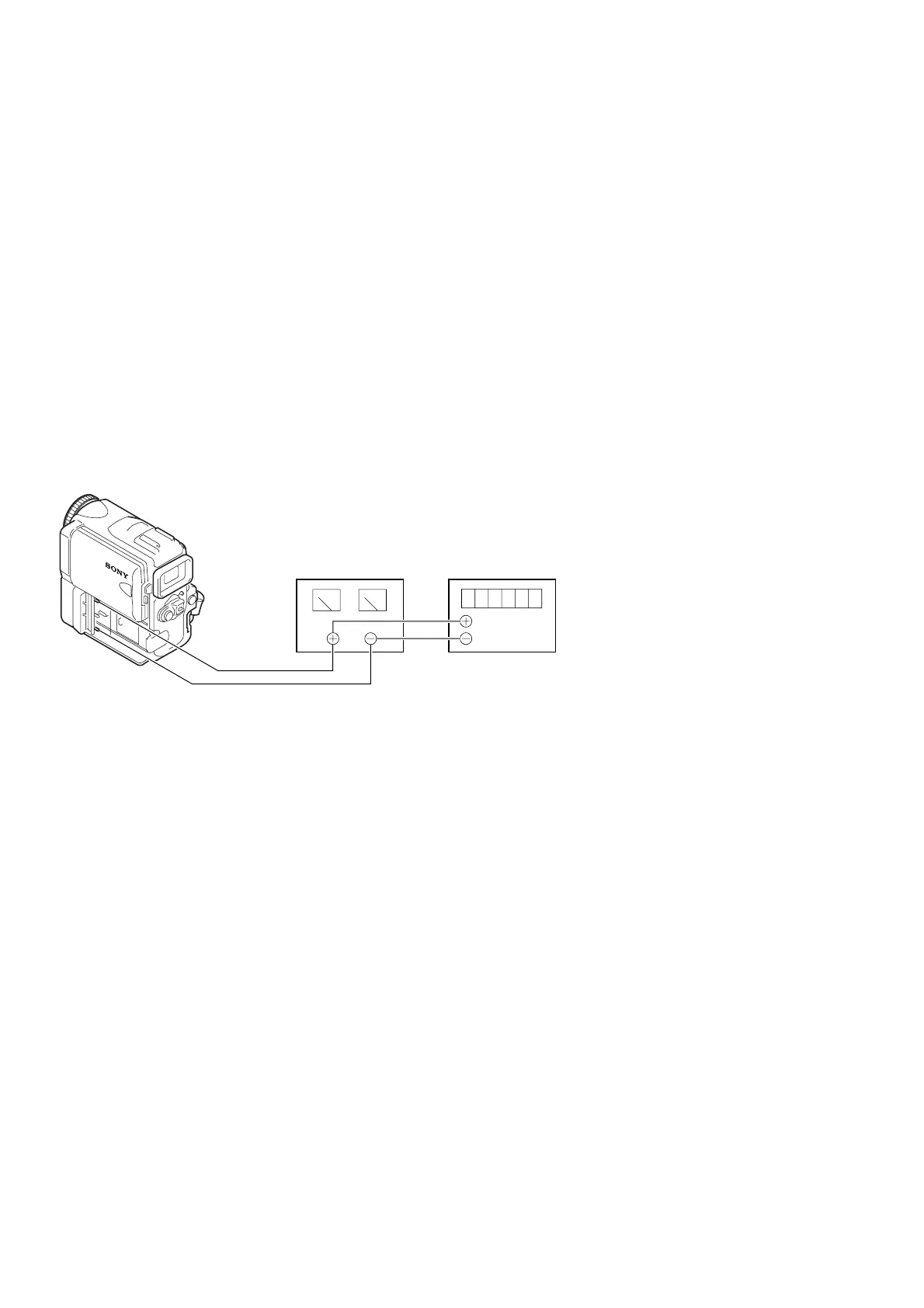
[Connection of power supply for data initialization]
1) Connect the regulated power supply and a digital voltmeter, as
shown in Fig.5-1-6.
2) Adjust the output voltage of the regulated power supply so
that the digital voltmeter indicates 6.0 ± 0.1Vdc.
3) Turn off the power switch.
4) Turn on the HOLD switch of the adjusting remote commander.
5) Turn on the power switch.
6) Initialize the data.
Note 2: Though the following message will be displayed on the
LCD screen, this is normal.
“Use info lithium battery”
Fig. 5-1-6
[Adjusting Procedure]
1. Initialaizing of A, D Page Data
2. Initialaizing of 8, C Page Data
3. Initialaizing of E, F, 1E, 1F Page Data
4. Initialaizing of B, 1B Page Data
Regulated power supply
6.0 ± 0.1 Vdc
Digital voltmeter















 To Next Page