DCR-PC101/PC101E
5-27
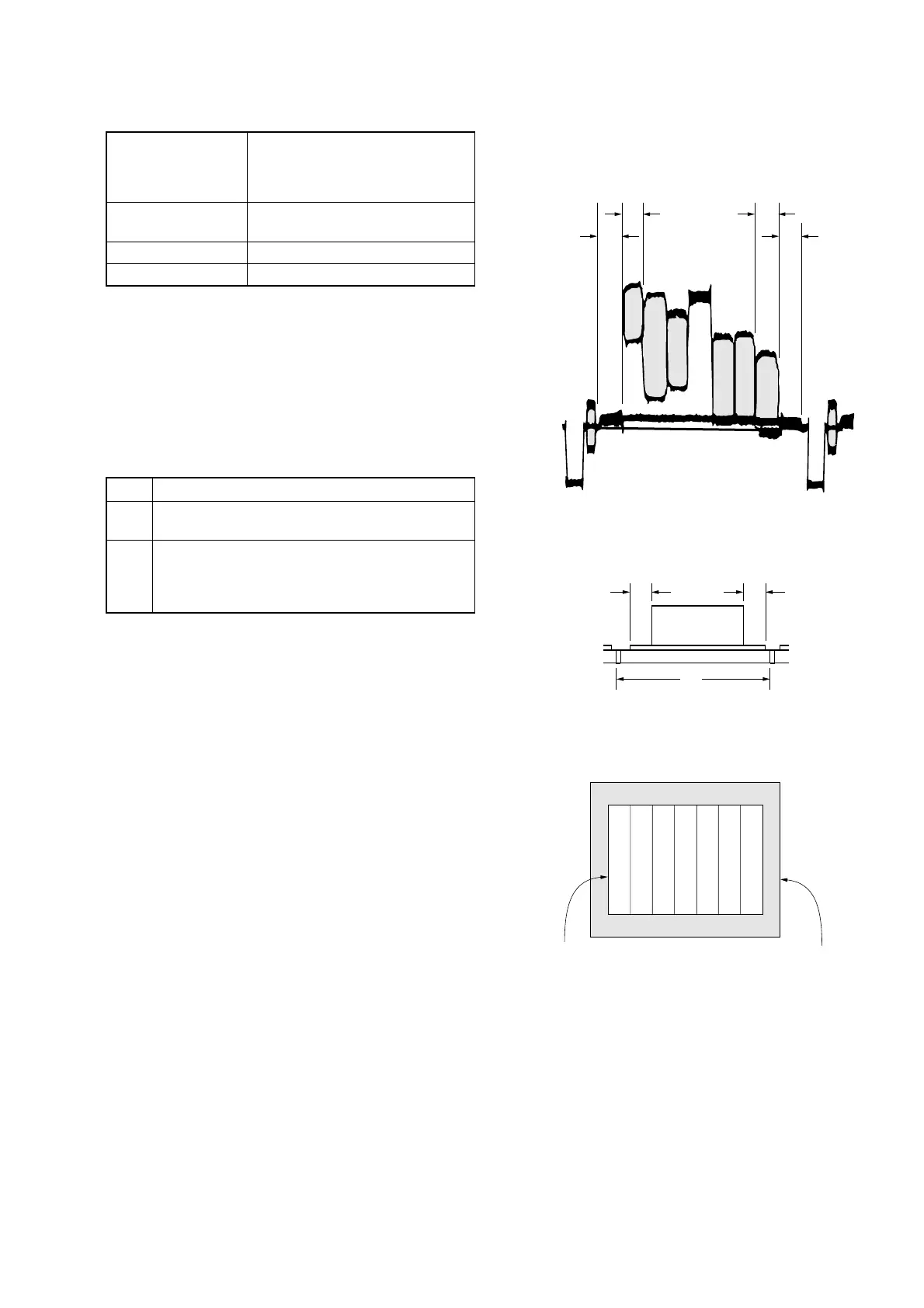
10. Picture Frame Setting
Subject Color bar chart
(Color reproduction adjustment
frame)
(1.5 m from the front of lens)
Measurement Point Video terminal of A/V jack
(75 Ω terminated)
Measuring Instrument Oscilloscope and monitor TV
Specified Value A=B, C=D, E=F
Note: Perform “Flange Back Adjustment” before this adjustment.
Switch setting
1) POWER ...................................................................CAMERA
2) NIGHT SHOT.................................................................. OFF
3) DIGITAL ZOOM (Menu setting).................................... OFF
4) STEADY SHOT (Menu setting) ..................................... OFF
5) AUTO FOCUS ................................................................. OFF
Setting method:
Order Procedure
1
Adjust the zoom and the camera direction, and set
the specified position.
2
Mark the position of the picture frame on the monitor
TV, and adjust the picture frame to the this position
in following adjustment using “Color reproduction
adjustment frame”.
Check on the oscilloscope
1. Horizontal period
A=B
C=D
A
BC
D
Color bar chart picture frame
Monitor TV picture frame
Fig. 5-1-9
2. Vertical period
Fig. 5-1-10
Check on the monitor TV (Underscanned mode)
Fig. 5-1-11















 To Next Page