1.
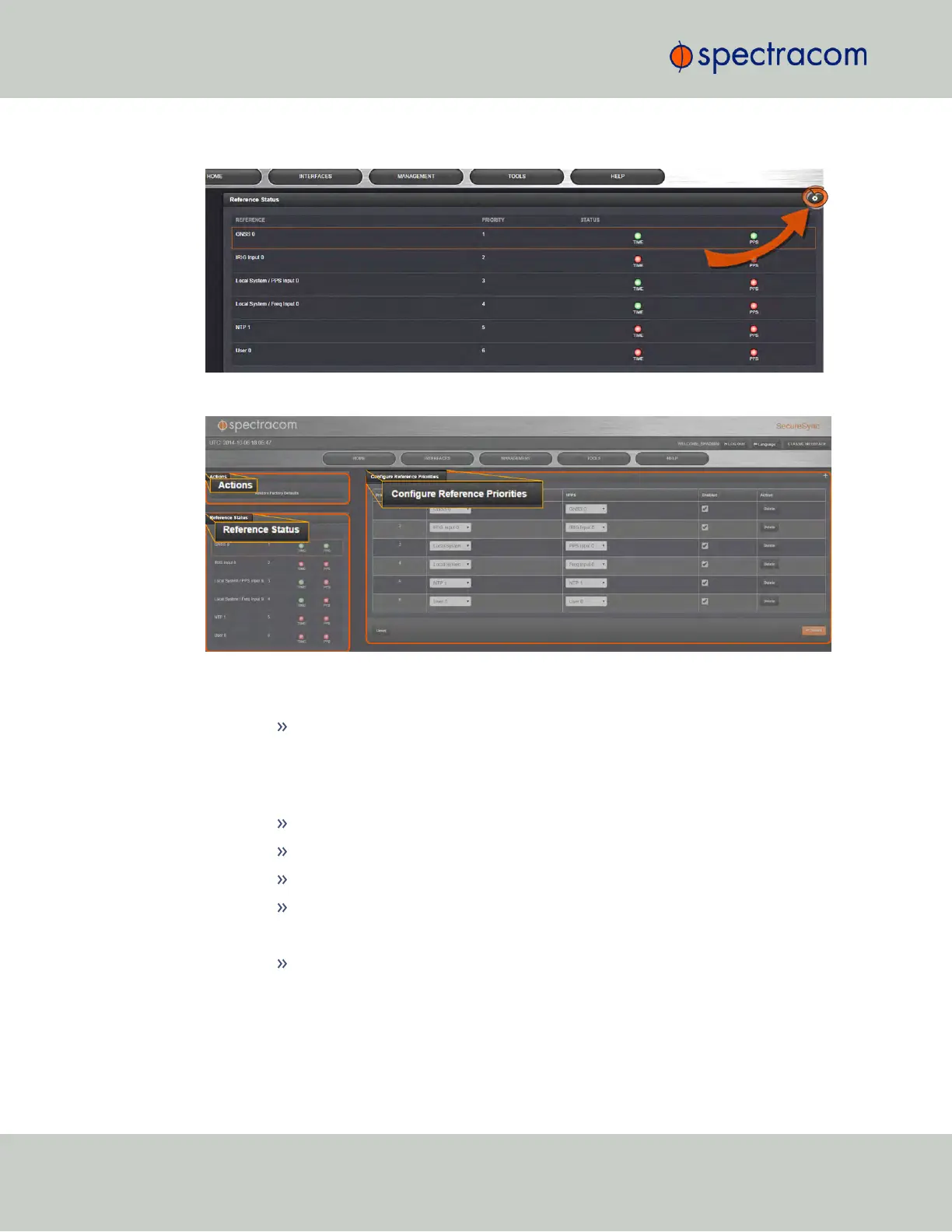
On the HOME screen, click the GEAR icon in the Reference Status panel:
2.
The Configure Reference Priorities screen will display.
The Reference Priority screen is divided into 3 areas:
a.
The Actions panel, which provides a single action:
Restore Factory Defaults
b.
The Configure Reference Priorities panel, which displays the priority of
SecureSync’s references in a table form.
In this panel you can:
Add and configure new references
Delete references
Enable/disable references
Reorder the priority of SecureSync’s references
c.
The Reference Status panel
The Reference Status panel provides a real time indicator of the status of the
SecureSync’s references. It is the same as the Reference Status panel on the
HOME screen of the Web UI.
Adding an Entry to the Reference Status Table
158
CHAPTER 3 • SecureSync User Reference Guide Rev. 23
3.3 Managing References



 To Next Page