4.
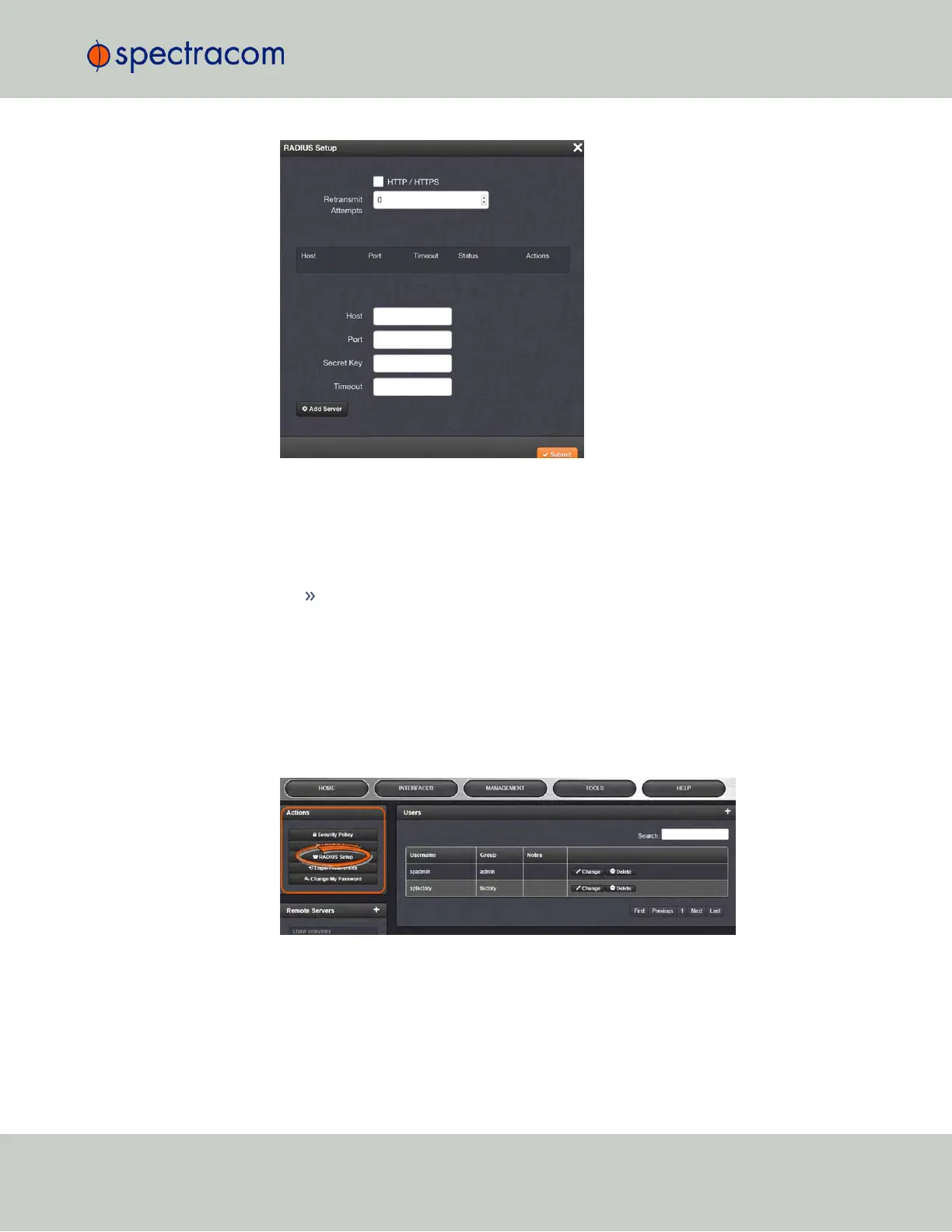
Select the HTTP/HTTPS checkbox, so as to enable HTTPS.
5.
Click Submit, to enable Radius authentication.
6.
In the Actions panel, click the RADIUS Setup button again.
7.
In the Radius Setup window, enter your configuration parameters.
In the Retransmit Attempts field, select the number of retries for SecureSync to
communicate with the RADIUS server.
Adding a RADIUS Server
To add a RADIUS server:
1.
Navigate to MANAGEMENT > OTHER: Authentication.
2.
In the Actions panel, click the RADIUS Setup button.
3.
The Radius Setup window will display. Ensure that HTTP/HTTPS is enabled. If not, see
procedure above, "Configuring RADIUSAuthentication".
4.3 Managing Users and Security
CHAPTER 4 • SecureSync User Reference Guide Rev. 23
243



 To Next Page