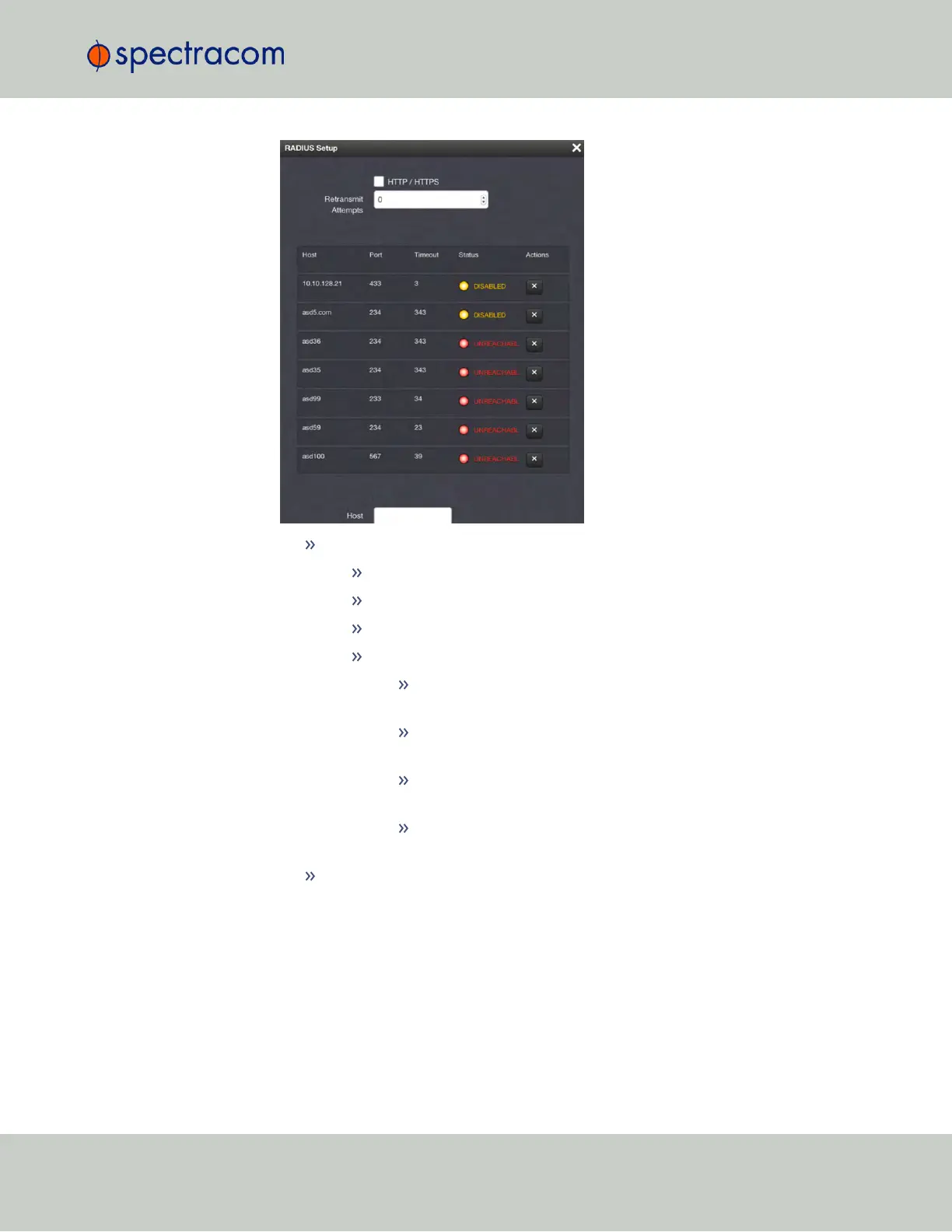
For each RADIUS server, the following information will display:
Host—The hostname or IP address of the RADIUS server.
Port—The RADIUS port used to access the RADIUS server.
Timeout—The timeout that has been set for the RADIUS server.
Status—One of the following statuses will display:
UNREACHABLE (red, blinking)—The server is not available on the
network.
UNAUTHORIZED (red)—The server is available on the network but
access was denied.
REACHABLE (green)—The server is available on the network and
access was allowed.
DISABLED (yellow)—The server is available on the network but
RADIUS authentication is disabled on the server.
Actions—Click the X-button to remove a server.
Removing a RADIUS Server
To remove a RADIUS server:
1.
Navigate to MANAGEMENT > OTHER: Authentication.
2.
In the Actions panel, click the RADIUS Setup button.
4.3 Managing Users and Security
CHAPTER 4 • SecureSync User Reference Guide Rev. 23
245



 To Next Page