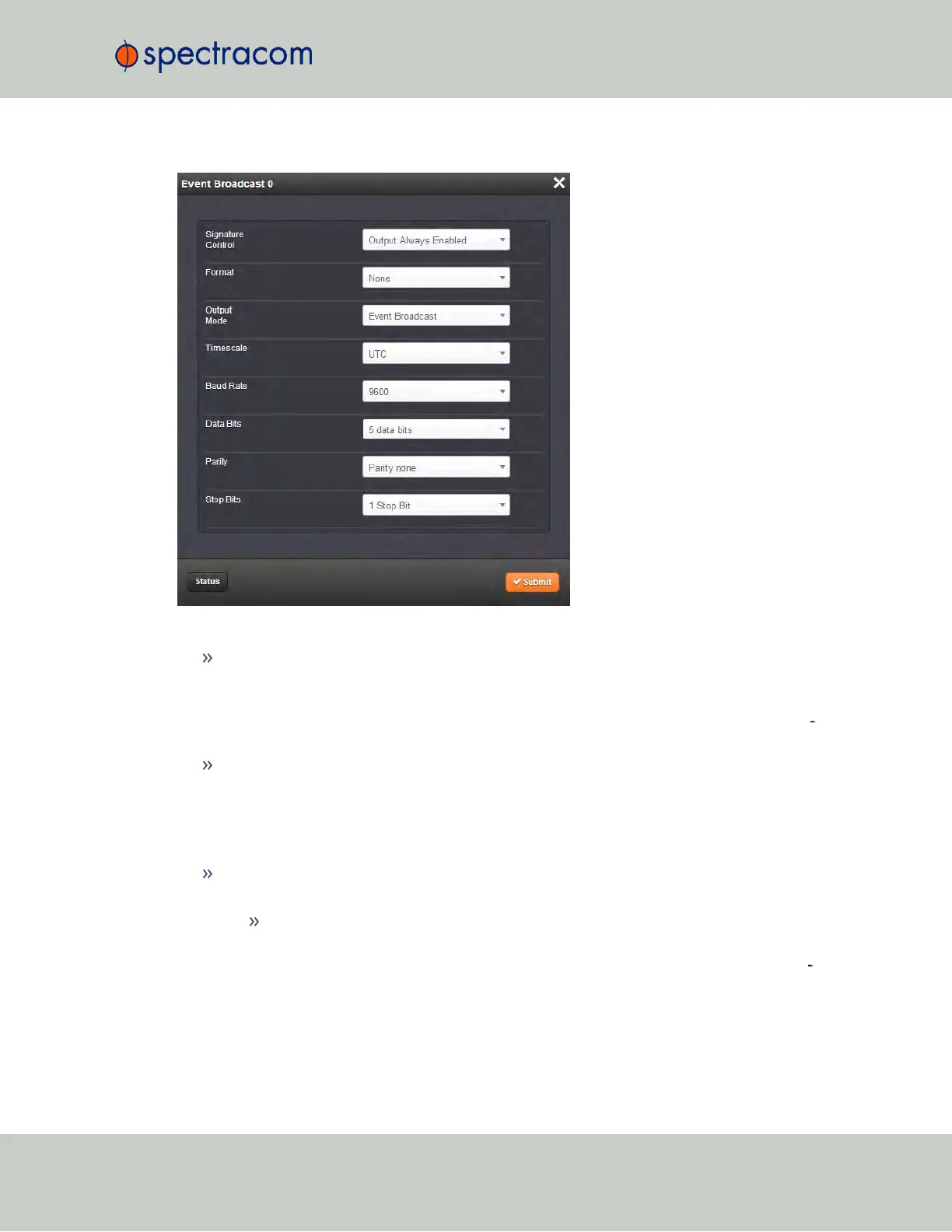
The Edit window allows the configuration of the following settings:
Signature Control: Signature Control controls when messages will be broadcast in
response to events on the Event Input (J2) port when events are enabled and the card is
in “broadcast” mode. (Events are still queued even if they are not broadcast, and are
transmitted once the signature control conditions permit.) For more information on Sig
nature Control, see "Signature Control" on page136.
Format: Selects the format of the message to be outputted. Refer to "ASCIITime Code
Data Formats" on page497 for a description of all of the available formats.
The Event Broadcast card only supports two formats (Event Broadcast Format 0 and Event
Broadcast Format 1), and only supports the output of one message per event. If format is
set to “None”, no messages will be queued in the Message Buffer.
Output Mode: This field determines when the output data will be provided. Available
Mode selections are as follows:
Broadcast—Event Messages are automatically broadcast when they are created
by an event. If a new event happens while an older message is being broadcast,
the new message will be queued in a “First-in, First-out” manner. When the mes
sage has finished, the next message out of the queue will be broadcast.
SecureSync User Reference Guide 481
APPENDIX



 To Next Page