7.
For all NTP Stratum-2 servers and higher stratum numbers, under the Stratum-1 tab in the
Edit NTP Services window configure the NTP Stratum-1 references:
Disable Enable Stratum 1 Operation.
Disable Enable Stratum 1 1PPS.
8.
In the NTP Servers panel of the main window, add an NTP server and enable the Autokey
option box. See "NTP Servers: Adding, Configuring, Removing" on page89.
9.
Wait for NTP to synchronize to the NTP References provided.
NTP: Symmetric Keys (MD5)
Symmetric Keys are an encryption means that can be used with NTP for authentication pur-
poses.
VersaSync supports authenticated NTP packets using an MD5 authenticator. This feature does
not encrypt the time packets, but attaches an authenticator, which consists of a key identifier
and an MD5 message digest, to the end of each packet. This can be used to guarantee that
NTP packets came from a valid NTP client or server, and that they were not tampered with dur-
ing transmission. The Symmetric Keys tab allows NTP to be configured to use MD5 authen-
tication.
Configuring NTP Symmetric Keys
To create, edit, or delete Symmetric Keys (MD5 Authentication):
1.
Navigate to MANAGEMENT > NETWORK: NTP Setup.
2.
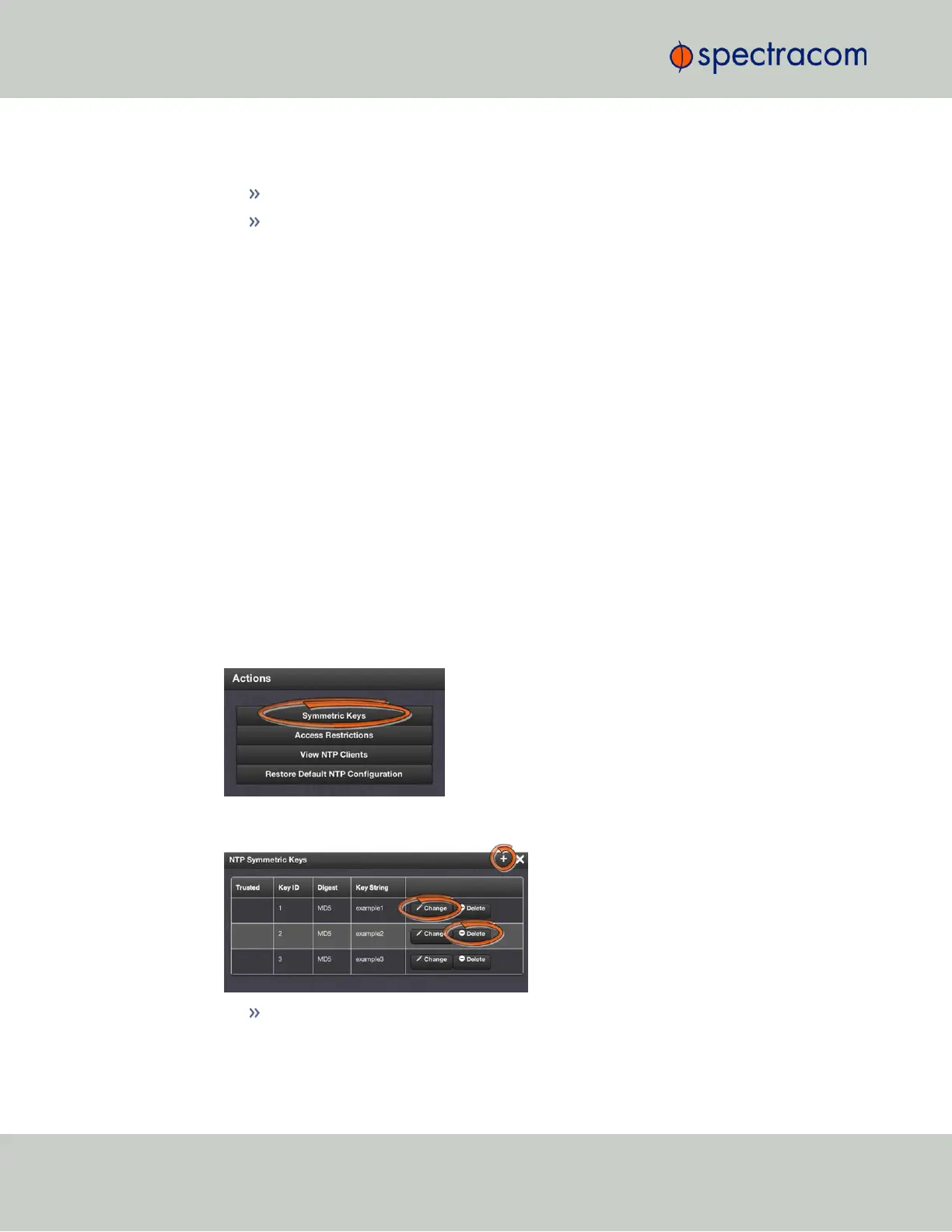
In the Actions panel, click the Symmetric Keys button:
3.
The NTP Symmetric Keys window will display:
To CREATE a Symmetric Key, click the PLUS icon in the top-right corner, and pro-
ceed to Step4.
98
CHAPTER 2 • VersaSync User Manual Rev. 6.0
2.7 Configuring Network Settings



 To Next Page