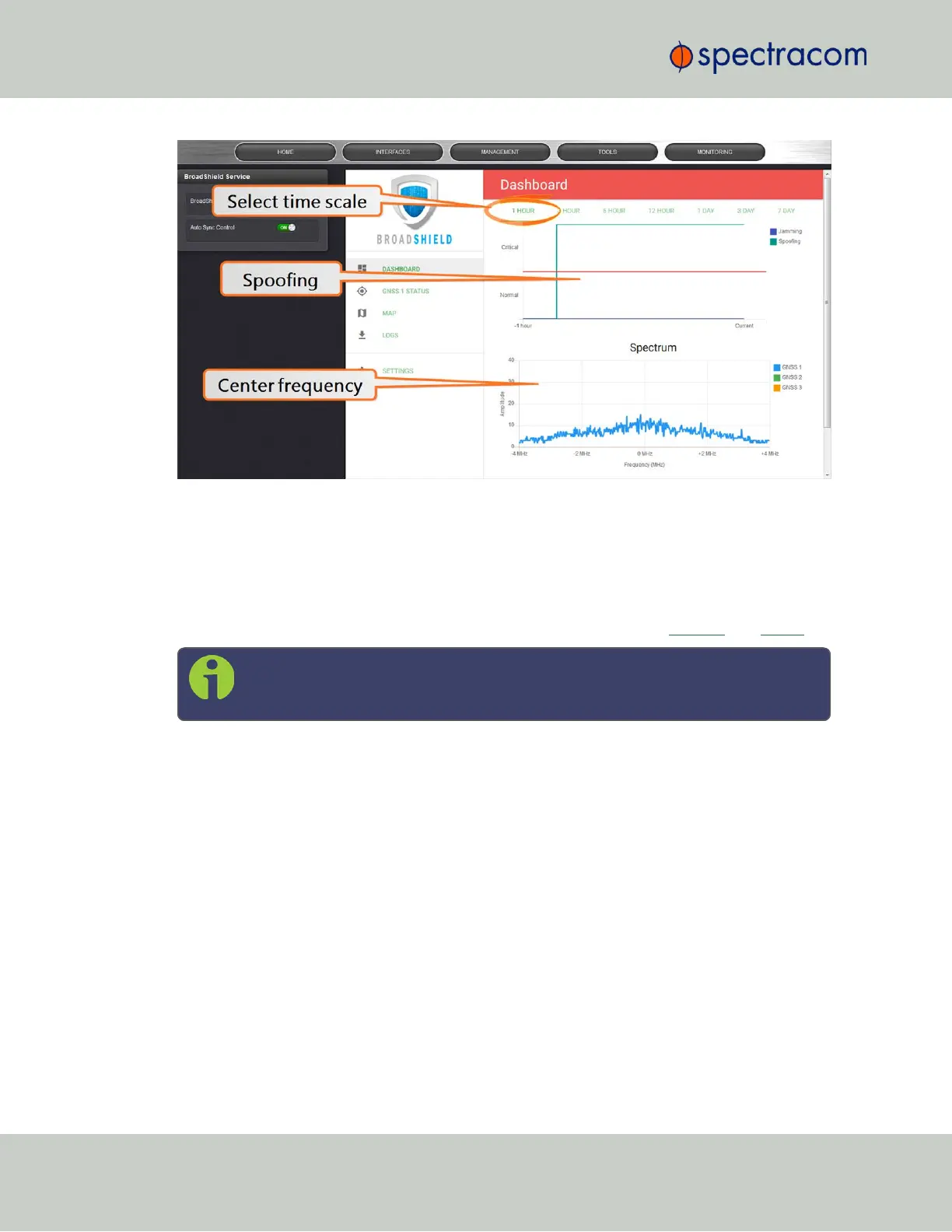
Top graph
The Dashboard top graph displays the past signal level over time, divided into a Normal and a
Critical signal level (separated by a red line). A blue line in the Critical zone indicates a poten-
tial jamming incident, while a green line indicates that VersaSync may be subject to a spoofing
attack.
You can change the time scale by clicking on any of the labels between 1 HOUR and 7DAY.
Note: A VersaSync reboot will reset all history data (it can still be retrieved via
LOGS.)
Bottom graph
The bottom graph labeled Spectrum visualizes the current signal over the GPS frequency band.
Unusual amplitude spikes indicate a potential threat. If your system is equipped with more than
one GNSSreceivers, a green and an orange graph will indicate the signal level for additional
receivers.
GNSS 1 Status
144
CHAPTER 3 • VersaSync User Manual Rev. 6.0
3.3 Managing References



 To Next Page