Maintenance 147
2006792 Rev B – 200228
b. In the Ink System section, select Purge.
After a 10 second delay, there will be a click to indicate that the JetStream has shut
off the ink stream and has opened a different valve that creates a suction into the
Gun Body. This suction will only last for about 20 seconds. During that 20 seconds,
the following two tasks must be performed:
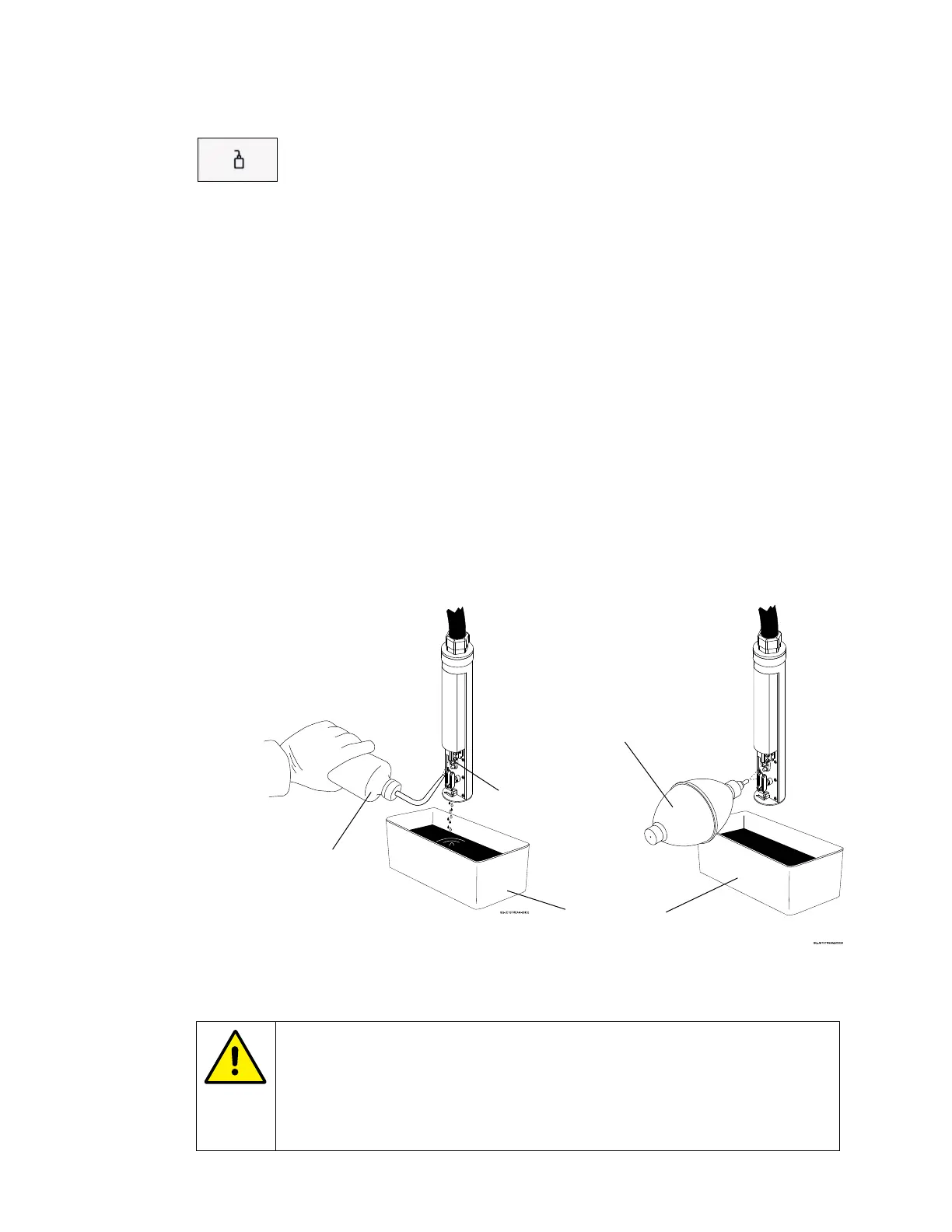
• Squirt Makeup into the Gun Body Nozzle:
Holding the nozzle of the Cleaning Bottle about 0.25" (6.35 mm) from the Gun
Body Nozzle, squirt makeup fluid directly up into the Gun Body Nozzle for about
10 seconds, allowing excess ink and makeup fluid to drain into the Cleaning
Tray.
• Dry the Gun Body Nozzle and Charge Electrode Tunnel:
Hold the Drying Bulb about 1" (25.4 mm) from the internal components of the
Printhead. Focusing mainly on the Gun Body Nozzle and the Charge Electrode
Tunnel, dry the inside of the Printhead thoroughly by squeezing the Drying Bulb
repeatedly until the ink stream comes back on.
c. Repeat 2 to 3 times until blockage is cleared.
CAUTION – PROPERTY DAMAGE: Excessive purging can significantly
dilute ink in the Mixing Tank, resulting in down time, ink being wasted
and poor print performance. If the blockage has not been cleared and
the ink jet is still not going into the Ink Return Gutter after 3 purges,
contact your trained and authorized Squid ink distributor.



 To Next Page