86 User Interface
2006792 Rev B – 200228
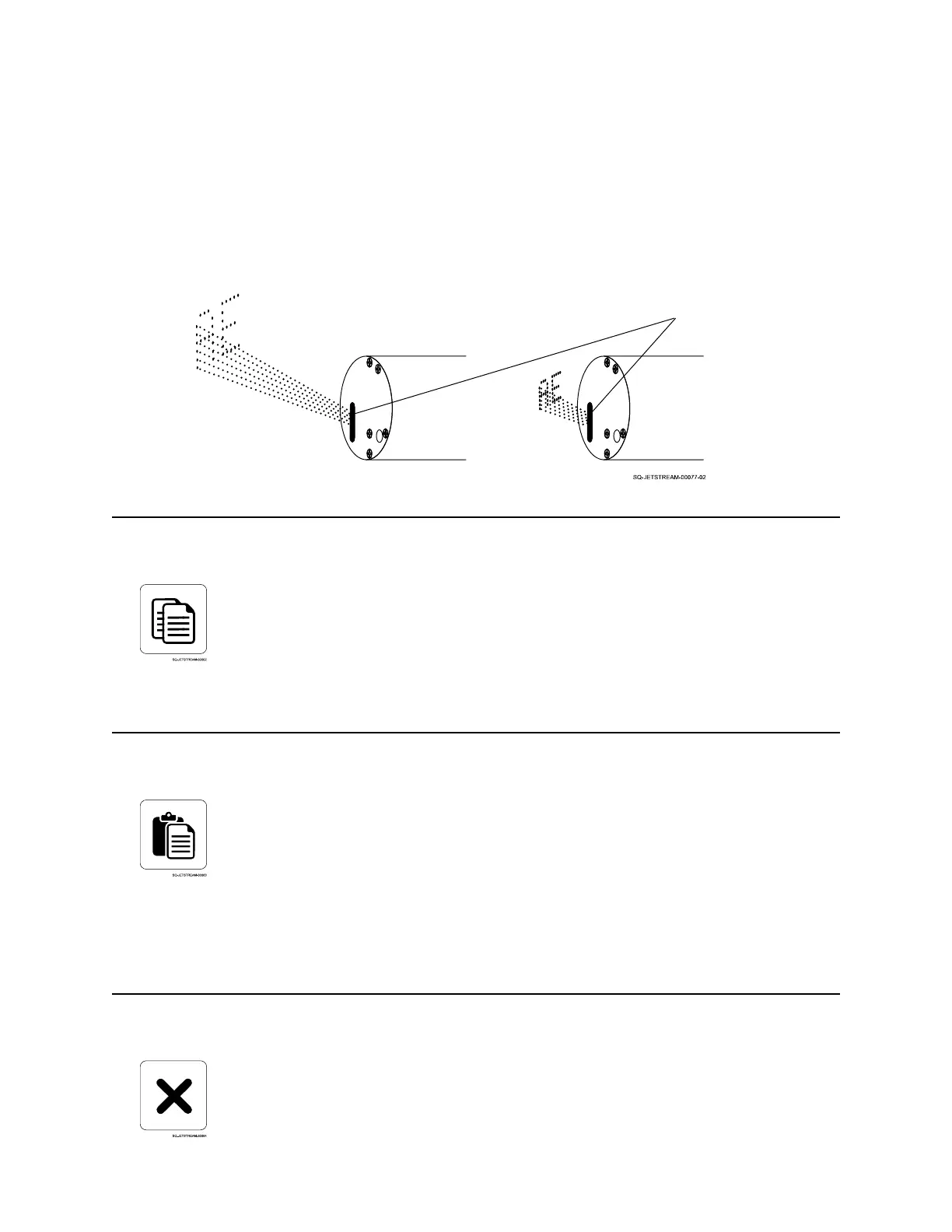
Neither Font Size nor Raster Mode precisely define the dimensions of characters when
printed. Because the Printhead is spraying out droplets of ink at different angles, the printed
dimensions of the characters will also be affected by the distance of the Printhead Orifice
from the printed surface (throw distance). When the printed surface is farther away, the
same font size in the same sized raster mode will print larger, with dots spaced farther apart.
Copy
Copies the selected item and holds it in the JetStream’s cache.
Paste
Pastes the most recently copied item from the JetStream’s cache into the Message Area.
Paste location is down and to the right of whatever pixel in the Message Area has been
touched just prior to pasting.
Delete
Deletes the selected item from the Message Area.



 To Next Page