Maintenance 159
2006792 Rev B – 200228
Replacing Filters
The JetStream has several filters which will need to be changed from time to time. The filter
replacement schedule below should be followed under normal operating conditions. Excessive
heat, dust, and humidity may reduce filter life and require more frequent replacements.
Monitoring the Main Filter Assembly
To monitor the Main Filter Assembly:
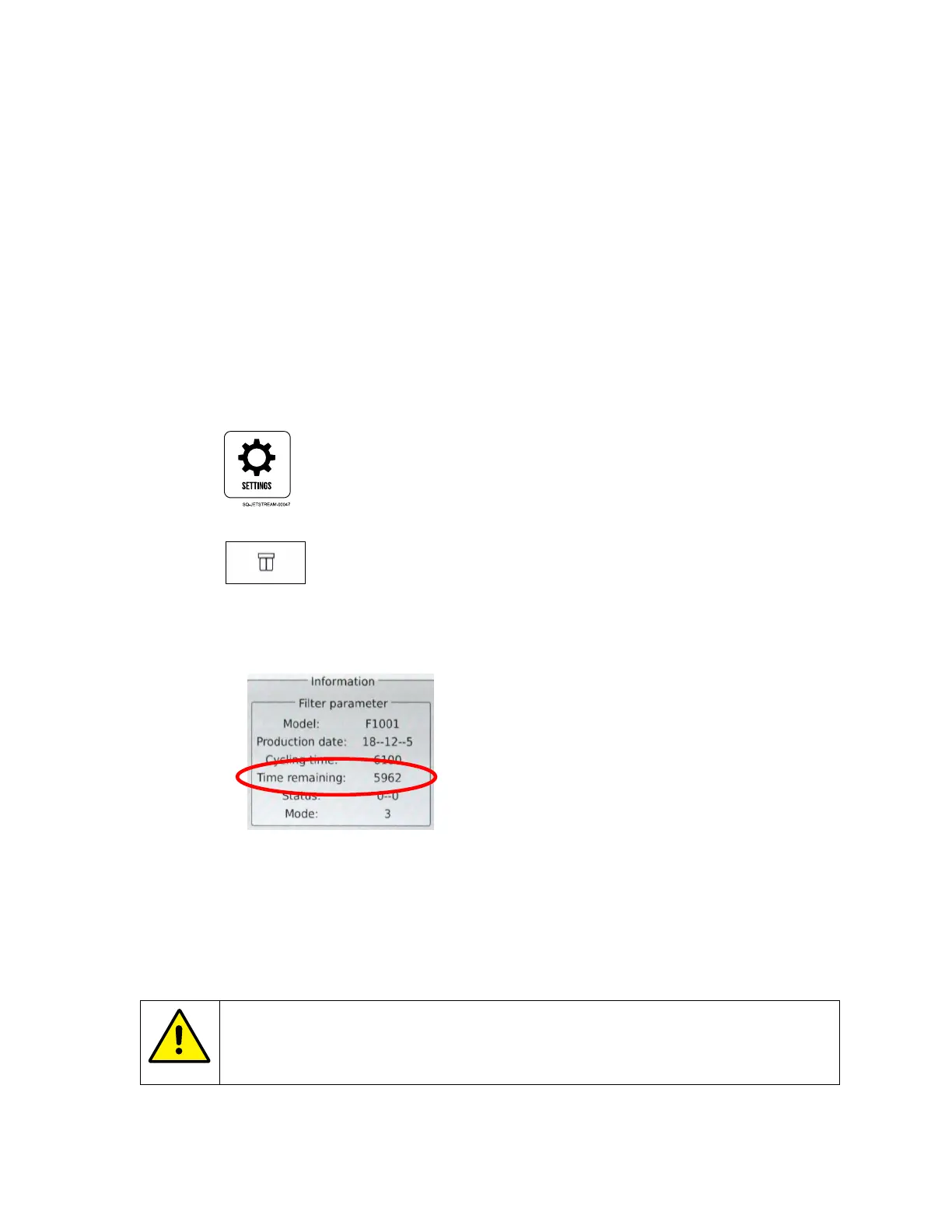
1. View to the current filter status:
a. On the Touchscreen, select the Settings screen;
b. In the Diagnostic section, select Filter.
c. Under “Filter Parameter,” look at “Time Remaining.” This indicates the number of
hours until the Filter Assembly needs to be replaced. When the estimated
remaining service life falls below 200 hours, a replacement warning is displayed.
The JetStream will continue to run, but there will always be a “Service
Recommended” alarm once 6,000 hours have passed.
Replacing the Main Filter Assembly
CAUTION – PROPERTY DAMAGE: Replacing the Main Filter Assembly
should only be performed by trained and qualified personnel. If in doubt,
contact your certified Squid Ink distributor.



 To Next Page