Maintenance 149
2006792 Rev B – 200228
Adjusting the Ink Stream Position
The ink stream position is preset at the factory and should not require adjustment. If the ink
stream is diverting from its correct path, the cause is most likely a blockage in the Printhead.
The first way to fix a misdirected ink stream should therefore always be to remove any
blockages from the Printhead (see “Clearing a Minor Blockage in the Printhead” on page 145).
Removing the blockage will make adjusting the ink stream position unnecessary.
CAUTION – PROPERTY DAMAGE: Adjusting the ink stream position before first
removing any blockage from the Printhead can make the situation worse, because
when the blockage does clear, the Gun Body will be misaligned.
CAUTION – PROPERTY DAMAGE: Ink stream adjustments should only be
performed by trained, qualified personnel. If in doubt, contact your authorized
Squid ink Distributor.
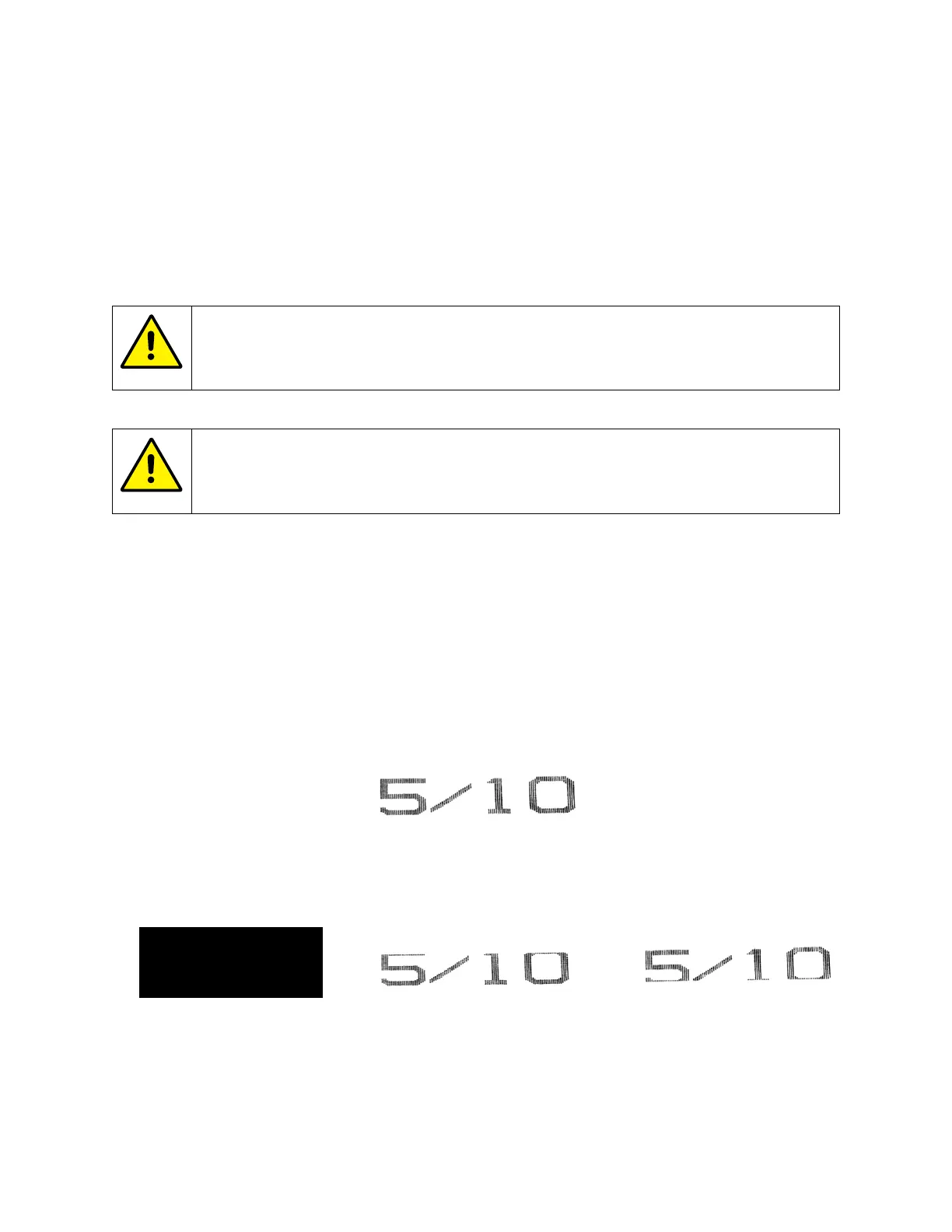
If the ink stream is not in the correct position, it will miss the Ink Return Gutter inside the
Printhead, and one or two things will happen:
• The full ink stream will spray out of the Printhead, resulting in a very noticeable excess
of ink spraying out onto the product or;
• Printing will be cut off at the top or bottom and/or;
• The Printhead will fill with excess ink.
Correct Ink Stream Position
Incorrect Ink Stream Position
Printing cut off at bottom
Excess ink spraying
onto product



 To Next Page