82 User Interface
2006792 Rev B – 200228
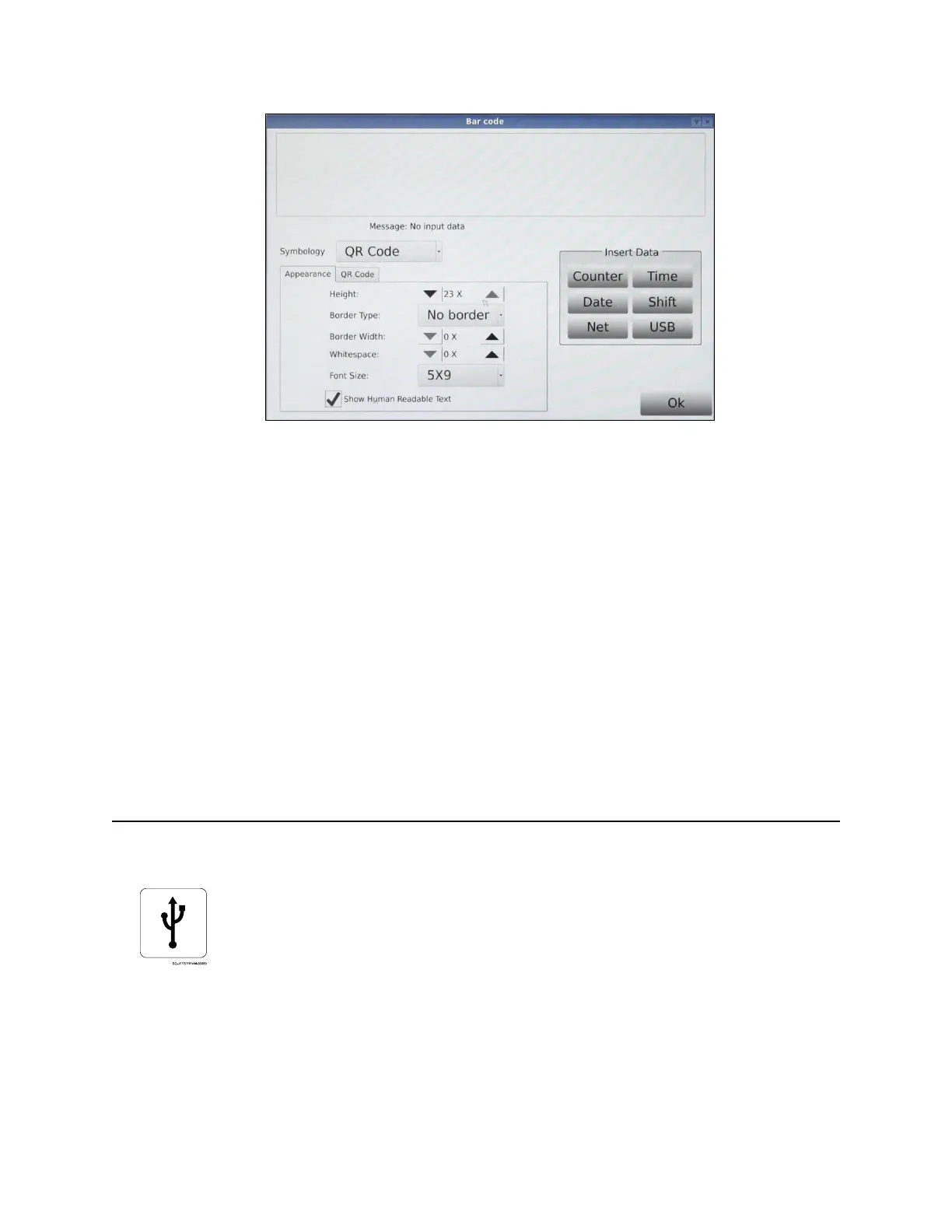
• Message (top of dialog box): Tap this area to access a keyboard and input the
barcode number. If there are spaces between some of the numbers, those spaces
need to be input as well.
• Symbology: Selects the format for the barcode.
• Height: Barcode height in number of dots.
• Border: Selects whether or not the barcode should have a border around it.
• Whitespace: Whitespace between each barcode “bar.”
• Font Size: Size of human-readable text/numbers in the barcode.
• Show Human Readable Text: Check to add text/numbers to the barcode.
• Data Input: Allows additional elements to be embedded in the barcode, including
counter information, date, time, and work shift. Information can also be loaded from a
network or USB drive.
USB Data
Allows importing of external data (.txt files) from a USB drive to print. For example, importing
a list as a .txt file would result in the JetStream printing each new item on the list with each
print trigger.
To import .txt data, unscrew the USB Cover on the left side of the Console, insert a USB
drive into the USB Port, and select USB Data.



 To Next Page