100 User Interface
2006792 Rev B – 200228
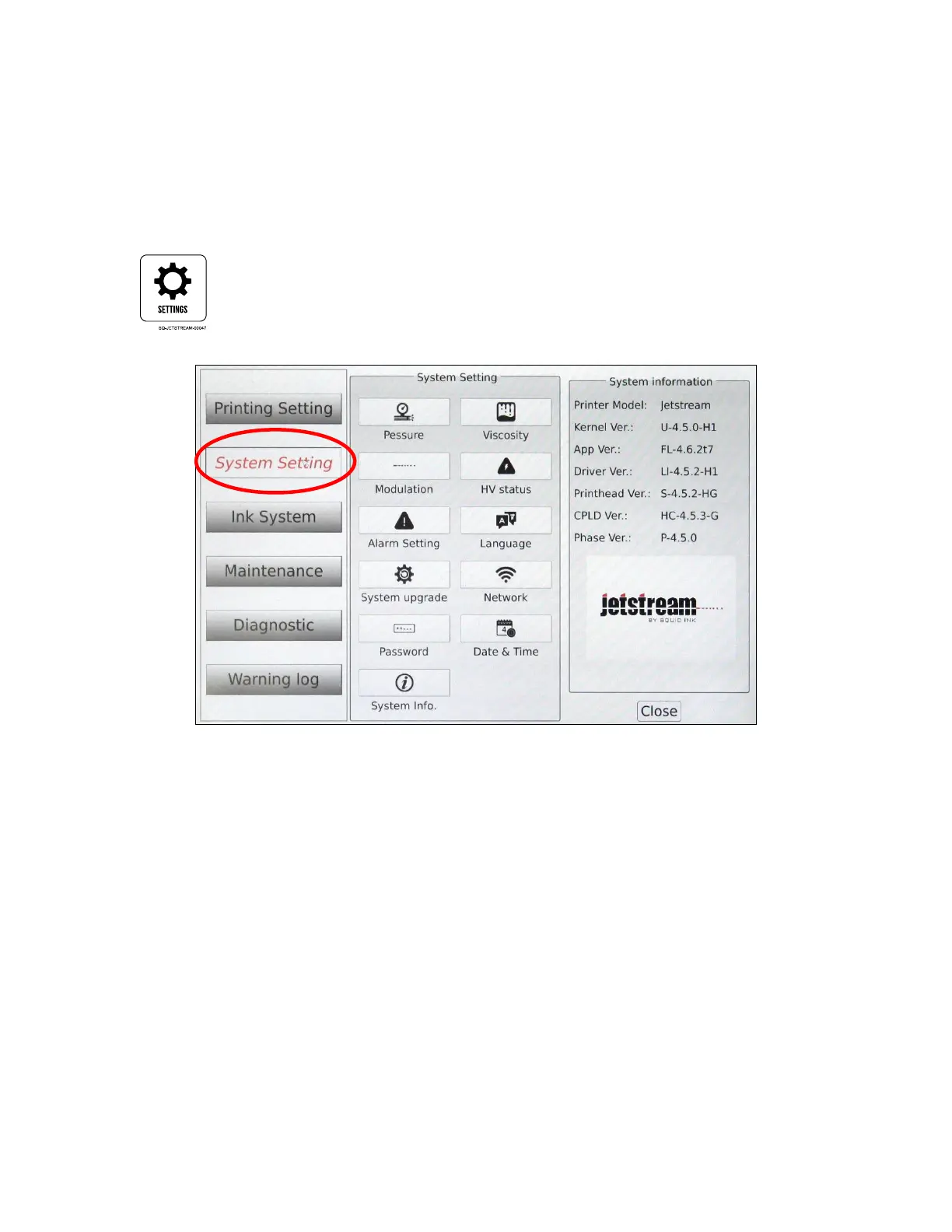
System Setting
Provides access to the JetStream’s system settings, allowing adjustment of the user
interface, how the JetStream hardware functions, and setting of passwords. The buttons in
the middle panel give access to the right panel for adjustment or viewing.
Access System Setting from the Main screen by selecting the Settings button.



 To Next Page