36 System Components
2006792 Rev B – 200228
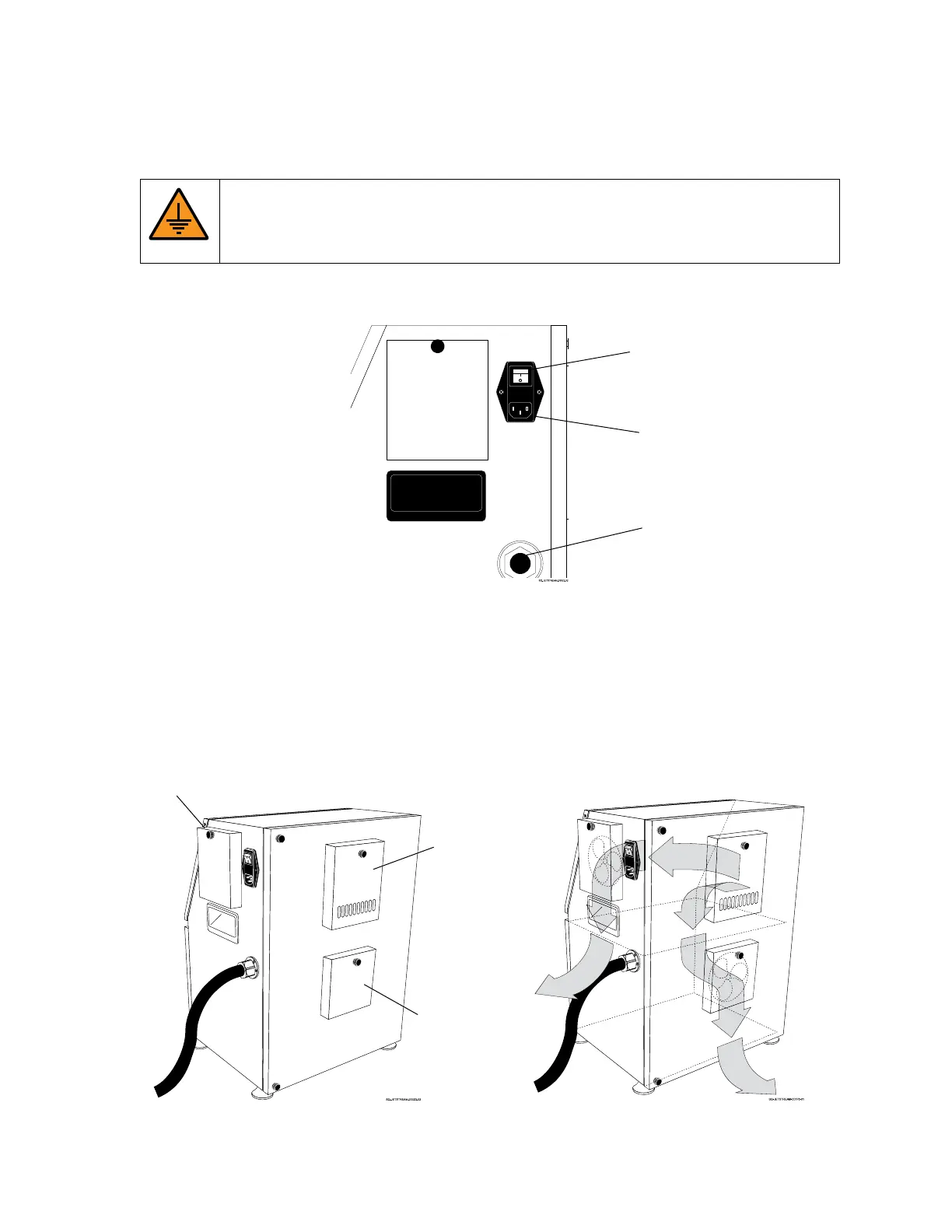
Power Input and Power Switch: Right Side Panel
The Power Input and Power Switch for the JetStream are on the right side of the Console.
WARNING: Only plug the Jetstream into a standard grounded electrical outlet.
Failure to do so can result in serious injury or death, and can damage the
JetStream and void the warranty.
Cooling and Ventilation System
The JetStream Console has three vents for cooling the system. An Air Intake Vent is located
on the back of the unit, toward the top. The unit has two Exhaust Vents – one located on the
side, toward the top, and one on the back, toward the bottom.



 To Next Page