Installation and Setup 53
2006792 Rev B – 200228
Installing a Warning Device
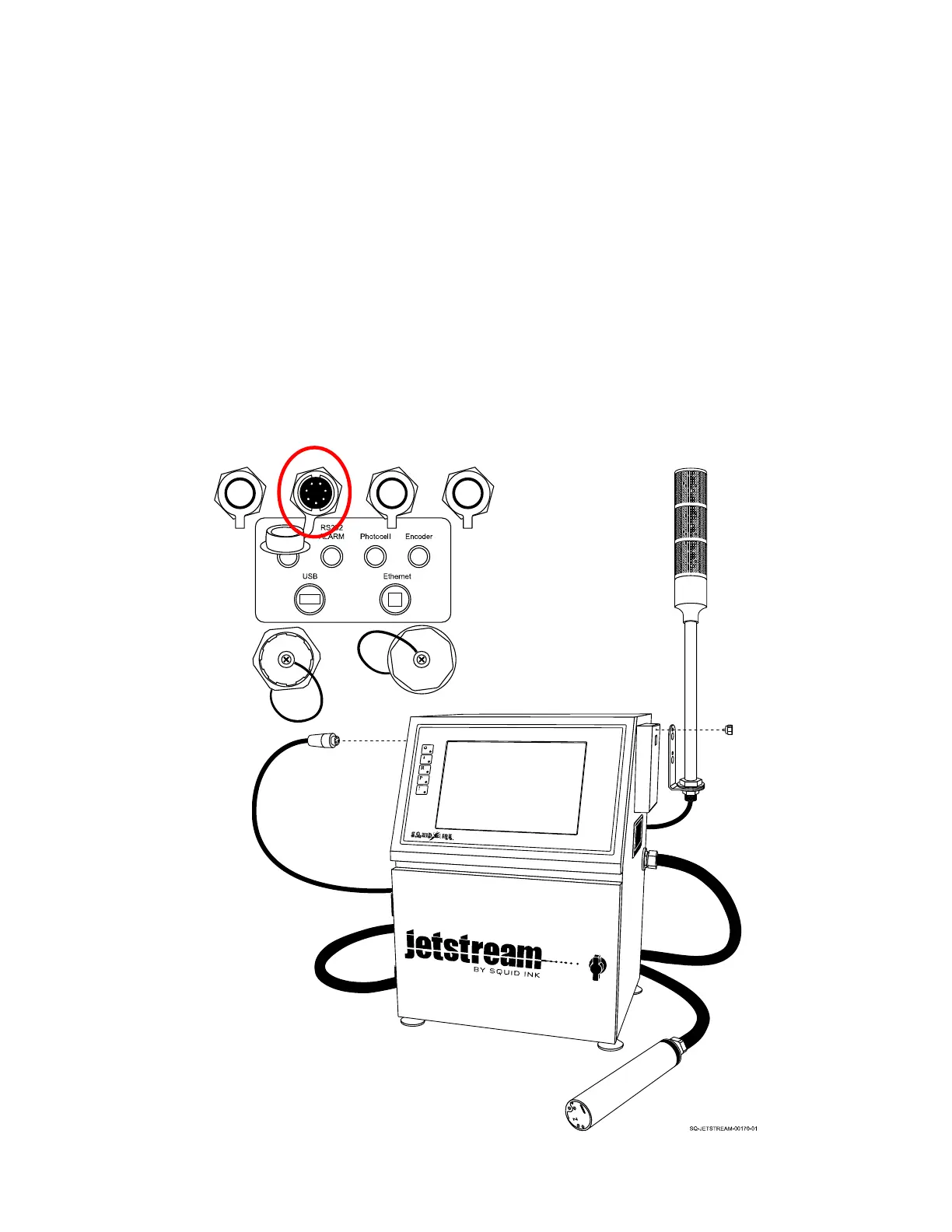
To install an Alarm Beacon:
1. Plug the Alarm Beacon connector into the Alarm Input Port (left side of Console,
upper row, second input from left).
2. The Alarm Beacon can be mounted directly to the Exhaust Vent on the right side of
the Console. Unscrew the Fastener on the Exhaust Vent, place the Alarm Beacon
with the mounting slot over the Fastener hole in the Exhaust Vent, and screw in the
Fastener to hold the Alarm Beacon in position. The Alarm Beacon can also be
mounted to the conveyor, or anywhere that allows it to remain connected to the
JetStream.



 To Next Page