160 Maintenance
2006792 Rev B – 200228
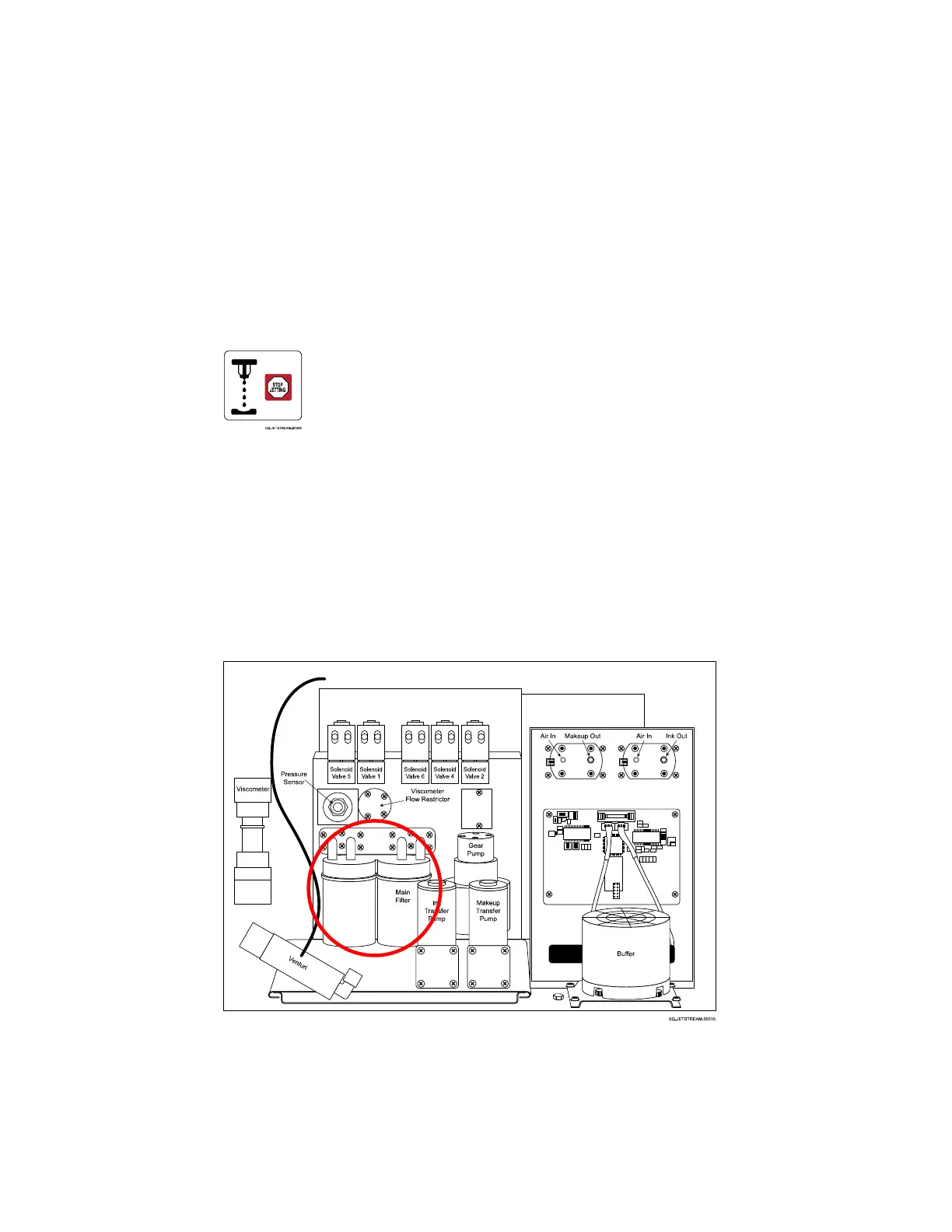
Items needed to replace the Main Filter Assembly are:
• Paper towels
• Small Phillips head screwdriver
• New Main Filter Assembly (Part Number 2006963)
To replace the Filter Assembly:
1. Turn off the JetStream
a. On the Main screen, select Stop Jetting
b. Select Stop Jetting Without Cleaning.
c. On the right side of the Console, turn the Power Switch to the “OFF” position.
d. Disconnect the Power Cord.
2. Open the Rear Door of the JetStream.
a. Unscrew the Fasteners at the top and bottom of the door.
b. Pull the door open.
3. Locate the Filter Assembly:
4. Prepare the area:
a. Place some paper towels under the Filter Assembly to absorb any ink leakage.
5. Remove the old Filter Assembly:



 To Next Page