Customer Replaceable Units Right and Left Side Panels
Page 164
© Copyright 2020 Stratasys. All rights reserved.
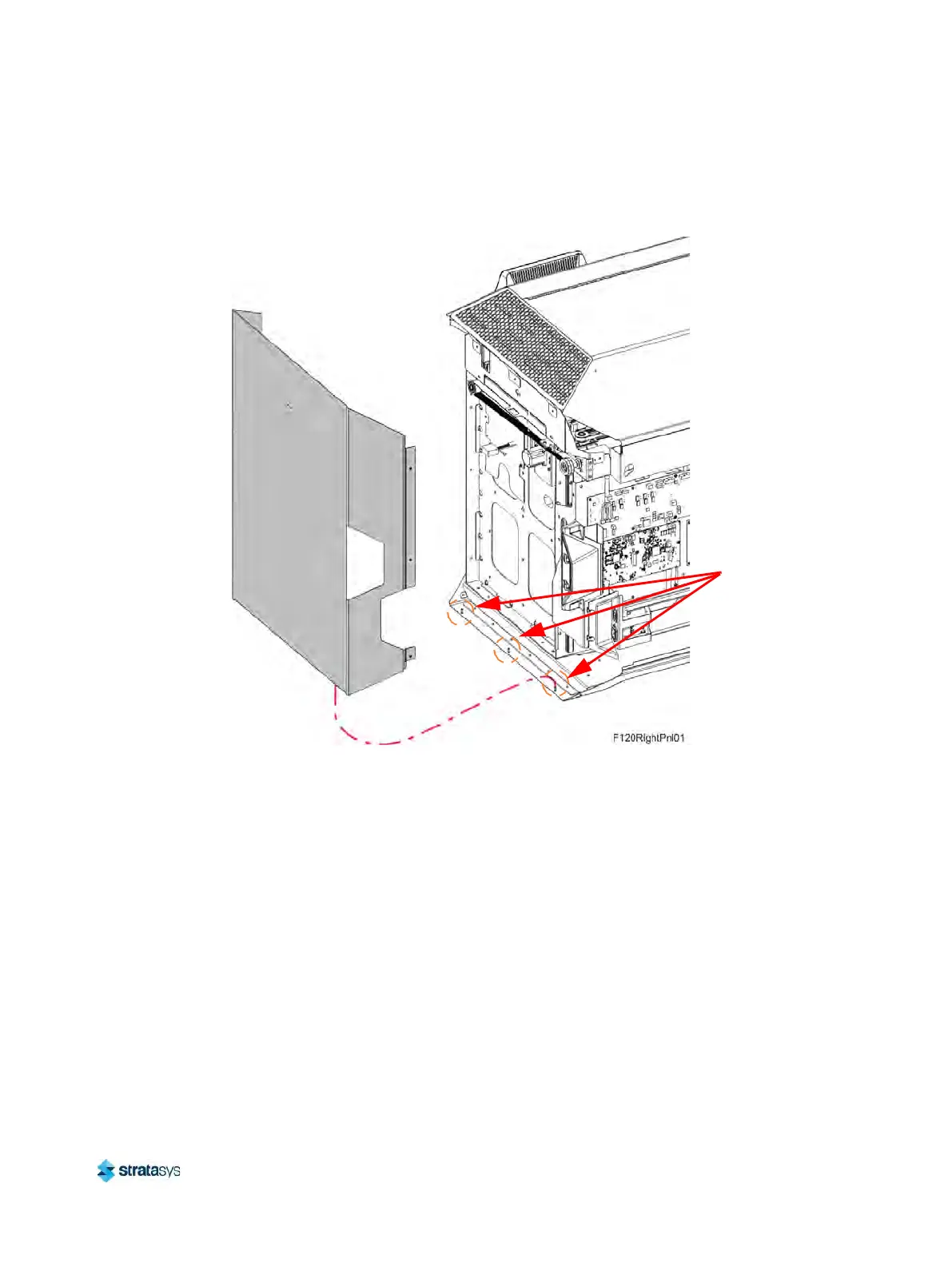
7. While holding down the retaining slot on the cover support bracket, tilt and lift the side
panels off the retaining pins (3) at the base of the oven frame. See Figure 19 (page 164).
Figure 19: Side Panel Retaining Pins Detail (right side panel shown)
8. Remove the side panel from the printer.
Installing the Side Panels
1. Install the side panel to the retaining pins (3) at the base of the printer frame. See
Figure 19 (page 164).
2. Align the mounting holes (2) in the side panel’s welded channel with the holes in the printer
f
rame. Make sure that the tab at the bottom of the channel engages the side panel retaining
slot. See Figure 18 (page 163).
3. Use a 3 mm hex wrench to reinstall the mounting screws (2). Torque to 21 in-lbs. See
F
igure 19 (page 164).
4. Close the top cover.
5
. Install the rear panel. See “
Installing the Rear Panel” (page 161).
Side Panel
Retaining Pins













 To Next Page