Customer Replaceable Units Head Ribbon Cables
Page 172
© Copyright 2020 Stratasys. All rights reserved.
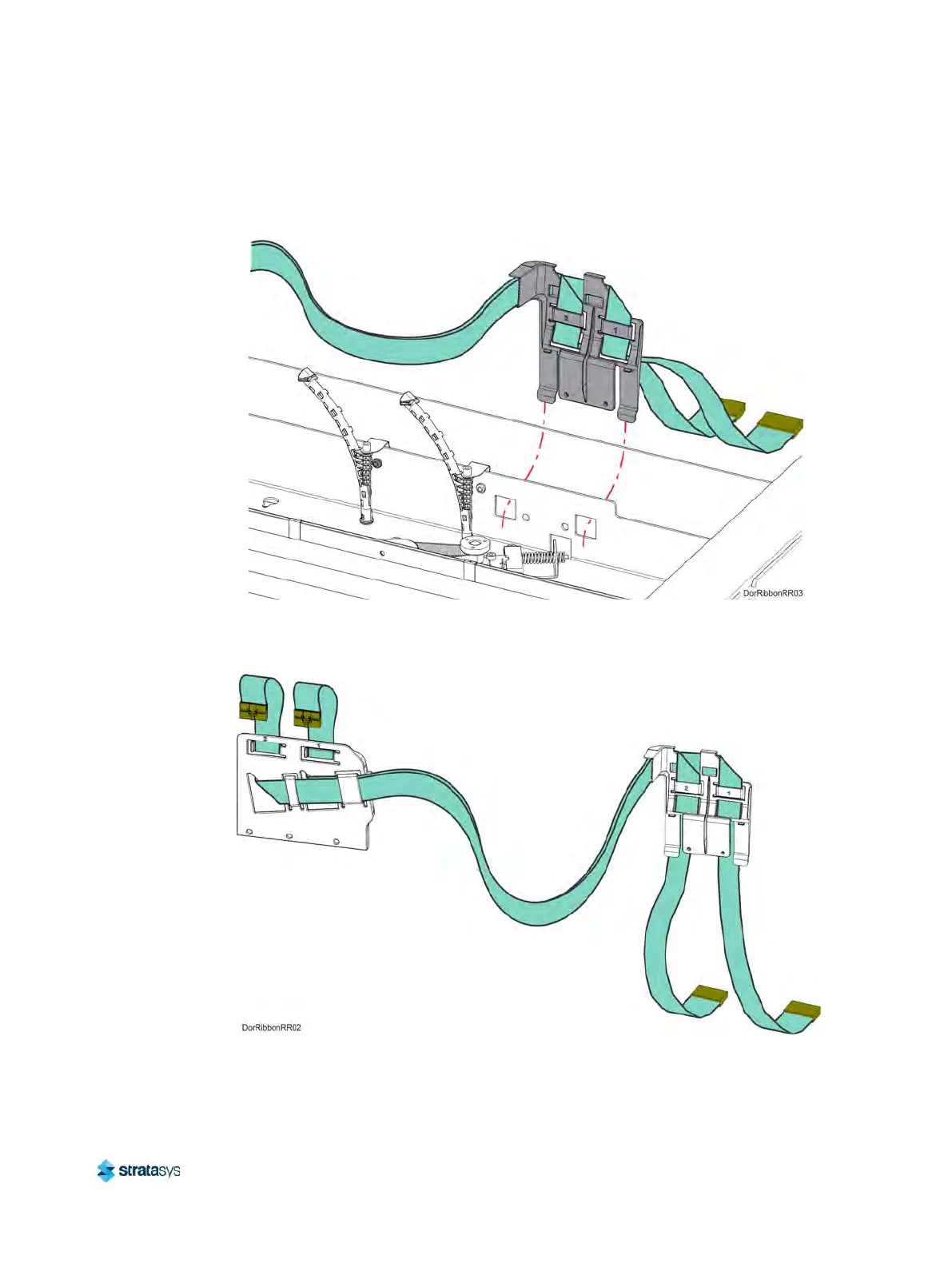
8. Lift and disengage the rear ribbon cable bracket from the back, top of the printer frame.
See Figure 26.
Figure 26: Rear Ribbon Cable Bracket Mounting Detail
9. Remove the head ribbon cables and cable brackets from the printer. See F
igure 27.
Figure 27: Head Ribbon Cables and Brackets













 To Next Page