Working with the Tools Page Settings
Page 76
© Copyright 2020 Stratasys. All rights reserved.
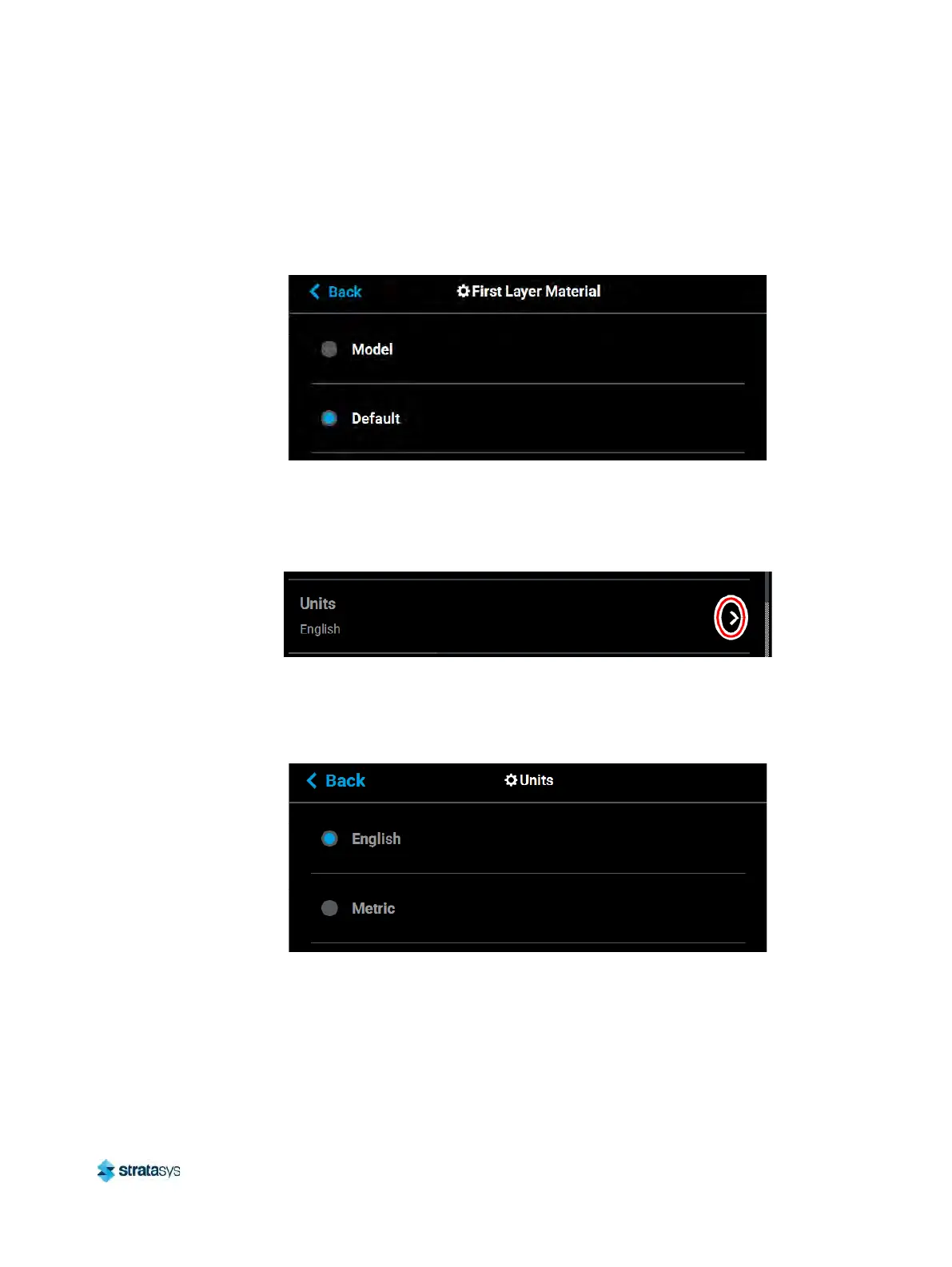
To configure this setting, press anywhere within the row; the First Layer Material page will be
displayed. Use the radio buttons within this page to select between Model and the Default
material, which could be either model or support material. If ABS or ASA material and .005”
slice height are selected, model material is automatically used for the first layer of material.
Figure 44: Configure First Layer Material
Units
The Units row displays the type of units the printer is configured for, English (inches) or Metric.
Figure 45: Units
To configure this setting, press anywhere within the row; the Units page will be displayed. Use
th
e radio buttons within this page to select between English and Metric units; English is
selected by default.
Figure 46: Configure Units
Standby Mode
The Standby Mode setting gives you the ability to put the printer into an energy saving state
after the completion of a build. When the Energy Saver radio button is selected (i.e. Standby
Mode is turned On) the printer’s oven will automatically shut off 2 hours after the completion of













 To Next Page