Working with the Tools Page Network
Page 89
© Copyright 2020 Stratasys. All rights reserved.
See the detailed information in the sections below for specific information on the available
connection types.
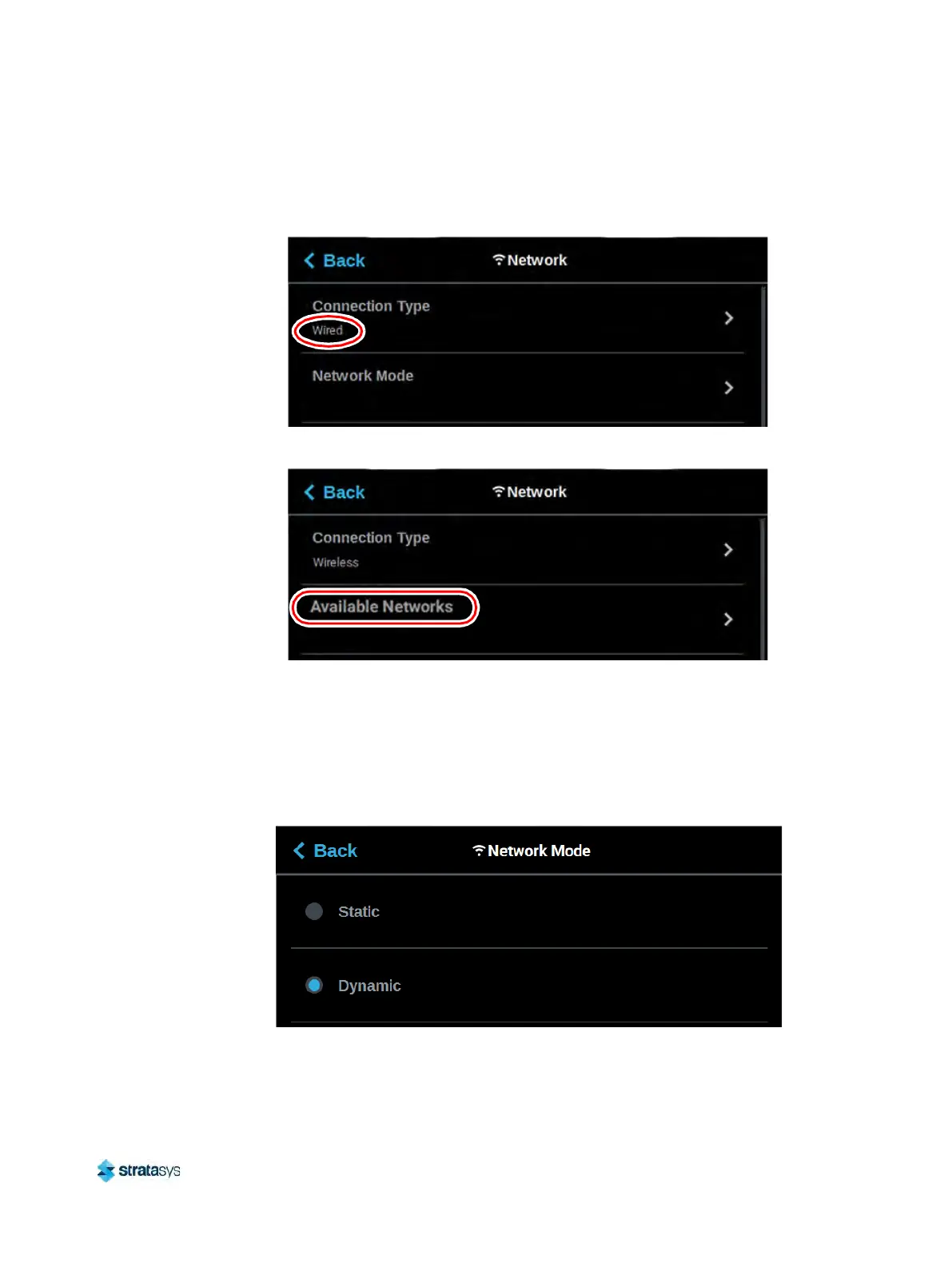
Figure 77: Network Page - Network Mode Row
Figure 78: Network Page - Available Networks Row
If the Wired connection type is selected, the Network Mode row will be displayed (see
Figure 77 (page 89) as a reference). Pressing anywhere within this row will allow you to select
between a Static or Dynamic network mode; Dynamic is selected by default. Use the St
atic
and Dynamic radio buttons to select a network mode. After selecting a network mode press
the Back button to exit and return to the Network page; the selected network mode will be
indicated within the Connection Type row.
Figure 79: Select Wired Network Mode
If the Wireless connection type is selected, the Available Networks row will be displayed (see
Figure 78 (page 89) as a reference). Pressing anywhere within this row will open a page
allowing you to scan for and connect to an available Wi-Fi network. After selecting an available













 To Next Page