111
S
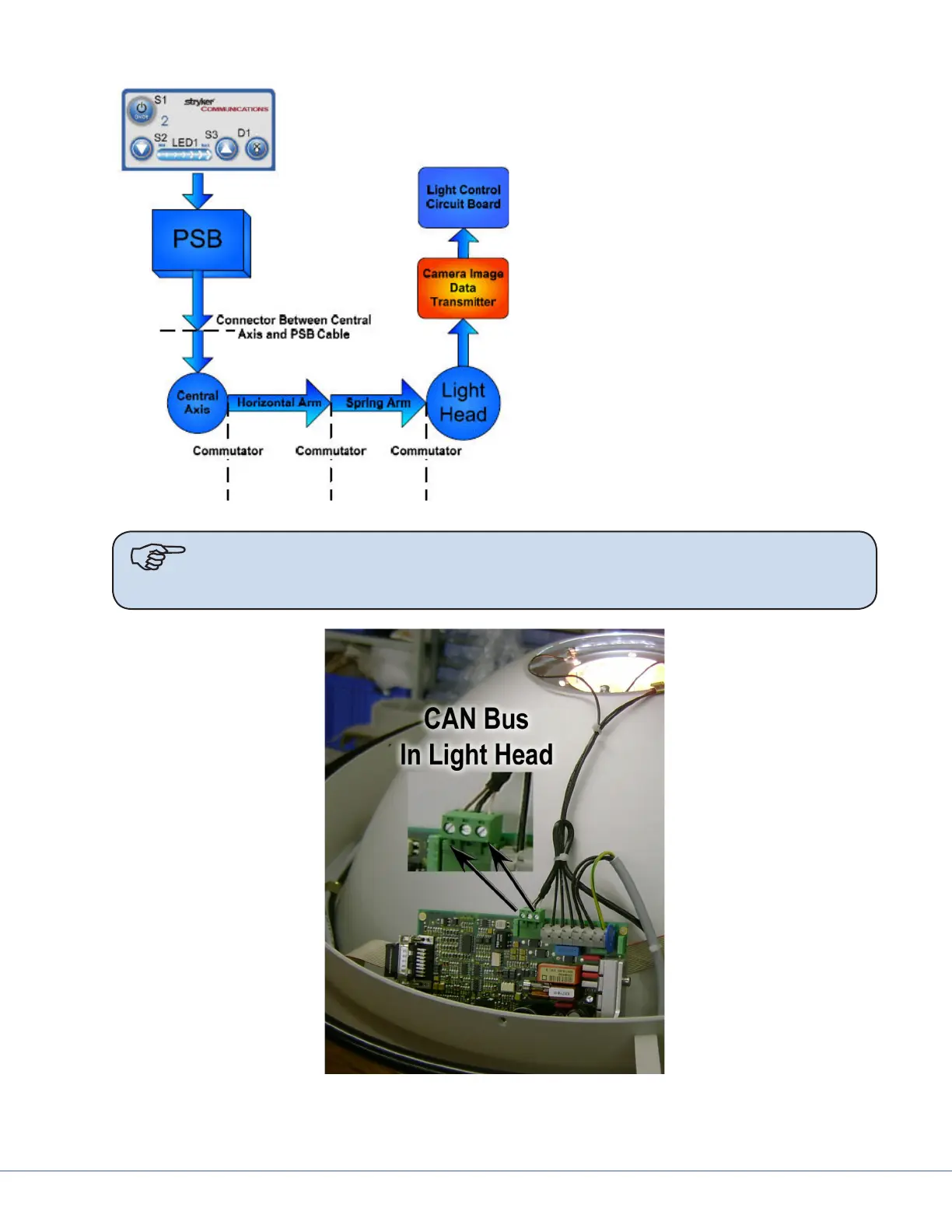
1. Check directly from the light head to
the power supply box. If there is an
open in either of the CAN bus lines,
half split to nd the broken connection.
2. Check the cable at the Central Axis con-
nection.
3. If the connection is broken between the
Central Axis and the power supply box
then the problem is CAN bus Cable. If
the problem is between the Central Axis
and the light head, half split further and
check the Horizontal Arm connector at
the Central Axis commutator.
4. Continue down the arm to the Spring
Arm.
When you nd the break, either repair
it or replace the defective component.
Note It is possible that a reverse wiring in the CAN bus occurred. Check this by toning
or continuity checking the Brown at the power supply box to the Clear at the light
head.
CAN BUS Connection in the Light Head
e brown wire is CAN+ and the Clear is CAN-.











 To Next Page