S CLASS™ 2 cutter User’s Manual
Setup 1-24
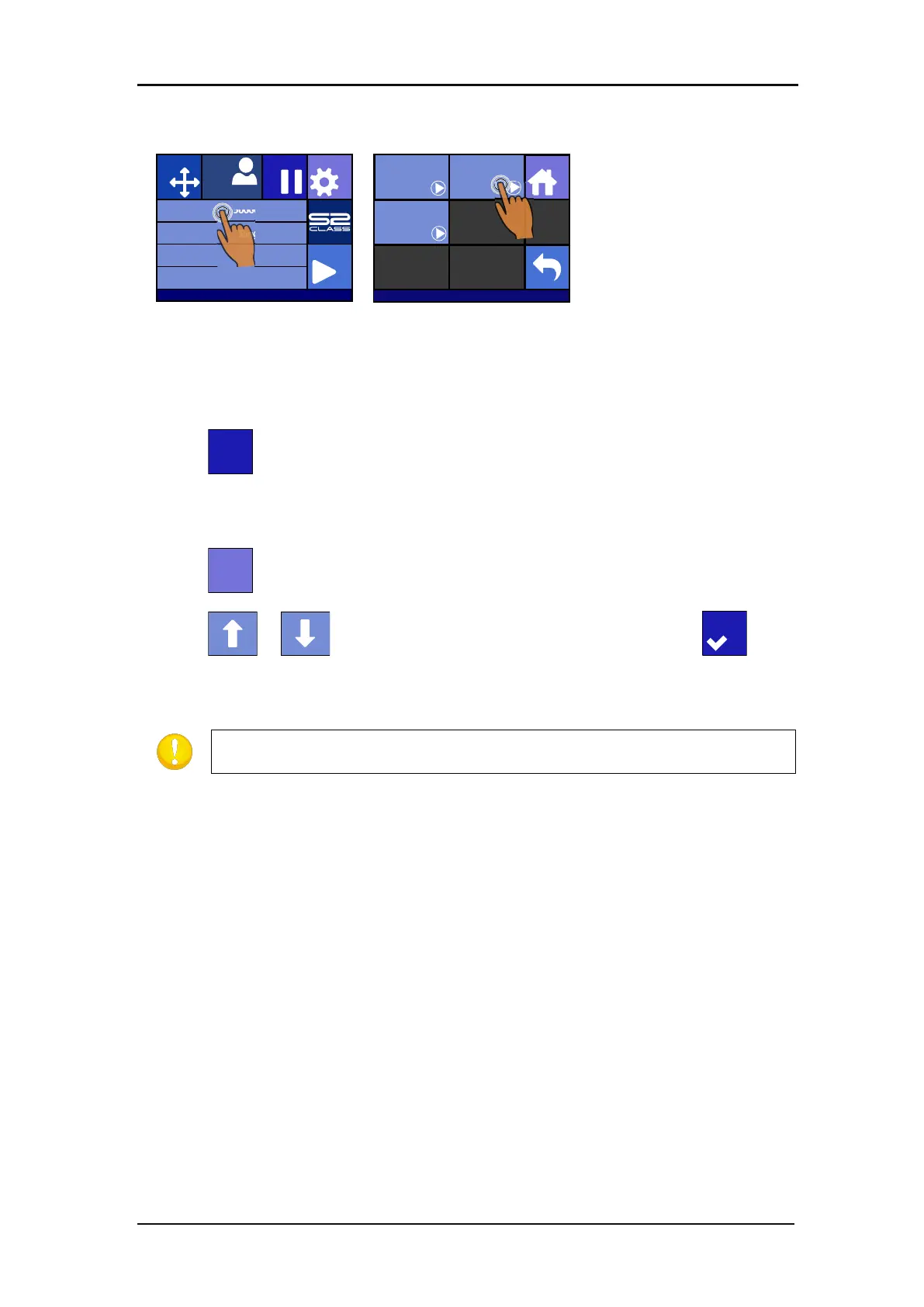
Loading a sheet.
Press on Media size
Press on Sheet
The cutter will immediately start to load the sheet. It loads until the end of the media or a
certain length of media is reached. The user will then be prompted to accept the length or
not.
3. Press to accept the length or go to step 4.
The cutter will now complete the loading sequence, come online and will be ready to receive
data. The loading sequence conditions the edges of the vinyl for a given length.
4. Press .
5. Press or until the required media-length appears. Then press .
The cutter will now complete the loading sequence. The cutter will come online and will be
ready. The length of the job is limited to the loaded length.
If the rear media sensor detects the end of the media, the cutter will
complete the loading sequence without any input from the user.
Knife pressure 95 gr
Velocity 800 mm/s
Tool Tangential knife
Media size 50000 x 718 mm
Actions
Settings
Configuration 1
PauseOrigin
IP:192.168.1.7
Load
Home
Sheet
Extended
Roll








 To Next Page