S CLASS™ 2 cutter User’s Manual
Setup 1-26
Extended load.
The function extended load makes it possible to define the limits of the Y axis so that the cutter
can cut outside the pinch rollers. The media needs to be loaded before this function can be
used.
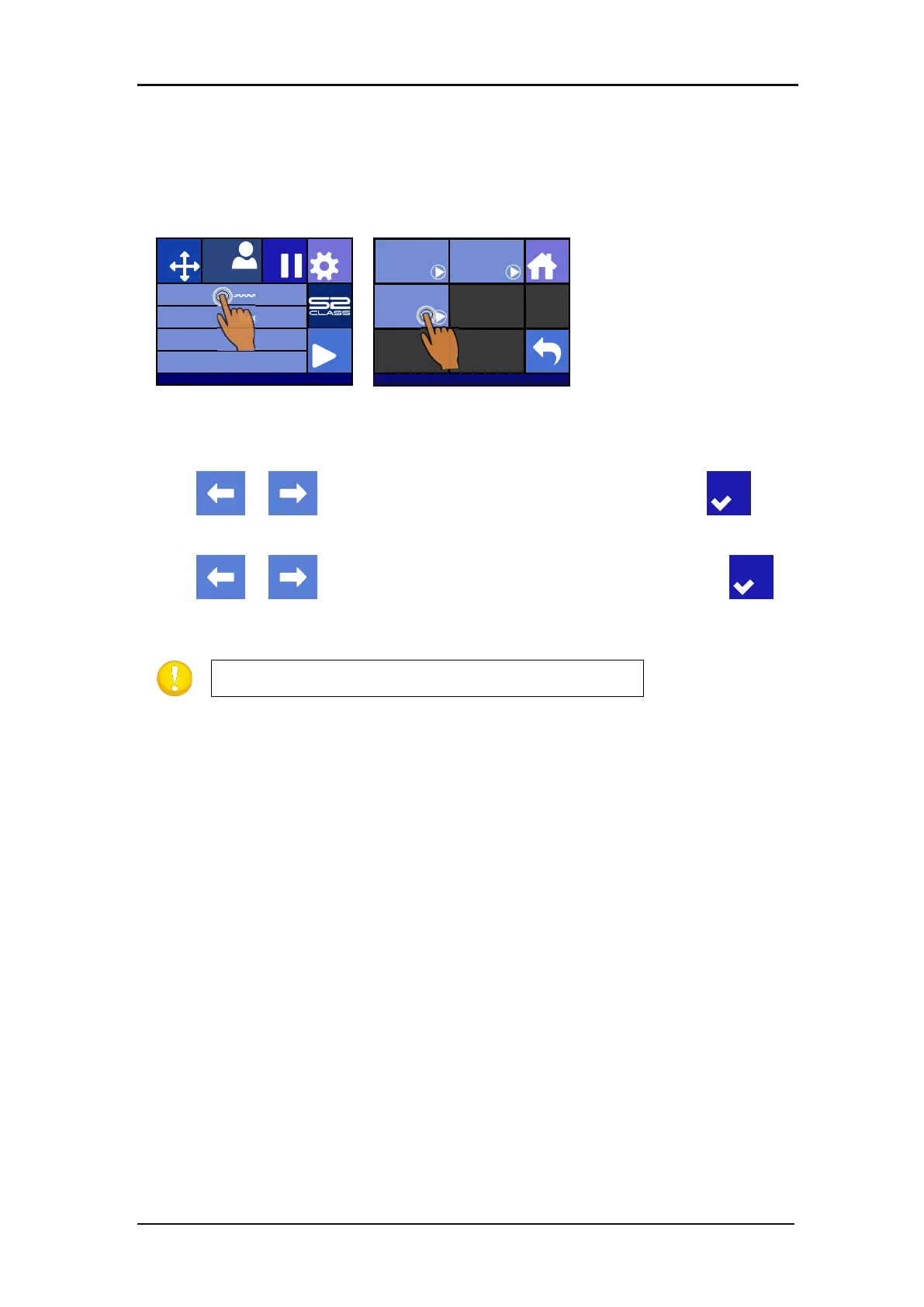
Press on Media size
Press on Extended
Two arrows will appear, together with an “apply” button.
3. Use or to reposition the right Y-axis limit (origin). Then press .
Two arrows will stay on the screen. The tool carriage will move to the left Y-axis limit.
4. Use or to reposition the left Y-axis limit (define size). Then press .
The cutting area in the Y-axis has now been redefined.
NOTE: Tracking is not guaranteed when using this mode.
Knife pressure 95 gr
Velocity 800 mm/s
Tool Tangential knife
Media size 50000 x 718 mm
Actions
Settings
Configuration 1
PauseOrigin
IP:192.168.1.7
Load
Home
Sheet
Extended
Roll








 To Next Page